
How to Run Gemma 4 in Codex CLI: Free Local AI Coding Setup (2026)
Step-by-step guide to running Google's Gemma 4 inside OpenAI's Codex CLI for a fully local, free AI coding agent. Covers llama.cpp setup, config, and what to expect.
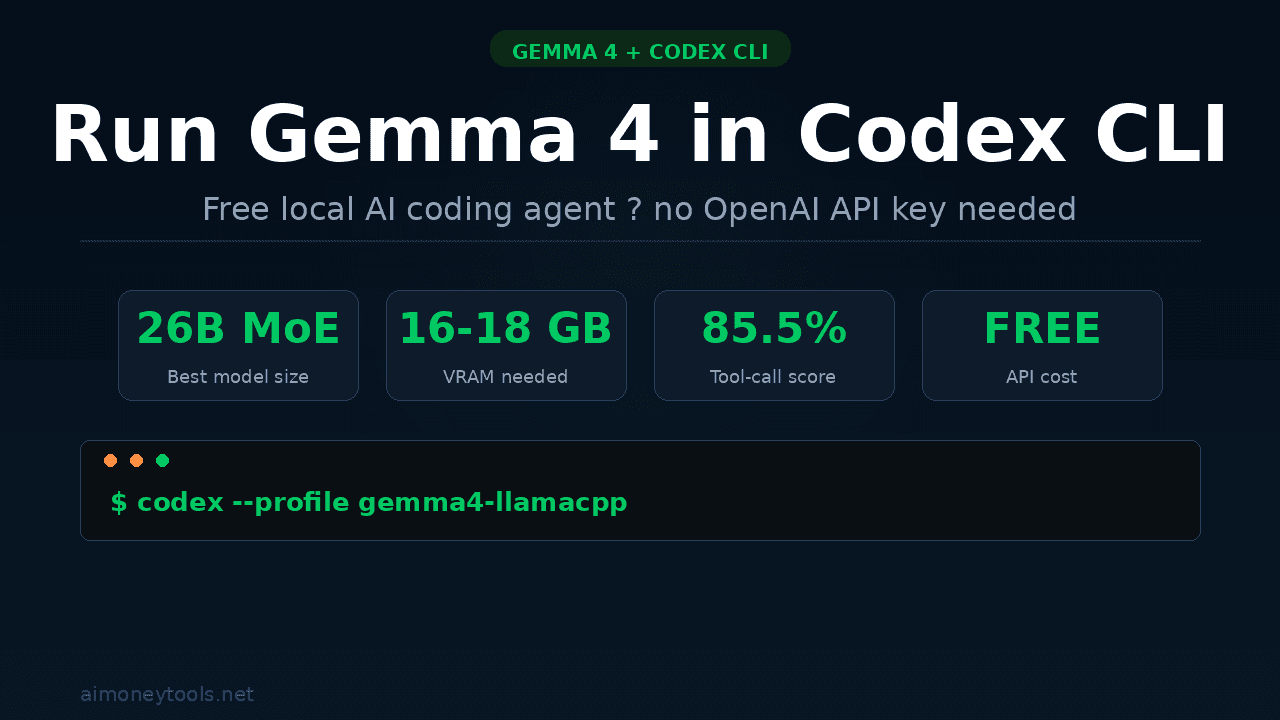
OpenAI's Codex CLI is one of the most capable AI coding agents you can run from your terminal — but by default it bills every token to your OpenAI account. There is a better option: plug in Google's free, open-weight Gemma 4 model and run a full coding agent on your own machine at zero cost.
The catch is the setup is a little non-obvious. Codex CLI expects an OpenAI-compatible API, and Gemma 4 has its own tool-calling format that not every inference server handles correctly. This guide walks you through the exact steps that work as of April 2026.
What Is Codex CLI?
Codex CLI is OpenAI's open-source terminal-based AI coding agent. Unlike ChatGPT or the web interface, it runs directly in your terminal and can:
- Read, edit, and create files in your codebase
- Execute bash commands (with your approval)
- Fetch URLs and do web research
- Chain multi-step coding tasks autonomously
Install it in one line:
npm install -g @openai/codex
# or on Mac:
brew install --cask codex
By default it routes requests to OpenAI's API. The --oss flag switches it to the Chat Completions wire format that local inference servers speak — which is what we need.
Why pair it with Gemma 4? Gemma 4 is Google's newest open-weight model family (released April 2, 2026, Apache 2.0 license). The 26B MoE variant scores 85.5% on τ2-bench — the agentic tool-calling benchmark — compared to Gemma 3's dismal 6.6%. That thirteen-fold jump makes it genuinely useful for real coding workflows, not just toy demos.
New to running local AI? Check our terminal beginners guide and how to check your VRAM before continuing.
Choosing the Right Gemma 4 Model
Gemma 4 ships in four sizes. Here is what you need to know:
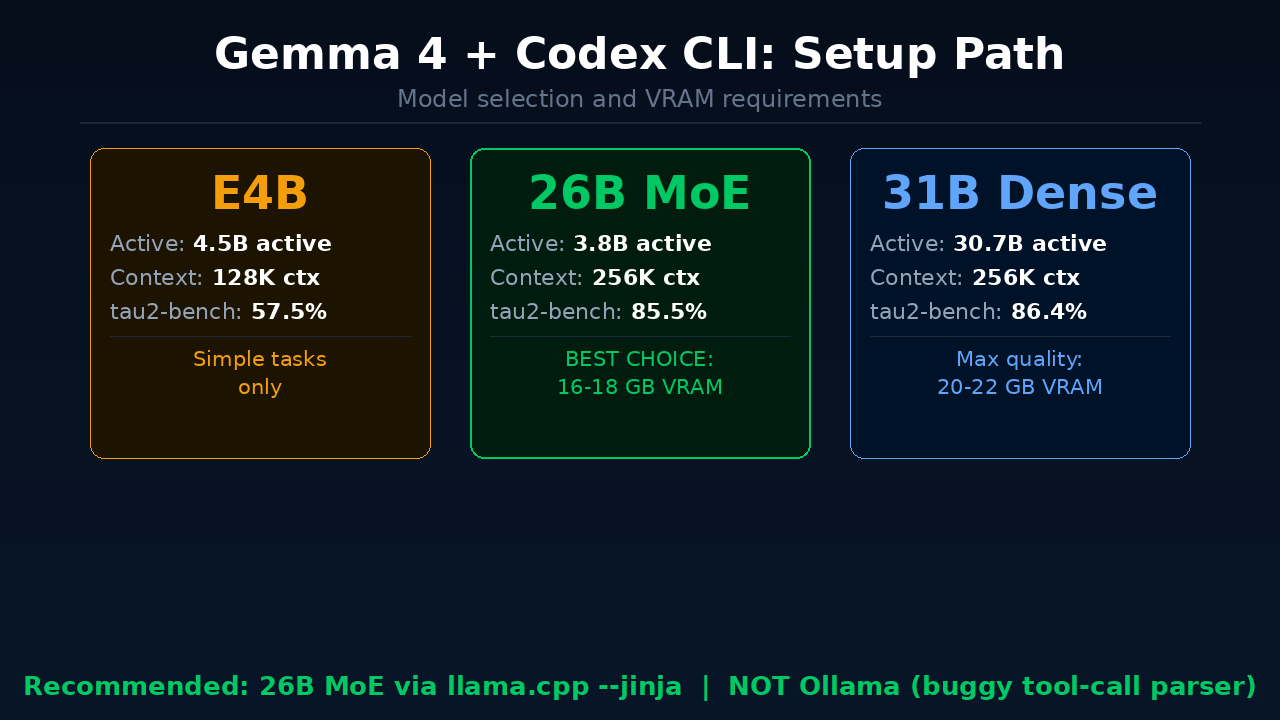
| Variant | Active Params | Context | τ2-bench | Best For |
|---|---|---|---|---|
| E2B | 2.3B | 128K | 29.4% | Not recommended for agents |
| E4B | 4.5B | 128K | 57.5% | Simple, single-step tasks |
| 26B MoE | 3.8B | 256K | 85.5% | Sweet spot — use this |
| 31B Dense | 30.7B | 256K | 86.4% | Highest quality, needs more VRAM |
The 26B MoE is the right choice for almost everyone. Despite its 25B total parameter count, only 3.8B parameters are active at any time (Mixture of Experts architecture). That means it runs on 32GB Apple Silicon or a 24GB NVIDIA GPU while delivering 97% of the 31B Dense's agentic capability.
VRAM requirements for Q4_K_M quantization:
- 26B MoE: ~16–18 GB VRAM
- 31B Dense: ~20–22 GB VRAM
Not sure what VRAM you have? Our VRAM guide has exact steps for Windows, Mac, and Linux.
Option 1: Ollama (Quick Start — With Caveats)
Ollama is the easiest way to get Gemma 4 running locally:
ollama pull gemma4:26b
Then launch Codex CLI pointing at Ollama:
codex --oss -m gemma4:26b
Or configure it permanently in ~/.codex/config.toml:
[model_providers.ollama]
name = "Ollama (Gemma 4)"
base_url = "http://localhost:11434/v1"

[profiles.gemma4-local]
model = "gemma4:26b"
model_provider = "ollama"
Then run with:
codex --profile gemma4-local
The problem: As of April 2026, Ollama v0.20.x has two unresolved bugs with Gemma 4's tool-call parser:
- In streaming mode, tool call content gets incorrectly routed into the reasoning field instead of the
tool_callsarray - The parser throws "invalid character" errors on some valid Gemma 4 tool invocations
This means Ollama will work for basic code generation but will fail on multi-step agentic tasks — exactly the workflows Codex CLI is built for. Until Ollama releases a fix, use Option 2 for anything serious.
Option 2: llama.cpp (Recommended)
This is the setup that actually works for full agentic coding. The key ingredient is llama.cpp's --jinja flag, which correctly handles Gemma 4's native tool-call chat template.
Step 1: Build or Install llama.cpp
Mac (via Homebrew):
brew install llama.cpp
From source (recommended for latest fixes):
git clone https://github.com/ggerganov/llama.cpp
cd llama.cpp
cmake -B build -DGGML_METAL=ON  # Mac with Metal GPU
cmake --build build --config Release -j
For NVIDIA GPU, replace -DGGML_METAL=ON with -DGGML_CUDA=ON.
Step 2: Download Gemma 4 26B MoE
Download the Q4_K_M quantized GGUF from Hugging Face:
# Using huggingface-cli
pip install huggingface_hub
huggingface-cli download ggml-org/gemma-4-26B-A4B-it-GGUF \
  --include "gemma-4-26b-a4b-it-Q4_K_M.gguf" \
  --local-dir ./models
Or point llama.cpp directly at the Hub model (it downloads automatically):
llama-server \
  -hf ggml-org/gemma-4-26B-A4B-it-GGUF:Q4_K_M \
  --port 8089 \
  -ngl 99 \
  -c 65536 \
  --jinja
Flag breakdown:
-hf— download directly from Hugging Face-ngl 99— offload all layers to GPU-c 65536— 64K context (Codex CLI uses 8–12K tokens just for its system prompt)--jinja— critical — enables Gemma 4's native tool-call chat template
Leave this server running in a terminal tab.
Step 3: Configure Codex CLI
Add this to ~/.codex/config.toml:
[model_providers.llamacpp]
name = "llama.cpp (Gemma 4)"
base_url = "http://localhost:8089/v1"

[profiles.gemma4-llamacpp]
model = "gemma-4-26b"
model_provider = "llamacpp"
Step 4: Create an AGENTS.md File
In your project root, create AGENTS.md with explicit tool parameter names. This primes Gemma 4's context and significantly reduces tool-call naming errors:
# Agent Instructions

## Available Tools
- run_bash: Execute shell commands. Parameters: { command: string }
- read_file: Read a file. Parameters: { filePath: string }
- write_file: Write to a file. Parameters: { filePath: string, content: string }
- str_replace: Edit file contents. Parameters: { filePath: string, oldString: string, newString: string }
Step 5: Launch
codex --profile gemma4-llamacpp
That is it. You now have a free, fully local AI coding agent running Gemma 4 26B.
What to Expect in Practice
What works well:
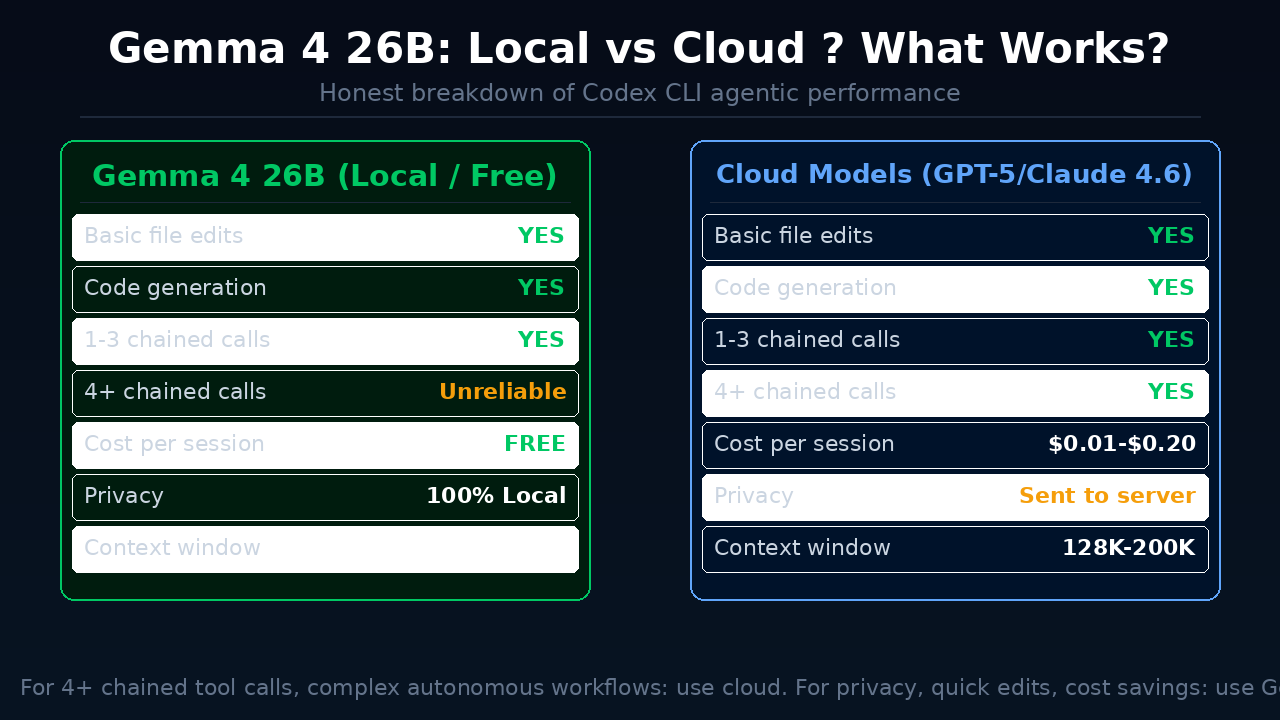
- File reads, writes, and edits — the model generates well-formed tool calls
- Code generation quality — 77.1% on LiveCodeBench, competitive with cloud models for routine tasks
- Apple Silicon Metal acceleration — roughly 7 tokens/second on M-series hardware with the 26B MoE
- Multi-turn conversations up to 3–4 chained tool calls
Known limitations:
- Reliability drops after 3–4 sequential tool calls. The model starts describing what it would do instead of actually calling tools. This is a model limitation, not an infrastructure issue. Keep sessions focused and short.
- Context pressure is real. Codex CLI's system prompt, tool definitions, and conversation history consume 8–12K tokens before you start. With 64K context you have roughly 50K tokens of working space — enough for most tasks, but large file reads can push you over.
- Not a drop-in replacement for cloud models on complex autonomous tasks requiring 10+ chained actions.
Pro tips:
- Set
reasoning: falseif your inference server supports it — reasoning tokens can interfere with tool-call parsing - Keep sessions task-focused rather than running long open-ended sessions
- Use 64K context minimum (
-c 65536)
When to Stay on Cloud Models
Gemma 4 26B is genuinely impressive for an open model, but there are cases where cloud is the better choice:
- Long autonomous runs requiring 10+ chained tool calls reliably
- Large codebases where extensive file reads consume too much context
- CI/CD pipelines where consistency matters more than cost
- When you don't have 18GB VRAM to spare
For privacy-sensitive work, quick focused refactoring, and everyday local development, Gemma 4 26B through llama.cpp is now a real option — the first open model that can honestly compete.
Don't have the local hardware? Ampere cloud GPUs offer pay-as-you-go A100 and H100 access — you can run the same llama.cpp setup remotely and pay only for the hours you use.
FAQ
What is Codex CLI and is it free?
Codex CLI is OpenAI's open-source, terminal-based AI coding agent. The software itself is free to install and use. By default it uses OpenAI's API (paid), but using the --oss flag lets you point it at any local inference server running Gemma 4 — making it completely free.
What VRAM do I need to run Gemma 4 26B locally?
You need approximately 16–18 GB VRAM for the Q4_K_M quantized version of Gemma 4 26B MoE. On Apple Silicon, the 32GB MacBook Pro or Mac mini M4 Pro handles it well. On NVIDIA, a 24GB RTX 4090 or 3090 works. See our VRAM check guide for how to check your exact hardware.
Why does Ollama not work well with Codex CLI and Gemma 4?
As of April 2026, Ollama v0.20.x has a bug in its Gemma 4 tool-call parser. In streaming mode, tool calls get routed into the wrong field, which causes Codex CLI to miss them. Use llama.cpp with the --jinja flag instead — it handles Gemma 4's native tool-call format correctly.
Which Gemma 4 model size should I use with Codex CLI?
The 26B MoE variant is the best choice for most users. It scores 85.5% on τ2-bench (agentic tool-calling benchmark) and has only 3.8B active parameters, so it runs on consumer hardware. The E2B and E4B variants are too unreliable for multi-step agentic tasks.
Can I use Gemma 4 with Codex CLI on Windows?
Yes. Install llama.cpp for Windows (CUDA build if you have an NVIDIA GPU), run the llama-server with the same --jinja flag, then configure ~/.codex/config.toml with the localhost endpoint. The Codex CLI setup steps are identical across operating systems.
How does this compare to running Gemma 4 in LM Studio or Ollama normally?
Running Gemma 4 in LM Studio or Ollama gives you a chat interface. Running it inside Codex CLI gives you an agent that can autonomously read and edit files in your codebase. The difference is between talking to an AI and having an AI actually do coding work for you.
Does Gemma 4 in Codex CLI support MCP servers?
Codex CLI has MCP (Model Context Protocol) server support in recent versions. Gemma 4's tool-calling reliability at 3–4 chained calls still applies, so MCP-heavy workflows may hit the same reliability ceiling. Check our Ollama + Gemma 4 MCP guide for MCP configuration details.
Key Takeaways
- Codex CLI's
--ossflag enables any OpenAI-compatible local inference server - Gemma 4 26B MoE is the best model for this setup: 85.5% τ2-bench, 16–18GB VRAM, runs on Apple Silicon and NVIDIA
- Use llama.cpp with
--jinja— Ollama has unresolved tool-call parser bugs with Gemma 4 as of April 2026 - Create an
AGENTS.mdin your project to reduce tool-call parameter naming errors - Keep sessions focused: Gemma 4's agentic reliability starts dropping after 3–4 sequential tool calls
- Combine with our Gemma 4 full setup guide for the complete local AI stack

Alex the Engineer
•Founder & AI ArchitectSenior software engineer turned AI Agency owner. I build massive, scalable AI workflows and share the exact blueprints, financial models, and code I use to generate automated revenue in 2026.
Related Articles

How to Start an AI-Assisted Resume Writing Side Hustle in 2026 (Beginner's Guide)
A step-by-step guide to using AI resume tools to offer a paid resume and cover letter writing service — what to charge, which tools to use, and how to find your first clients.

How to Build and Sell AI Voice Receptionists to Local Businesses in 2026
A beginner's guide to building AI voice agents that answer business phone calls — the tools to use, what to charge, and how to find your first client.

How to Make Money on Fiverr with AI Tools in 2026: 7 Gigs You Can Start This Week
Discover 7 real Fiverr gigs you can launch using free and low-cost AI tools in 2026 — no experience required. Real pricing data, step-by-step setup, and tools that actually work.