
Gemma 4 on Mac: MacBook Air, Mac Mini & Pro Setup Guide (2026)
Run Gemma 4 locally on MacBook Air, Mac Mini, or MacBook Pro — M1/M2/M3/M4. Free, offline, step-by-step. System requirements, RAM tips, and benchmarks included.
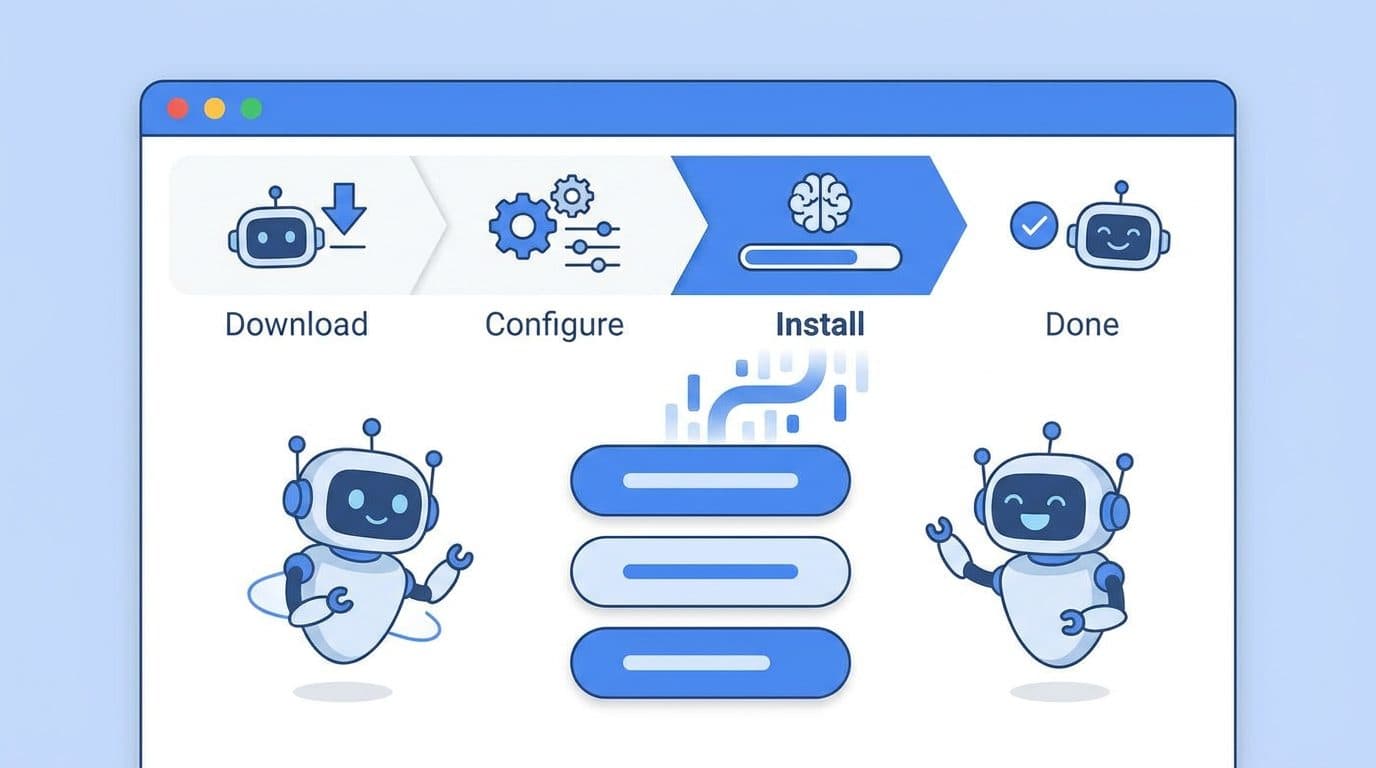
Google just released Gemma 4 — and this one is different.
While most AI tools require an internet connection and send your data to a cloud server, Gemma 4 runs entirely on your own device. Offline. Private. Fast. And it's free to use, including commercially, under the Apache 2.0 license.
Here's everything you need to know about what Gemma 4 is, what makes it a leap forward, and exactly how to get it running on your Mac or PC today.
What Is Gemma 4?
Gemma 4 is an open-source AI model family released by Google DeepMind on April 2, 2026. It's built from the same research that powers Gemini 3 — one of the most capable AI systems in the world — but packaged to run on your local hardware without any cloud dependency.
The name "Gemma" (from "gemma," meaning gem) signals Google's intent: these are precision-cut open models for developers and power users who want real AI capability without the data-sharing trade-offs of cloud services.
What's new in Gemma 4 vs. previous versions:
- Agentic by design — Gemma 4 can perform multi-step tasks, use tools, and make decisions autonomously. Previous Gemma models were primarily conversational.
- Multimodal — understands images, audio, and video alongside text
- 140+ language support — usable across a global audience without model swapping
- 128K context window — reads and reasons over massive documents in a single pass
- E2B and E4B model sizes — runs on hardware with as little as 1.5GB–3GB of memory
The E2B and E4B naming refers to "effective parameters." Under the hood, Gemma 4 uses the MatFormer architecture (a nested "Matryoshka-style" transformer), which means a 5B-parameter model behaves with the memory footprint of a 2B model (E2B), and an 8B-parameter model runs like a 4B (E4B).
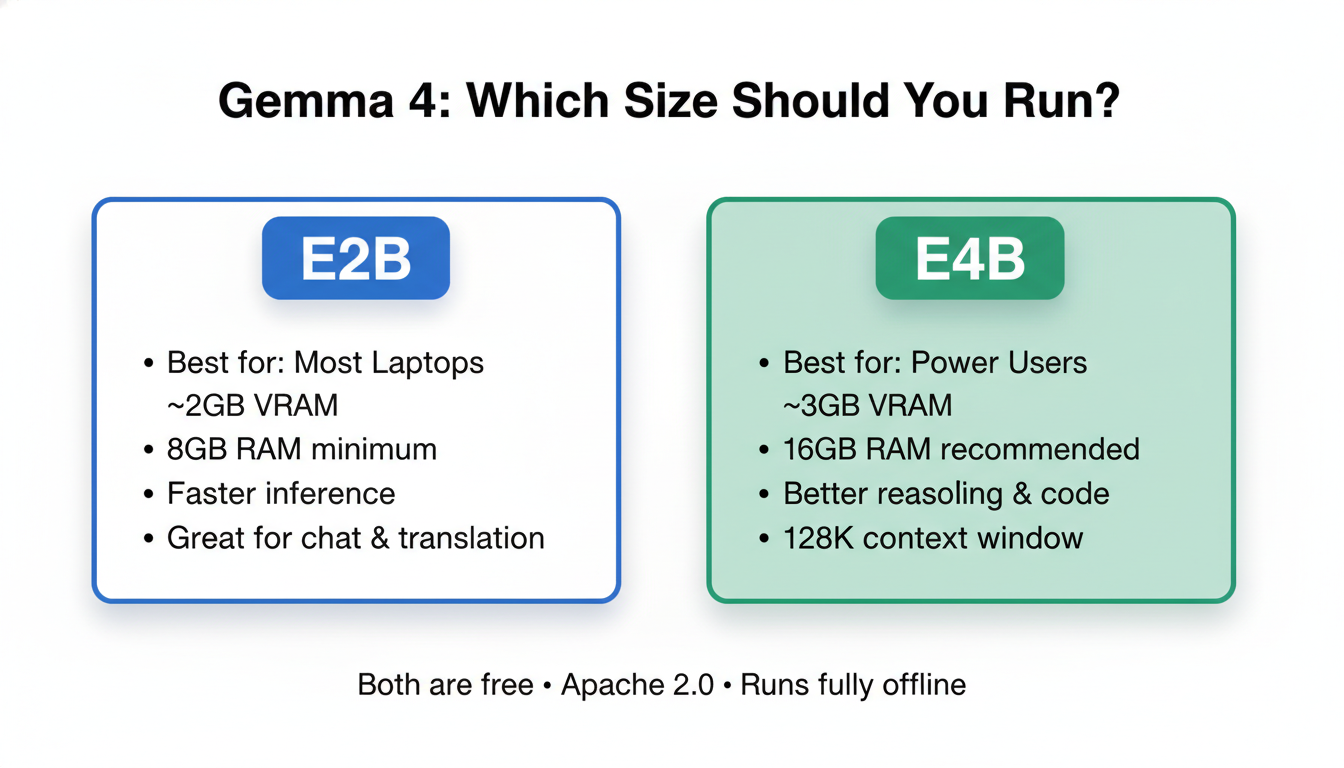
In practical terms: E2B runs on almost any modern laptop with 8GB RAM. E4B runs well on 16GB RAM machines.
How to Install Gemma 4 on Mac or PC
There are three main ways to run Gemma 4 locally. Here they are ranked by ease.
Option 1: Ollama (Recommended — Easiest)
Ollama is the simplest way to run any local AI model. It handles the download, model management, and a local API endpoint automatically.
New to the terminal? The commands below are copy-paste simple, but if you've never opened Terminal on Mac or Command Prompt on Windows, our Terminal Beginner's Guide walks you through it step by step.
macOS:
# Install Ollama via the official installer
# Download from: https://ollama.com/download

# Then pull and run Gemma 4
ollama run gemma4
Or choose a specific size:
ollama run gemma4:e2b   # Smaller, faster — best for most laptops
ollama run gemma4:e4b   # Better quality — recommended for 16GB+ RAM
Windows:
- Download the Ollama installer from ollama.com
- Run the
.exeinstaller - Open Command Prompt or PowerShell
- Run
ollama run gemma4
Linux:
curl -fsSL https://ollama.com/install.sh | sh
ollama run gemma4
Once Ollama is running, Gemma 4 is also accessible via a local API at http://localhost:11434 — compatible with the OpenAI SDK, so any app that supports OpenAI models can be pointed at your local Gemma 4 instance.
Option 2: LM Studio (Best for Non-Developers)
LM Studio is a free desktop application with a clean GUI. No terminal required.
- Download LM Studio from lmstudio.ai
- Open the Discover tab and search "gemma 4"
- Download the E2B version for most laptops, or E4B if you have 16GB+ RAM
- Click Load Model, then open the Chat tab
- Start talking
LM Studio also provides a local server mode, so you can integrate your locally-running Gemma 4 into other apps.
Option 3: LiteRT-LM CLI (For Developers)
Google's own CLI tool for running Gemma 4 — optimized for performance and tool calling.
pip install litert-lm
litert-lm --model gemma4-e4b-it
This is the setup Google uses internally for Agent Skills — the multi-step agentic workflows that make Gemma 4 unique. It also supports structured output and constrained decoding, making it ideal for production pipelines.
System Requirements
| Setup | Minimum RAM | Recommended | Storage |
|---|---|---|---|
| Gemma 4 E2B | 6GB RAM | 8GB RAM | ~3GB |
| Gemma 4 E4B | 8GB RAM | 16GB RAM | ~5GB |
| Gemma 4 E4B (GPU) | 4GB VRAM | 8GB VRAM | ~5GB |
Apple Silicon Macs (M1/M2/M3/M4) are particularly well-suited — unified memory handles both CPU and GPU workloads, so even an M1 MacBook Air can run E4B smoothly.
Not sure how much VRAM your GPU has? Here's how to check your VRAM on Windows and Mac — takes about 30 seconds.
10 Things You Can Actually Do with Gemma 4
Gemma 4 isn't just a chatbot. Its agentic architecture opens up a range of practical local use cases that weren't viable with previous open models.
1. Private AI assistant (offline chat)
Ask questions, get summaries, brainstorm — without a single byte leaving your device. Useful for sensitive business documents or NDA-protected content.
2. Offline code generation and debugging
Paste your codebase context, describe a bug, and get a fix — entirely offline. At 128K tokens of context, Gemma 4 can handle entire codebases in a single pass.
3. Real-time translation
Supports 140+ languages out of the box. Use the audio encoder for speech-to-translated-text in real time, no internet required.
4. Local document analysis
Drop in a 100-page PDF, ask specific questions, get structured answers — processed locally with no cloud upload.
5. Multi-step task automation (agentic workflows)
Using the LiteRT-LM tool calling API, Gemma 4 can plan and execute multi-step workflows: web queries, data formatting, file manipulation, and API calls — all orchestrated by the model itself.
6. Image and video understanding
Point it at a photo or video file — Gemma 4's MobileNet-V5 vision encoder identifies objects, reads text, and answers questions about the visual content.
7. Local voice assistant
Pair Gemma 4's audio understanding with a text-to-speech layer and you have a fully offline voice assistant — privacy-first Siri/Alexa alternative.
8. On-device coding teacher
Create a local study tool that explains code, quizzes you on concepts, or generates exercises — fully customized and offline.
9. Customer support chatbot (self-hosted)
Build a fully self-hosted support chatbot trained on your documentation — no third-party API fees, no data going to Google or OpenAI.
For developers who want to combine Gemma 4's local capability with a production-ready chatbot deployment layer, CustomGPT.ai offers a zero-hallucination infrastructure that handles document ingestion, session management, and analytics on top of your model.
10. AI on IoT devices
Google officially supports Gemma 4 E2B on Raspberry Pi 5 — achieving 133 tokens/second prefill and 7.6 tokens/second decode. This opens up use cases in robotics, smart home controllers, and offline edge computing.
For running heavier Gemma 4 workloads — fine-tuning, batch inference, or running E4B at scale — Ampere.sh provides GPU compute optimized for ARM-based AI workloads at significantly lower cost than AWS or GCP at comparable performance.
Gemma 4 vs. Other Local Models in 2026
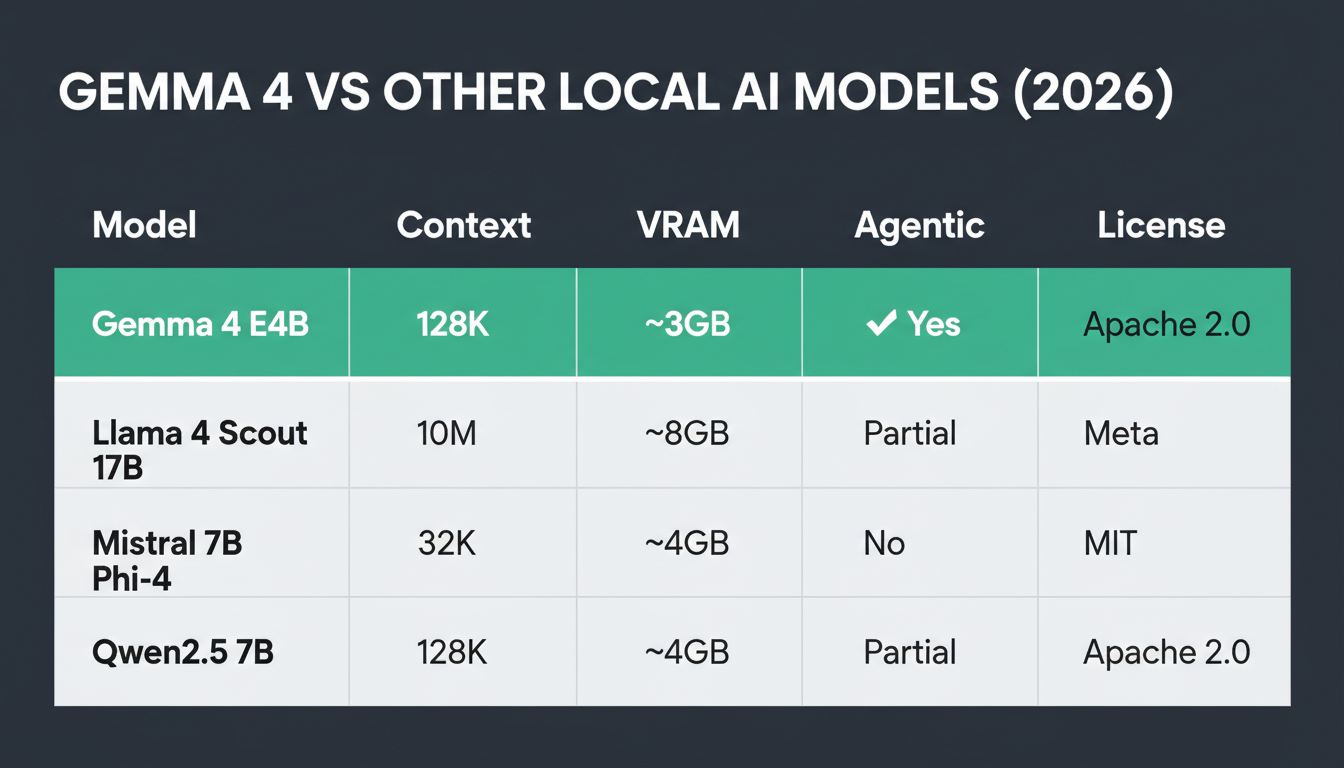
| Model | Context Window | Local VRAM Needed | Agentic | License |
|---|---|---|---|---|
| Gemma 4 E4B | 128K | ~3GB | ✅ Yes | Apache 2.0 |
| Llama 4 Scout 17B | 10M | ~8GB | Partial | Meta |
| Mistral 7B | 32K | ~4GB | No | Apache 2.0 |
| Phi-4 | 16K | ~4GB | Partial | MIT |
| Qwen2.5 7B | 128K | ~4GB | Partial | Apache 2.0 |
Gemma 4 E4B stands out for combining the smallest effective memory footprint with the largest context window and the most capable agentic execution among all comparable open models at the time of release.
Why This Release Matters
Every AI tool you use today — ChatGPT, Claude, Gemini — runs on cloud servers. Your prompts, documents, and conversations pass through third-party infrastructure.
Gemma 4 is Google's strongest signal yet that capable AI can run at the edge — on your device, offline, with no usage costs after setup. For businesses handling sensitive data, developers building privacy-first apps, and hobbyists in low-connectivity environments, this is a meaningful shift.
The agentic capability is the real story. Earlier local models were good for conversations. Gemma 4 can actually act — plan tasks, call tools, produce structured outputs, and chain multi-step workflows — all without an internet connection.
Frequently Asked Questions
Is Gemma 4 free to use commercially?
Yes. Gemma 4 is released under the Apache 2.0 license, which allows commercial use, redistribution, and modification without royalties or restrictions.
Can Gemma 4 run on a MacBook Air?
Yes. The E2B model runs on any MacBook Air with 8GB or more of unified memory, including M1, M2, M3, and M4 models. Apple Silicon's unified memory architecture makes local AI particularly efficient.
Does Gemma 4 require an internet connection after setup?
No. Once the model is downloaded (3–5GB depending on size), Gemma 4 operates entirely offline. No API keys, no cloud calls, no usage costs.
What is the difference between Gemma 4 E2B and E4B?
Both models have the same architecture, but E4B uses more active parameters during inference, resulting in higher quality outputs — particularly for complex reasoning, code generation, and multilingual tasks. E2B is faster and more memory-efficient, suitable for most everyday tasks.
Can I fine-tune Gemma 4?
Yes. Fine-tuning support is available via Hugging Face Transformers + TRL, Unsloth (for memory-efficient fine-tuning on consumer GPUs), and NVIDIA NeMo for enterprise fine-tuning pipelines.
What happened to Gemma 3n — is it the same as Gemma 4?
Gemma 3n (released in preview in March 2026) introduced the MatFormer architecture and Per-Layer Embeddings. Gemma 4 is the full commercial release building on those foundations, adding complete agentic support, extended tool-calling, the 128K context window, and broader platform support (iOS, Android, desktop, IoT).

Alex the Engineer
•Founder & AI ArchitectSenior software engineer turned AI Agency owner. I build massive, scalable AI workflows and share the exact blueprints, financial models, and code I use to generate automated revenue in 2026.
Related Articles
What Is GEO (Generative Engine Optimization)? The 2026 Guide
GEO means optimizing your content so AI tools like ChatGPT, Claude, and Perplexity cite and recommend it. Here's how it works — and why it won't replace SEO.
15+ AI Automation Ideas to Save 20+ Hours Weekly
15+ real AI automation ideas deployed right now with n8n, CustomGPT, and Make — content pipelines, support bots, lead gen. Includes setup tips and income potential.
Best AI Voice Generator Tools for 2026: Ranked by Real Use Cases
The best AI voice generator tools for 2026, ranked by quality, price, and real-world use cases — YouTube, podcasts, online courses, and client work.