
TryHolo Review 2026: Is This AI Video Tool Worth It for Beginners?
Hands-on review of TryHolo — the AI avatar video creator for beginners. Covers features, pricing, real use cases, and how it compares to HeyGen. Updated May 2026.
Disclosure: This review contains affiliate links. If you sign up through our link, we may earn a commission at no extra cost to you. We only recommend tools we believe are worth your time.
If you have ever wanted to create videos for YouTube, TikTok, or LinkedIn but do not want to be on camera — or do not own video editing software — AI avatar tools have become a real option. TryHolo is one of the newer names in this space, and it is specifically built for beginners who want professional-looking results without a production setup.
This review covers everything a beginner needs to know: what TryHolo actually does, who it is for, how the pricing works, and where it falls short compared to alternatives like HeyGen.
What Is TryHolo?
TryHolo is an AI-powered video creation platform that lets you generate talking-head videos using AI avatars. Instead of filming yourself, you type a script, select an avatar (or upload your own photo), choose a voice, and TryHolo renders a video of that avatar speaking your script.
The end result looks like a real person delivering your message on camera — suitable for explainer videos, YouTube content, short-form social clips, online course lessons, and marketing videos.
You do not need a camera, microphone, or any video editing experience. The entire workflow happens in a browser.
Who Is TryHolo For?
TryHolo makes the most sense for:
Content creators going faceless. If you want to run a YouTube channel without showing your face, AI avatar tools let you produce consistent video content at scale. TryHolo's beginner-friendly interface makes this accessible even if you have never created a video before.
Small business owners. Product explainers, FAQ videos, and onboarding walkthroughs all benefit from a talking-head format. TryHolo lets a one-person business produce these without hiring a video team.
Freelancers selling video services. You can create AI-generated videos for local businesses, online courses, or real estate listings — and sell those as a service. Pair TryHolo with n8n for automated delivery workflows. Check out our full AI automation agency guide for the business model breakdown.
Online educators. Short lesson segments, course intros, and module transitions can all be generated in minutes instead of spending hours recording and re-recording.
Key Features
AI Avatars TryHolo ships with a library of pre-built AI avatars covering different ages, genders, and presentation styles. You pick one that suits your brand. Alternatively, you can submit your own photo to create a custom avatar that resembles you — good if you want brand consistency without being on camera.
Text-to-Speech with 30+ Languages Type your script and TryHolo converts it to natural-sounding speech. The platform supports 30+ languages, which makes it practical for creators targeting non-English audiences or businesses operating in multiple markets.
Voice Customization You can adjust speaking pace and tone. For more control, TryHolo also supports voice cloning — upload a sample of a voice and the platform replicates its characteristics. This is useful for brand consistency across a library of videos.
Script-to-Video Workflow The core workflow is simple: write your script in the text field, select avatar and voice, click generate. For short clips (under 2 minutes), generation typically takes 2–5 minutes.
HD Export Finished videos export as MP4 at HD resolution, ready to upload to any platform without post-processing.
How to Create Your First Video

The process is straightforward enough that most users get their first video done within 15 minutes of signing up:
Step 1: Create a free account
Visit TryHolo (affiliate link) and sign up. The free trial does not require a credit card and includes enough credits to generate a test video.
Step 2: Choose your avatar
Browse the avatar library in the studio. Filter by style (professional, casual, animated) and pick one that matches your content's tone. If you want a custom avatar, use the upload feature — it takes a few hours to process the first time.
Step 3: Write or paste your script
Type your video script directly into the text field, or paste it from a document. Keep lines natural — write the way someone would actually speak, not the way you would write a blog post.
Step 4: Select a voice, preview, and export
Choose from the built-in voices or apply a cloned voice. Hit "Preview" to hear a short sample, then "Generate" for the full video. Download as MP4 when it is ready.
Pricing Overview
TryHolo uses a credit-based pricing system. Free accounts include a limited number of credits to test the platform. Paid plans give you a monthly credit allocation that rolls over or refreshes depending on your tier.
As pricing details change frequently, I recommend checking TryHolo's current plans (affiliate link) directly before committing. For comparison, most AI avatar platforms in this space run between $25–$50/month for a basic content creator plan.
TryHolo vs HeyGen: Which Should Beginners Choose?
HeyGen is the most established AI avatar platform and the name beginners most often encounter. Here is how the two compare:
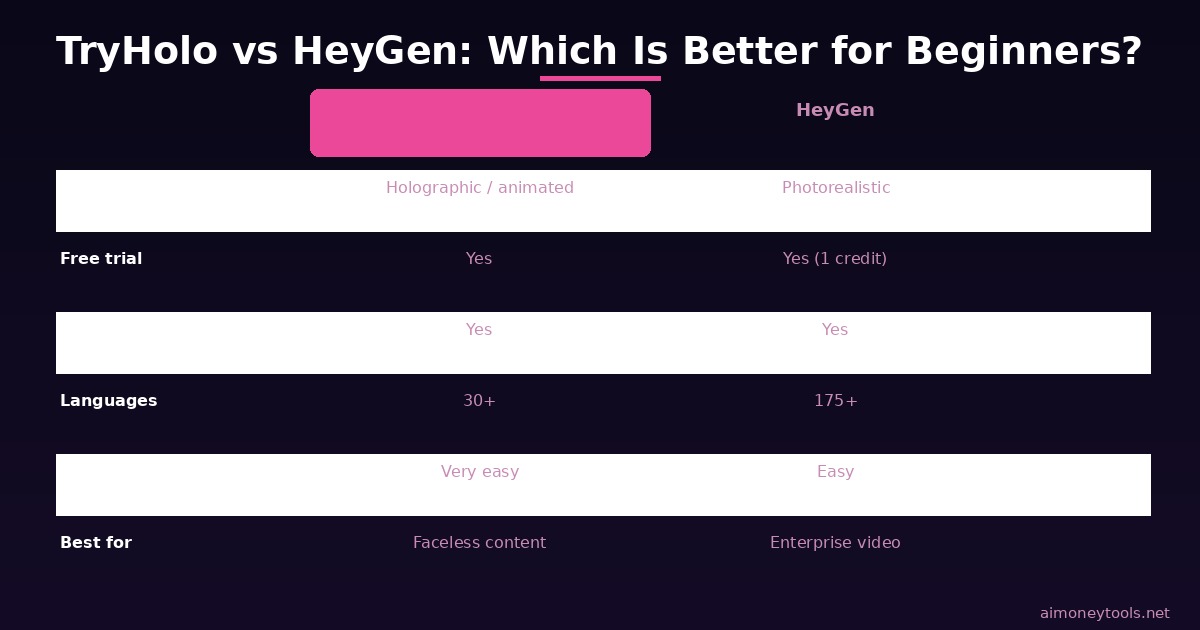
Choose TryHolo if:
- You want a simpler, more beginner-focused interface
- You are primarily making faceless content (rather than photorealistic spokesperson videos)
- You want to test AI avatars without a big upfront cost
- You are building a content side hustle and want to keep costs low while starting out
Choose HeyGen if:
- You need photorealistic avatars for enterprise or client-facing videos
- You need 175+ language support
- You are making videos at scale for a business with brand standards
For most beginners starting a YouTube channel or a video side hustle, TryHolo's learning curve and pricing are friendlier. HeyGen is the stronger long-term tool if video becomes a core revenue channel.
What TryHolo Does Well
Speed. Short clips generate quickly. You can produce 5–10 short-form videos in a single afternoon once you have your scripts ready.
No technical barrier. There is genuinely no setup — no software to install, no accounts to configure beyond signing up. It works in any browser.
Consistent output. Unlike filming yourself, every AI-generated clip looks the same. No bad lighting days, no re-recording because of background noise.
Faceless content at scale. If you are building a niche YouTube channel with no intention of appearing on camera, TryHolo gives you a sustainable production workflow.
Where TryHolo Falls Short
Language selection is narrower than HeyGen. 30+ languages is enough for most creators, but if you need a rare language, HeyGen's 175+ coverage may be necessary.
Custom avatar processing time. The first custom avatar takes several hours to process — not instant. Plan for that delay when setting up a new project.
Script quality determines video quality. TryHolo renders exactly what you write. A poorly written script produces a stiff, unnatural video regardless of the avatar. Budget time for script editing.
Not ideal for demonstration videos. If your content requires showing a screen or walking through a product UI, you will need screen recording software alongside TryHolo. It is a talking-head tool, not a full video production suite.
Use Cases: How to Actually Make Money With TryHolo
The best return on a TryHolo subscription comes from using it as a production engine rather than a one-off tool. Practical income models:
Faceless YouTube automation. Use AI-generated scripts, TryHolo for avatar video, and auto-publish workflows to build a niche channel without being on camera. Monetize through YouTube AdSense + affiliate links in descriptions. See our full guide to AI YouTube automation for the step-by-step workflow.
Selling video production to local businesses. Many small businesses want video content but cannot afford a videographer. A professionally set-up TryHolo avatar, a polished script, and a branded background can produce a usable business video for $150–$400 in client fees. Your cost is a few dollars in credits plus your time.
Online course content. Record your course slides and use TryHolo avatars as the presenter for each module. This is faster than screen recording with narration and more visually engaging than a slide deck alone.
Affiliate review content. Create short comparison videos reviewing AI tools, post them on YouTube with affiliate links in the description. This is a pure content arbitrage play — written affiliate reviews work, but video versions tend to rank for different (often higher-intent) search terms.
Frequently Asked Questions
Is TryHolo free to use?
TryHolo offers a free trial that does not require a credit card. The free plan includes a limited number of video generation credits — enough to test the tool and produce your first video. Ongoing content production requires a paid plan.
How realistic do TryHolo avatars look?
Built-in avatars are polished and professional-looking, though they read as AI-generated to most viewers in 2026. For faceless content channels, this is generally fine. For high-end client-facing videos requiring photorealism, HeyGen's avatars are more convincing.
Can I use my own face as the avatar?
Yes. TryHolo lets you upload a photo to create a custom avatar based on your likeness. Processing the custom avatar takes several hours initially, after which you can use it across unlimited videos.
What file format does TryHolo export?
Videos export as MP4, which is compatible with every major social and video platform — YouTube, TikTok, LinkedIn, Instagram Reels, and course platforms like Teachable and Kajabi.
Is TryHolo good for YouTube?
Yes, particularly for faceless niche channels. The talking-head format works well for explainer content, reviews, and how-to videos. Pair it with a keyword-researched script strategy and you have a repeatable workflow for growing a channel without ever going on camera.
Does TryHolo support multiple languages?
TryHolo supports 30+ languages including English, Spanish, French, German, Portuguese, Japanese, and more. This makes it usable for creators targeting non-English markets or businesses operating internationally.
How does TryHolo compare to Synthesia?
Synthesia is another enterprise-grade AI avatar platform, similar in tier to HeyGen. TryHolo is more beginner-accessible. Synthesia starts at higher price points and is often used by corporate L&D teams. If you are a solo creator or small business, TryHolo offers more value at entry-level pricing.
Where can I sign up for TryHolo?
You can sign up at hololtuab.sjv.io/aOEQrM (affiliate link — supports this site at no extra cost to you).

Alex the Engineer
•Founder & AI ArchitectSenior software engineer turned AI Agency owner. I build massive, scalable AI workflows and share the exact blueprints, financial models, and code I use to generate automated revenue in 2026.
Related Articles

How to Start an AI-Assisted Resume Writing Side Hustle in 2026 (Beginner's Guide)
A step-by-step guide to using AI resume tools to offer a paid resume and cover letter writing service — what to charge, which tools to use, and how to find your first clients.
How to Build and Sell AI Voice Receptionists to Local Businesses in 2026
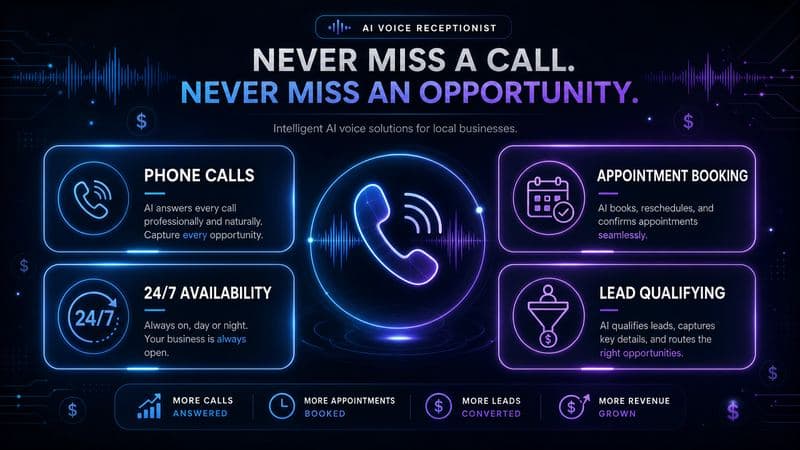
A beginner's guide to building AI voice agents that answer business phone calls — the tools to use, what to charge, and how to find your first client.
How to Make Money on Fiverr with AI Tools in 2026: 7 Gigs You Can Start This Week
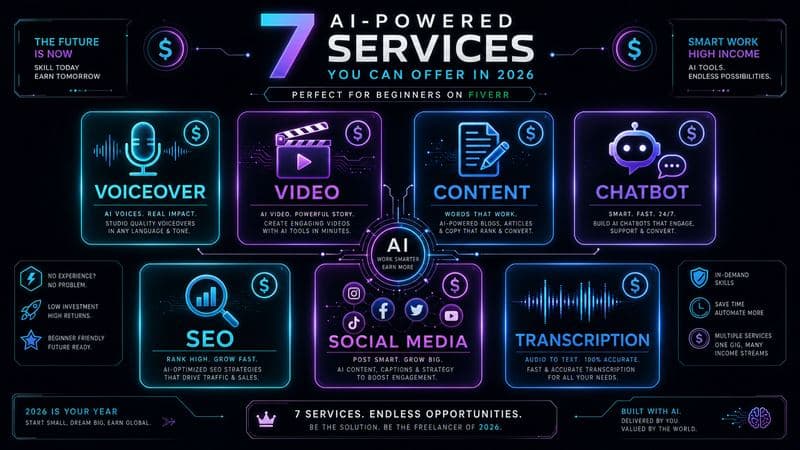
Discover 7 real Fiverr gigs you can launch using free and low-cost AI tools in 2026 — no experience required. Real pricing data, step-by-step setup, and tools that actually work.