
AI YouTube Automation: How to Start a Faceless Channel in 2026
A practical guide to building a faceless YouTube channel with AI tools — from picking a niche to generating voice, video, and thumbnails without showing your face.
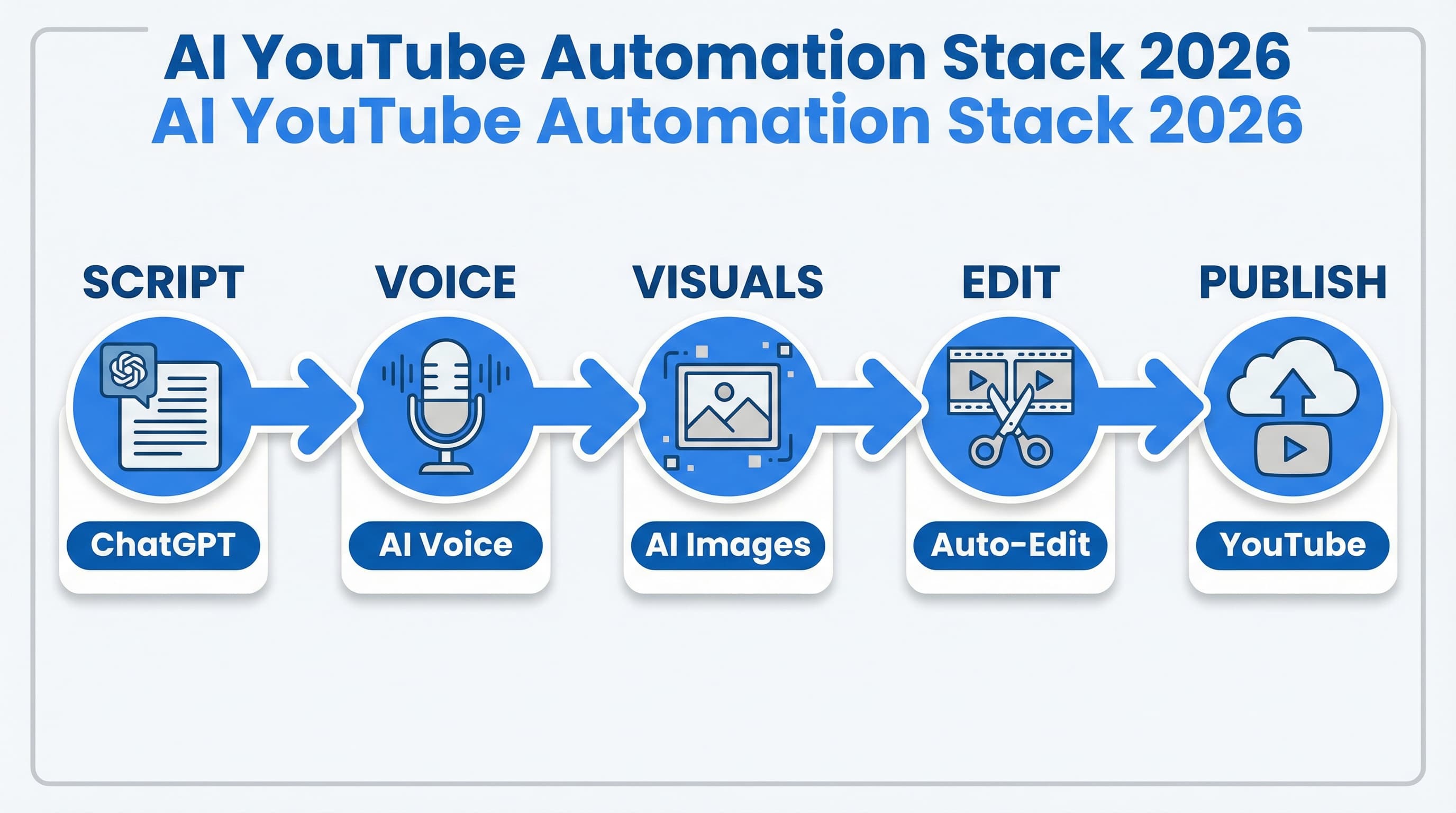
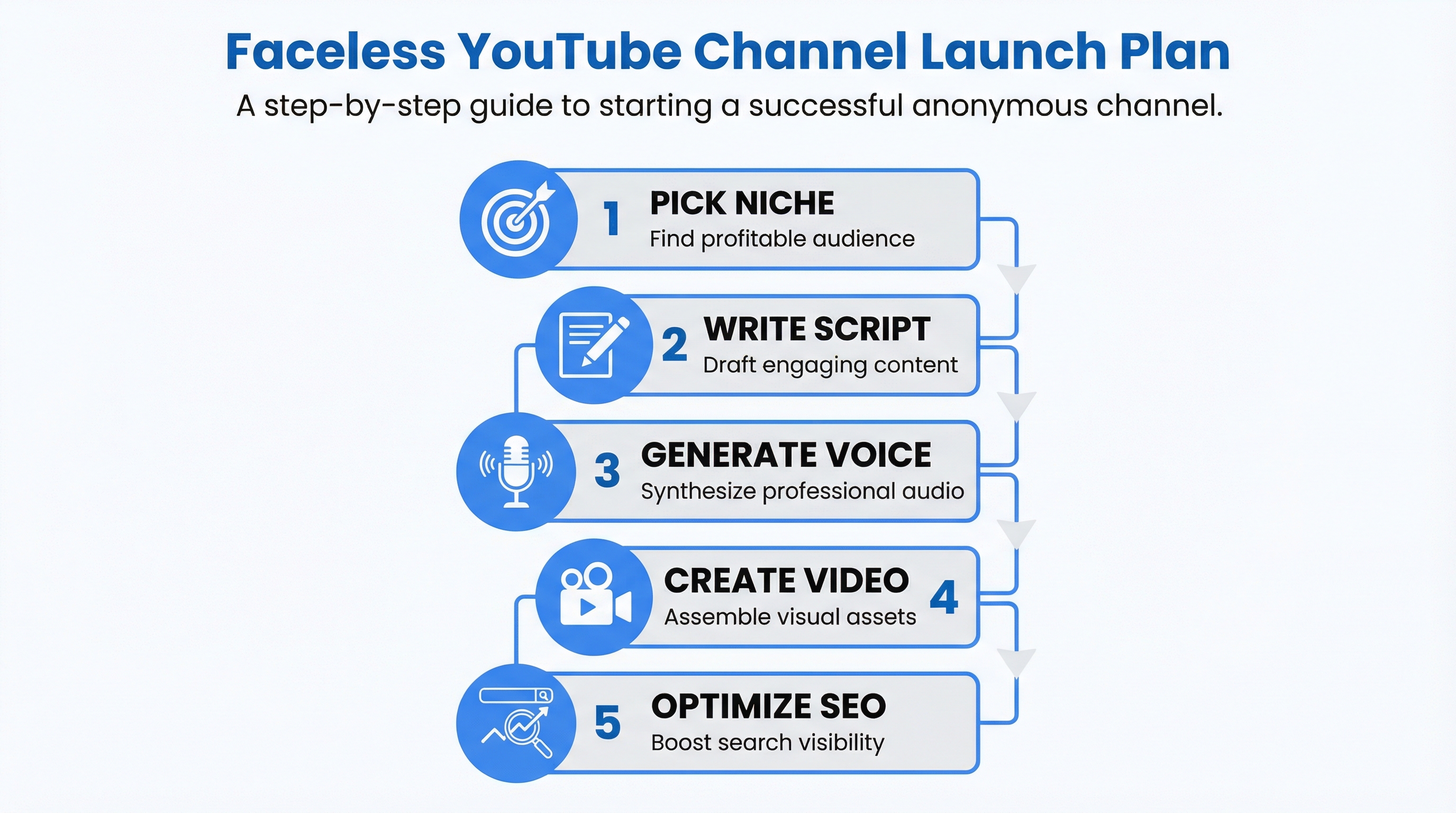
Running a YouTube channel without appearing on camera is no longer a workaround — it's a legitimate production model. With the right AI stack, you can script, narrate, edit, and publish videos faster than most full-time creators. This guide covers exactly how to build that workflow from scratch.
What Is AI YouTube Automation?
AI YouTube automation means using AI tools to handle most of the video production process — writing scripts, generating voiceovers, creating visuals, editing footage, and optimizing for search — with minimal manual work per video.
The result: a faceless channel where the content is real and valuable, but you're not the one appearing on camera or spending hours in a recording booth.
This is different from spam channels that mass-generate low-quality content. Done right, automation handles the repetitive parts so you can focus on content strategy and niche selection — the parts that actually drive long-term growth.
Step 1: Pick a Niche That Works Faceless
Not every niche is equally suited to faceless production. The best ones:
- Don't require personal credibility — finance explainers, history, tech tutorials, productivity tips
- Have consistent search demand — topics people look up repeatedly, not one-time viral events
- Can be covered visually — stock footage, screen recordings, or AI-generated images fill the frame
High-performing faceless niches in 2026:
- Personal finance basics (budgeting, investing concepts)
- AI tool walkthroughs (high search volume, fast content cycle)
- History and geography explainers
- Productivity and software tutorials
- Sleep/meditation audio content
Avoid niches where the audience expects to see a real person building trust — fitness coaching, relationship advice, medical topics. These work much better with a face on camera.
Step 2: Write the Script with ChatGPT
The script is the backbone of every video. A weak script kills even the best production.
Use ChatGPT (or Claude) with a specific prompt structure:
Write a YouTube script for a 7-minute video titled "[YOUR TITLE]".
Target audience: [DESCRIBE THEM].
Tone: [conversational / educational / documentary].
Include: hook (first 15 seconds), 5 main points, smooth transitions, call to action at the end.
Format: spoken word, no bullet points.
Review and edit the output — this is the step where your perspective matters most. Add one specific insight or angle competitors don't have. Remove generic filler. The script should sound like something a knowledgeable person would actually say, not a summary paragraph.
Aim for 130–150 words per minute of video. A 7-minute video = ~950 words of script.
Step 3: Generate the Voiceover
This is where most faceless channels fall short — they use robotic text-to-speech that sounds obviously artificial.
The bar is higher now. Viewers expect natural-sounding narration.
Murf.ai is the tool that closes this gap. It offers 120+ voices across 20+ languages, with pitch and pace controls. The voices sound like real narrators — not the default TTS voices that make people click away in the first 10 seconds.
Workflow:
- Paste your script into Murf
- Select a voice that fits your niche tone (authoritative for finance, warm for wellness)
- Adjust speed to ~0.95x — slightly slower reads better on video
- Export as MP3
The output is a clean narration file ready to sync to your video.
Step 4: Create the Visuals
You have three practical options:
Option A — Stock footage (fastest): Pexels, Pixabay, and Storyblocks have royalty-free video. This works for most explainer-style content. Search for b-roll that matches your script keywords.
Option B — Screen recordings: For software or AI tool tutorials, record your screen with Loom or OBS. This is the easiest way to add genuine on-screen value.
Option C — AI-generated images: For conceptual topics (history, economics, tech), use Midjourney or Adobe Firefly to create images you can animate or pan over. Midjourney produces high-quality results with short prompts.
Option D — AI avatar presenters: If you want a human face on screen without being on camera, TryHolo generates realistic AI video presenters from a text prompt. You get a natural-looking on-screen host — no studio, no camera setup, no appearing on screen yourself. Works well for finance, news-style, and educational channels where a face adds credibility.
Most successful faceless channels use a mix — stock footage for atmosphere, screen recordings for demonstrations, AI images for conceptual visuals, and AI avatars when a human presence boosts trust. — stock footage for atmosphere, screen recordings for demonstrations, AI images for conceptual visuals.
Thumbnails: Design in Canva. Use the YouTube thumbnail template (1280×720). Bold text, high contrast, one dominant visual. This is worth spending 15 minutes on — thumbnails directly affect click-through rate.
Step 5: Edit and Assemble the Video
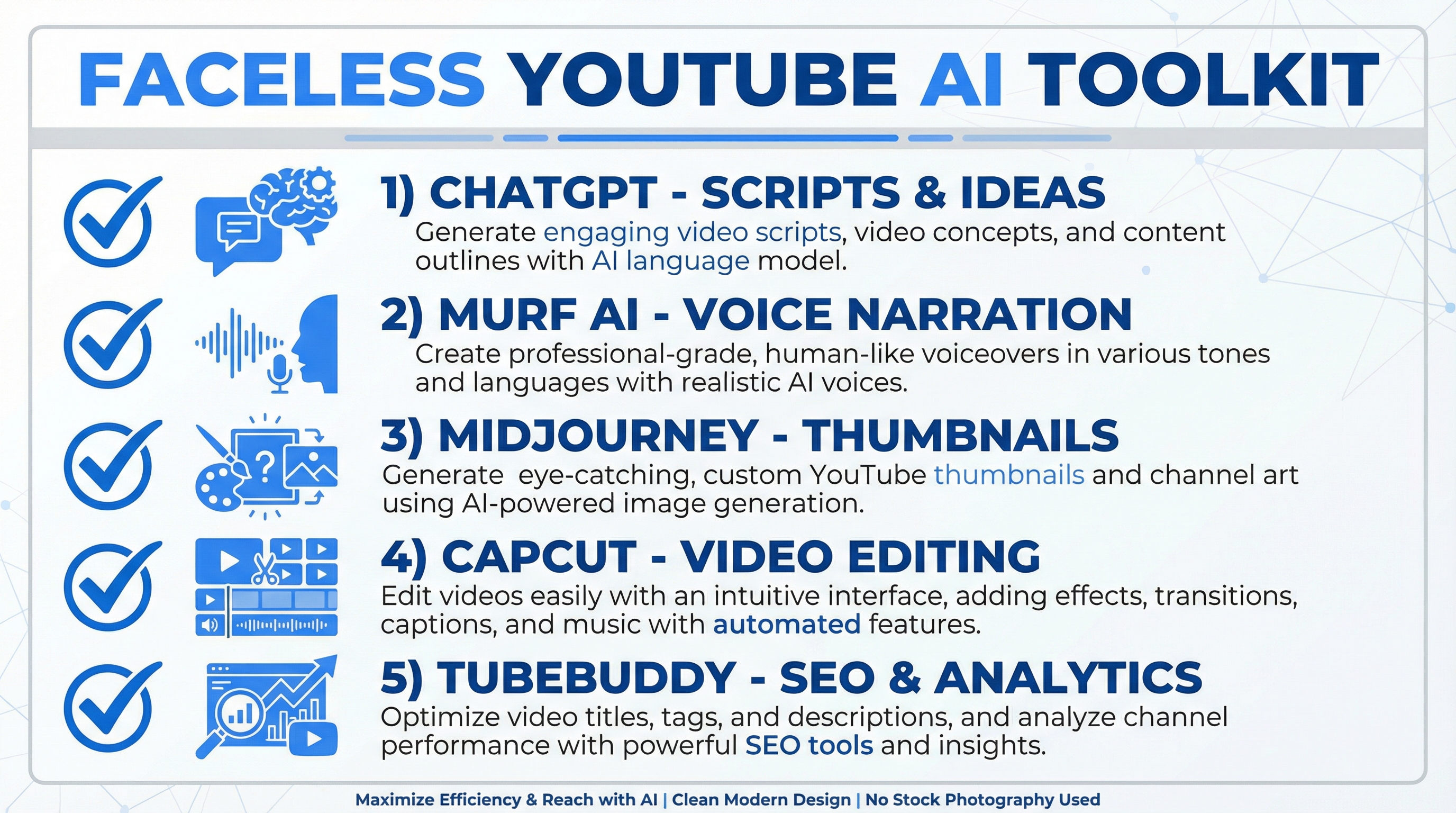
CapCut is the most accessible free option. Import your voiceover, layer visuals, add captions (auto-generated in CapCut), and sync everything.
Basic editing timeline for a 7-minute video:
- Open with a hook visual (first 15 seconds)
- Cut every 3–5 seconds — keep the pace moving
- Add lower-thirds for key terms and stats
- End with a clear CTA card
Auto-captions matter. 85% of YouTube viewers watch with sound on, but captions increase watch time and help with YouTube's auto-translation for international audiences.
Total editing time with this workflow: 45–60 minutes for a 7-minute video, once you're comfortable with CapCut.
Step 6: Optimize Before Publishing
YouTube SEO follows the same principles as search SEO:
- Title: Include the primary keyword. Keep it under 60 characters. Use numbers and clear benefit statements.
- Description: First 2 lines appear in search results — make them count. Include keywords naturally.
- Tags: Add 5–8 tags. Use a mix of broad (AI tools) and specific (AI YouTube automation 2026).
- Chapters: Timestamp your video. YouTube surfaces chapters in search results — they increase click-through.
TubeBuddy (free tier) shows keyword competition and search volume for YouTube directly. Use it to validate your title before publishing.
For more on AI-powered side hustles that don't require coding, see the no-code AI side hustle guide — several of the tools in this stack also apply there.
Realistic Expectations
Faceless YouTube is a long game. The channels that work have been consistent for 6–18 months before hitting meaningful revenue from AdSense.
What actually drives faster results:
- Niche consistency — one topic, not a random mix of videos
- Publishing cadence — 1 video per week is sustainable; more is not necessarily better than quality
- Viewer retention — YouTube's algorithm rewards watch time above everything else
Channels with 1,000 subscribers and 4,000 watch hours qualify for the YouTube Partner Program (YPP) — the entry point for AdSense. Beyond that, sponsorships and affiliate links in descriptions often outperform AdSense on smaller channels.
For AI-specific channels, AI voice generator tools are a natural extension — covering the same niche you're publishing in gives you first-hand material to cover.
FAQ
Do I need any video editing experience to start? No. CapCut's auto-caption, timeline, and template features are beginner-friendly. The first video takes longer; by the fifth, the workflow becomes routine.
Is AI-generated content against YouTube's rules? No — YouTube allows AI-assisted content. The requirement is disclosure if content is "realistic-seeming" synthetic media (like AI faces or voices presenting as real people). Narration by an AI voice over original scripts and stock footage doesn't trigger this requirement.
How much does this stack cost per month? A functional starter stack: ChatGPT ($20/mo) + Murf starter plan ($29/mo) + CapCut free + Canva free + TubeBuddy free. Under $50/month to produce professional-quality faceless videos. If you want an AI avatar presenter, TryHolo has plans starting around $29/mo.
How long does it take to make one video with this workflow? Script: 30–45 min (with AI + editing). Voice: 15 min. Visuals: 30–60 min depending on source. Editing: 45–60 min. Total: 2–3 hours per video once you've done it a few times.
What's the fastest niche to monetize? Channels focused on finance, tech, and AI tools consistently attract higher CPMs (cost per thousand views) than general entertainment. The gap between a $2 CPM channel and a $15 CPM channel is primarily niche selection, not subscriber count.
Can I reuse my scripts for other platforms? Yes. The same script can feed a blog post, an email newsletter, and a short-form clip for Reels or TikTok. This is the main efficiency argument for scripted faceless YouTube — the content is reusable across formats.
What to Do Next
- Pick one niche with at least three years of ongoing search demand
- Write a pilot script for a 5–7 minute video on a specific question in that niche
- Generate a voiceover with a free Murf trial to test the quality
- Publish the first video before optimizing your setup further — real feedback from YouTube's algorithm is more valuable than theoretical preparation
The tools exist. The bottleneck is starting.

Alex the Engineer
•Founder & AI ArchitectSenior software engineer turned AI Agency owner. I build massive, scalable AI workflows and share the exact blueprints, financial models, and code I use to generate automated revenue in 2026.
Related Articles

How to Start an AI-Assisted Resume Writing Side Hustle in 2026 (Beginner's Guide)
A step-by-step guide to using AI resume tools to offer a paid resume and cover letter writing service — what to charge, which tools to use, and how to find your first clients.

How to Build and Sell AI Voice Receptionists to Local Businesses in 2026
A beginner's guide to building AI voice agents that answer business phone calls — the tools to use, what to charge, and how to find your first client.

How to Make Money on Fiverr with AI Tools in 2026: 7 Gigs You Can Start This Week
Discover 7 real Fiverr gigs you can launch using free and low-cost AI tools in 2026 — no experience required. Real pricing data, step-by-step setup, and tools that actually work.