
Google Is Shutting Down Gemini CLI on June 18 — What to Do Before Then
Google announced Gemini CLI stops working on June 18, 2026 for free, Pro, and Ultra users. Here's what's happening, what Antigravity CLI is, and the three migration paths available to builders right now.
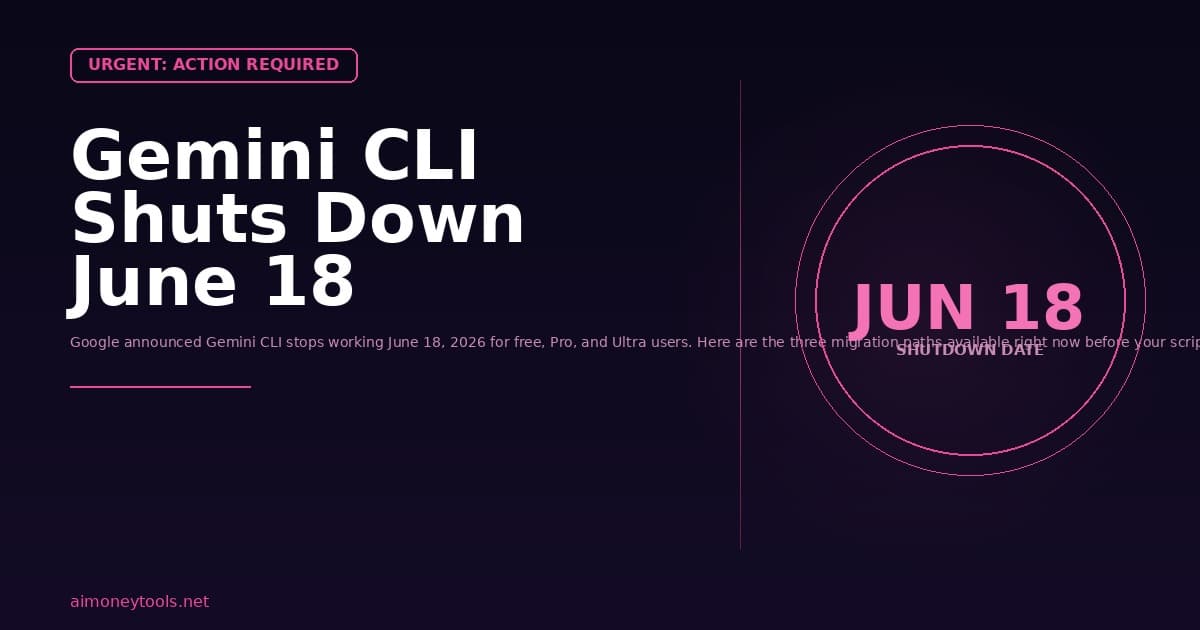
If you have been using Gemini CLI, here is something you need to act on before June 18, 2026 — that is six days from today.
Google announced at Google I/O on May 19, 2026 that Gemini CLI will stop serving requests on June 18 for all free, Pro, and Ultra users. Any script, automation, or workflow that calls the gemini command will break on that date. No grace period. No opt-out.
The replacement is Antigravity CLI, a new closed-source tool built from scratch in Go. It is faster, but it is not a direct drop-in replacement — feature parity is not guaranteed at launch.
Here is everything you need to know, including the three migration paths available right now.
What Exactly Is Being Shut Down?
Gemini CLI was one of the most popular open-source developer tools of 2025. Before it was shut down, it had:
- Over 100,000 GitHub stars
- More than 6,000 merged pull requests from the community
- Millions of active users
It ran as a terminal-based AI agent: you typed a question or command, it used Gemini models, and it could read files, run code, search the web, and reason across multi-step problems — all from your command line.
What is being cut on June 18:
- Gemini CLI for free-tier users — requests stop working
- Gemini CLI for Google AI Pro subscribers
- Gemini CLI for Google AI Ultra subscribers
- Gemini Code Assist IDE extensions (VS Code, JetBrains) for individual subscribers
- Gemini Code Assist for GitHub — blocks new org installations June 18, stops requests in the weeks after
What is NOT being cut:
- Gemini CLI for paid Gemini API key users (enterprise/API-level access continues)
- Gemini Code Assist Standard and Enterprise license holders (indefinite continued access)
If you were using the free tier of Gemini CLI for terminal workflows, side projects, or automation, your access ends June 18.
Why Is Google Doing This?
The official explanation from Google is that user needs have outgrown Gemini CLI. According to the announcement, developers are now running multi-agent workflows where multiple agents need to communicate with each other across a shared backend — something Gemini CLI was not designed to handle.
Google's answer is to consolidate everything into Antigravity, its "agent-first development platform." Rather than maintain two separate products (Gemini CLI for terminals and Gemini Code Assist for IDEs), Google wants one unified platform.
The developer community's reaction has been less kind. The main complaints:
- Gemini CLI was open-source with 6,000 contributor PRs — Antigravity CLI is closed-source
- The announcement came less than 5 weeks before the shutdown date
- No feature parity at launch
- Free users who relied on Gemini CLI's free daily request quota (which was very generous) are now pushed to paid tiers
What Is Antigravity CLI?
Antigravity CLI is the direct replacement for Gemini CLI. Here is what Google has confirmed about it:
What it keeps from Gemini CLI:
- Agent Skills (pre-built capabilities like web search, code execution, file reading)
- Hooks (trigger actions at specific points in a conversation)
- Subagents (spawning child agents to handle parallel tasks)
- Extensions (now called Antigravity Plugins)
What is new:
- Built in Go instead of TypeScript/Node.js — significantly faster startup and execution
- Asynchronous workflows — agents can continue running while you move on to other tasks
- Tighter integration with Google's cloud backend (Vertex AI, Google Cloud Run)
- Better multi-agent coordination built into the architecture
What is missing or not yet ready:
- Full feature parity with Gemini CLI at launch
- Open-source access — the code is not publicly available
- Documentation for some advanced Gemini CLI features
To use Antigravity CLI, you will need a Google Antigravity account. The platform is available at antigravity.google and the CLI can be installed via the standard Google Cloud toolchain.
The Three Migration Paths

Depending on how you used Gemini CLI, here are your three realistic options:
Option 1: Migrate to Antigravity CLI
Best for: Users who primarily used Gemini CLI for coding, file operations, and multi-step tasks and are comfortable staying in the Google ecosystem.
Pros: Fastest feature migration, keeps your Google Workspace integrations, faster performance (Go runtime)
Cons: Closed-source, subscription pricing for full access, not 1:1 feature parity at launch
How to migrate:
- Go to antigravity.google and create an account
- Install the Antigravity CLI following the setup instructions
- Re-create your existing Skills and Plugins from your Gemini CLI configuration
- Test any CI/CD pipelines or automation scripts that called
geminiand update the command
The Google team published a migration guide with the equivalent Antigravity CLI commands for the most common Gemini CLI operations.
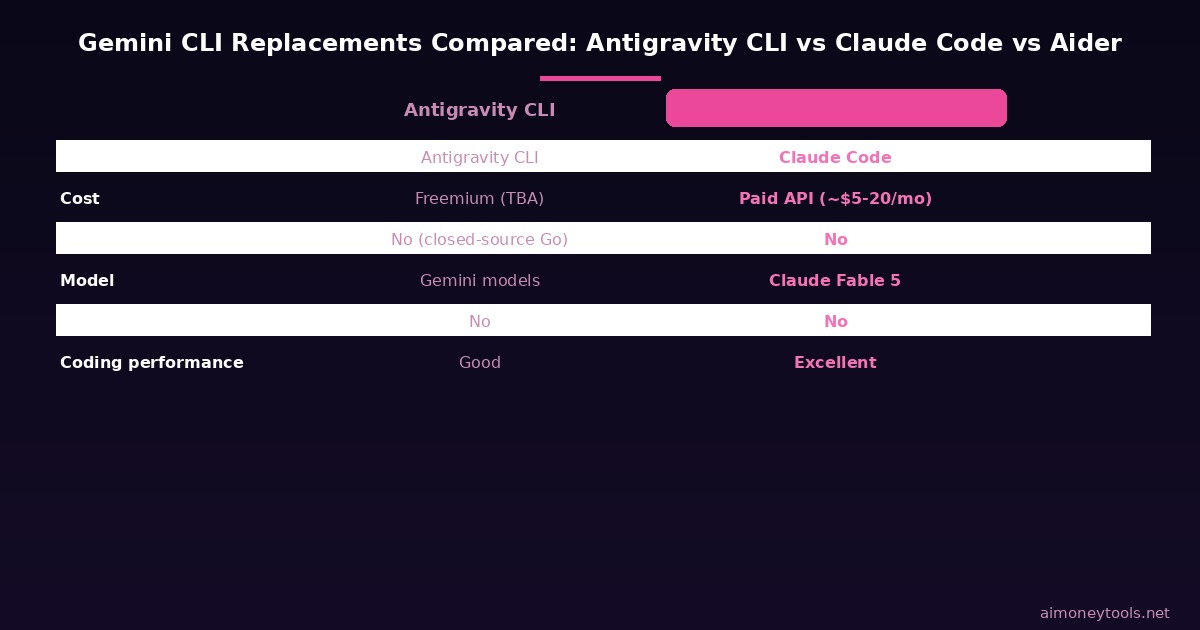
Option 2: Switch to Claude Code
Best for: Developers who want a paid-but-powerful terminal AI agent and do not need open-source code.
Claude Code is Anthropic's terminal-based AI agent. It runs directly from your command line (install via npm install -g @anthropic-ai/claude-code) and uses Claude Fable 5 under the hood.
Compared to Gemini CLI:
- Stronger on complex coding and reasoning tasks (Claude Fable 5 is a frontier model)
- Has tool use, file editing, and multi-step agent loops built in
- Requires an Anthropic API key — there is a small free tier, but serious use requires a paid plan
- Active development with frequent releases (Claude Code 1.0 was a major step up)
- Works with our Claude API tutorial to get set up
Cost: Claude Code costs vary by API usage. Expect $5–20/month for moderate individual developer use with Claude Sonnet 4. Fable 5 (the frontier tier) is more expensive but significantly more capable for long coding sessions.
Option 3: Switch to Aider (Free, Open-Source)
Best for: Developers who want full open-source control and no vendor lock-in.
Aider is a fully open-source terminal AI coding agent. It has no closed-source dependencies and works with any OpenAI-compatible model endpoint — including:
- OpenAI GPT models (paid)
- Anthropic Claude models (paid)
- Local models via LM Studio or Ollama (completely free, we covered both in previous guides)
Install:
pip install aider-install
aider-install
Pros: Free to self-host with local models, MIT licensed, active community, works with LM Studio
Cons: Requires some terminal comfort, local models are slower than cloud alternatives for complex tasks
If you read our LM Studio + Llama 4 guide, you can combine LM Studio running locally with Aider pointed at your localhost:1234 API endpoint for a completely free, offline, open-source coding agent setup.
What This Means for Side Hustles and Business Use
If you were using Gemini CLI as part of a paid workflow — for example, automating content research, code generation for client projects, or running batch processing pipelines — here is the practical business impact:
Automation scripts will break. Any shell script or CI/CD job that calls gemini will fail silently or throw errors after June 18. Audit your automation before then.
The free tier is gone for serious use. Gemini CLI's free tier offered 1,000 requests/day with Gemini 2.5 Flash — one of the most generous free AI quotas in the market. Antigravity CLI's equivalent free tier is not yet announced, and Claude Code and paid API access will cost money. Budget for $5–30/month depending on volume.
For client work and content pipelines: Claude Code is the cleanest upgrade path. If you are using AI to do client coding work or automated research, Claude Fable 5 via Claude Code is a productivity upgrade even at its cost. For scaling client deliverables, CustomGPT is worth looking at as an alternative for chat-based client-facing AI products that does not require any terminal setup.
For heavy compute needs: If you are running large-scale model inference or agentic pipelines that Antigravity CLI's cloud pricing makes expensive, Ampere cloud offers GPU compute designed for AI workloads at lower cost than comparable Google Cloud or AWS options.
Frequently Asked Questions
My Gemini CLI scripts stop working June 18 — how much time do I have?
Six days from today (this article is published June 12). Run gemini --version now to confirm your current version, inventory every script or automation that calls gemini, and pick your migration path this weekend. Do not wait until June 17.
Does this affect Gemini in Google's other products (Docs, Gmail, Workspace)? No. This shutdown is specifically for Gemini CLI (the terminal tool) and Gemini Code Assist IDE extensions for individual subscribers. Gemini features inside Google Workspace apps (Docs, Gmail, Sheets) are not affected.
I have a paid Gemini API key — am I affected? No. If you access Gemini CLI through a paid Gemini or Gemini Enterprise Agent Platform API key, your access continues. The shutdown only applies to users relying on the free, Pro, and Ultra subscription tiers.
What happened to the 6,000 open-source contributors to Gemini CLI? Their contributions to the open-source Gemini CLI codebase remain in the public repository, but Antigravity CLI is a new closed-source project and does not build directly on Gemini CLI's open-source code. The developer community has described this as a one-way door — Google took community contributions, then replaced the product with a proprietary version.
Is Antigravity CLI free? Google has not published the full pricing for Antigravity CLI yet. At launch, there is expected to be a free tier, but it is not expected to match Gemini CLI's previous free usage quota of 1,000 daily requests. Check antigravity.google for the latest pricing.
Can I still use Gemini models in my own tools after June 18?
Yes. The Gemini API (via Google AI Studio or Vertex AI) continues to work independently. You can call Gemini models directly through the API with your own code. What is shutting down is specifically the gemini CLI command-line tool for non-enterprise subscription users.
Is there a way to run a local Gemini model instead? Not currently in the same way as Llama 4 or Gemma 4. Gemini models are not fully open-weight and cannot be run locally. Gemma 4 (Google's open-weight alternative) is available locally via LM Studio or Ollama — see our guides on both.
Where do I report my Gemini CLI workflows so I can audit them?
The fastest way is to search your system for any reference to the gemini command: run grep -r "gemini " ~/.zshrc ~/.bashrc ~/scripts/ --include="*.sh" --include="*.env" 2>/dev/null on Mac/Linux to surface any config files or scripts that reference the tool. On Windows, check PowerShell profiles and any batch files in your automation folders.

Alex the Engineer
•Founder & AI ArchitectSenior software engineer turned AI Agency owner. I build massive, scalable AI workflows and share the exact blueprints, financial models, and code I use to generate automated revenue in 2026.
Related Articles

How to Start an AI-Assisted Resume Writing Side Hustle in 2026 (Beginner's Guide)
A step-by-step guide to using AI resume tools to offer a paid resume and cover letter writing service — what to charge, which tools to use, and how to find your first clients.

How to Build and Sell AI Voice Receptionists to Local Businesses in 2026
A beginner's guide to building AI voice agents that answer business phone calls — the tools to use, what to charge, and how to find your first client.

How to Make Money on Fiverr with AI Tools in 2026: 7 Gigs You Can Start This Week
Discover 7 real Fiverr gigs you can launch using free and low-cost AI tools in 2026 — no experience required. Real pricing data, step-by-step setup, and tools that actually work.