
What Is RAG (Retrieval-Augmented Generation)? A Plain-English Guide for 2026
RAG explained in plain English: how retrieval-augmented generation works, why it stops AI hallucinations, and how to try it for free in 2026. No jargon.
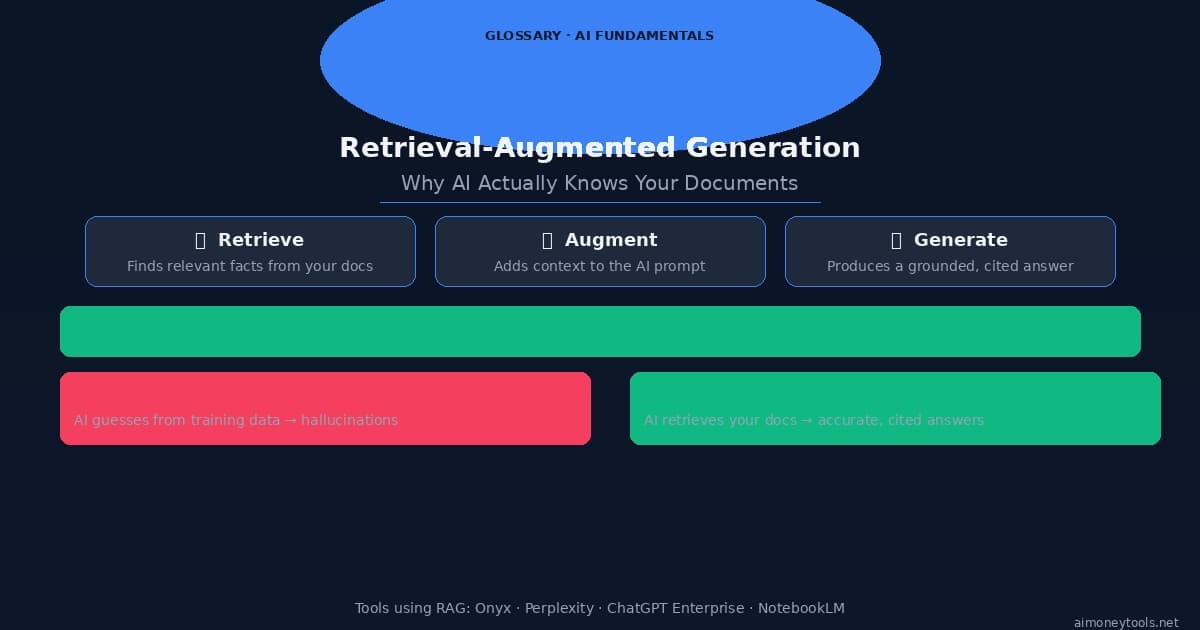
You ask an AI assistant about your company's refund policy. It gives you a confident, well-written answer — that's completely wrong.
This is the standard LLM failure mode: the model doesn't know your documents. It only knows what it was trained on, months or years ago. So it guesses, and guesses convincingly.
RAG fixes this. Here's exactly how.
What Does RAG Stand For?
RAG stands for Retrieval-Augmented Generation. The name describes exactly what it does:
- Retrieve — Search a knowledge base for relevant information
- Augment — Add that information to the AI's prompt
- Generate — Let the AI answer using actual retrieved facts
Instead of relying on its training data, the AI reads your documents first — then answers based on what it found. The result is grounded, citable, and accurate.
The Problem RAG Solves
Standard large language models (LLMs) have two fundamental weaknesses:
1. Knowledge cutoff — Models are trained on data up to a certain date. Anything after that date doesn't exist to the model. Ask GPT-4 about something that happened last week and you'll get a guess.
2. No access to private information — The model has never seen your internal wiki, Slack messages, PDF manuals, or customer data. It has no way to know what your specific organization does or how it works.
These aren't bugs — they're architectural facts. The model is a frozen snapshot of public internet knowledge at one point in time.
RAG solves both problems by giving the AI a live, searchable memory it can query at inference time — not baked into weights, but retrieved fresh on every question.
How RAG Works — Step by Step
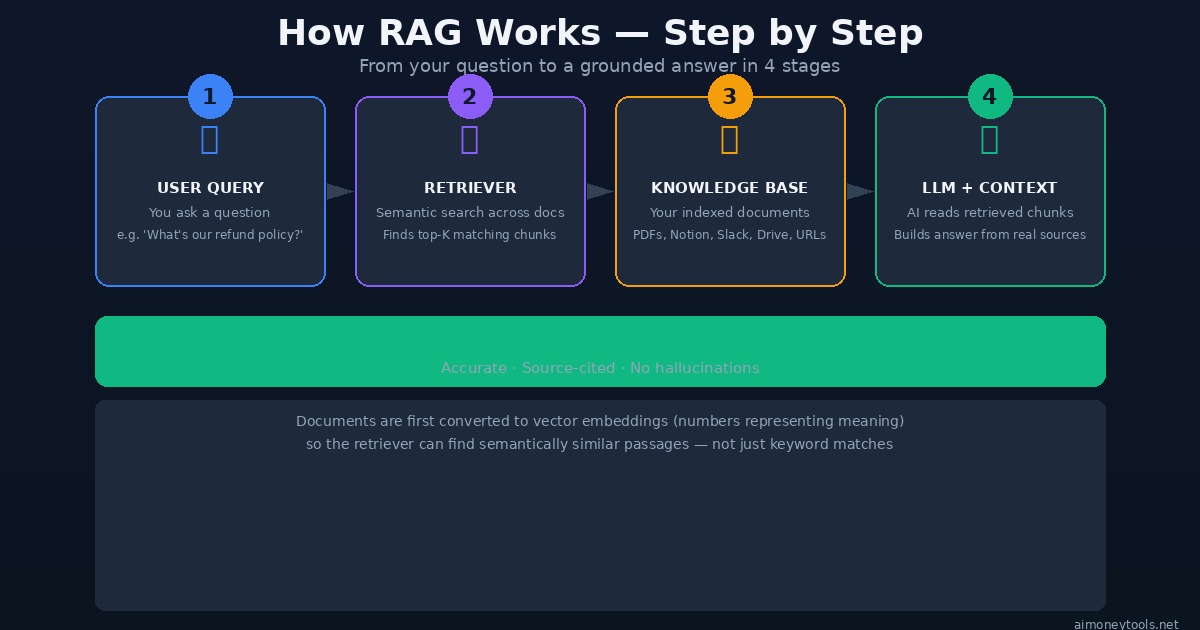
Here's the pipeline that runs every time you ask a RAG-enabled AI a question:
Step 1: Your question comes in You ask: "What is our data retention policy for EU customers?"
Step 2: Embedding + Semantic Search The system converts your question into a vector (a list of numbers that represents its meaning). It then searches the knowledge base for document chunks whose vectors are closest to yours — meaning similar in meaning, not just keywords.
This is different from a keyword search (Ctrl+F). A semantic search for "data retention EU customers" will also surface chunks about "GDPR storage rules," "European user data deletion," and "DSGVO compliance" — even if those exact words weren't in your query.
Step 3: Retrieval The top-K most relevant chunks (typically 3–10 passages) are retrieved from your indexed documents. These might come from a PDF, a Notion page, a Slack thread, a GitHub issue — wherever you've connected your knowledge.
Step 4: Augmented Prompt → Generation The AI receives a prompt that looks like this:
Answer the user's question using ONLY the context below.
Cite the source.

[CONTEXT]
<chunk from data-retention-policy.pdf page 4>
<chunk from gdpr-faq.notion>

[QUESTION]
What is our data retention policy for EU customers?
The model reads those chunks and generates an answer based on real retrieved content — not its parametric memory.
RAG vs. Standard LLM — The Full Comparison
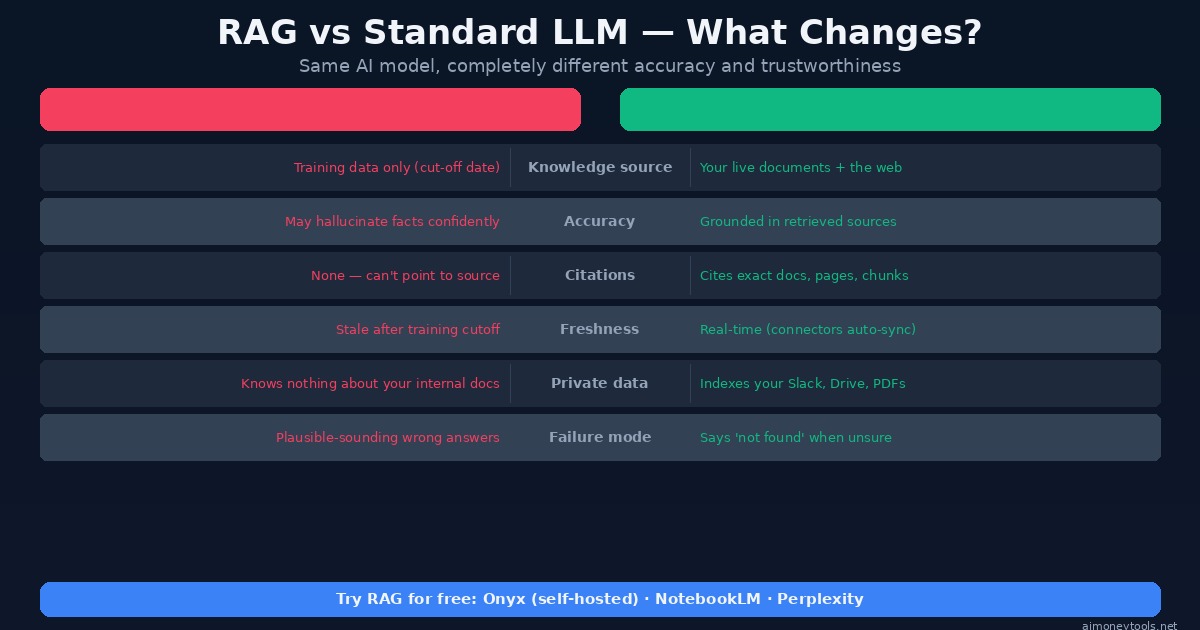
The practical differences between RAG and a plain LLM are significant:
| Standard LLM | LLM + RAG | |
|---|---|---|
| Knowledge source | Training data (fixed cutoff) | Your live documents |
| Accuracy on private info | Hallucinates | Grounded in your sources |
| Citations | None | Points to exact source chunks |
| Freshness | Stale after training | Auto-syncs via connectors |
| Private data | Knows nothing about it | Indexes your Slack, Drive, PDFs |
| Failure mode | Confident wrong answers | "I couldn't find that in your docs" |
This last row matters a lot. A well-designed RAG system will tell you when it doesn't know rather than confabulating an answer. That behavior shift — from "always answers" to "only answers when it has evidence" — is what makes RAG trustworthy in production.
What Gets Indexed? (The Knowledge Base)
The knowledge base is the searchable store your RAG system retrieves from. Anything you can chunk and embed can go in:
- Documents: PDFs, Word files, PowerPoints, CSVs
- Cloud storage: Google Drive, Dropbox, OneDrive
- Productivity tools: Notion, Confluence, Obsidian
- Communication: Slack, Teams, email archives
- Code: GitHub repositories, README files, docstrings
- Web: Any URL you crawl or sitemap you submit
- Databases: Structured data via SQL connectors
Documents are split into chunks (usually 200–1,000 tokens), converted to embeddings, and stored in a vector database. When a query comes in, the vector similarity search happens against those stored embeddings in milliseconds.
Why RAG Beats Fine-Tuning for Most Use Cases
The other common approach to giving AI custom knowledge is fine-tuning: retraining the model on your data. Here's why RAG usually wins for business use cases:
Cost: Fine-tuning a large model costs thousands of dollars and hours of GPU time. RAG indexing new documents costs cents and takes seconds.
Freshness: Fine-tuned knowledge is baked in at training time. RAG knowledge updates the moment you add a document to the knowledge base.
Transparency: RAG cites its sources. You can audit every answer. Fine-tuned models can't tell you where they learned something.
Forgetting: Removing information from a fine-tuned model requires retraining. In RAG, you just delete the document from the index.
Fine-tuning is still useful for teaching the model how to respond (tone, format, domain vocabulary). RAG handles what to respond with. The best systems use both.
Real-World Use Cases
Customer support: Index your help docs, FAQs, and product manuals. The AI answers support tickets by retrieving exact policy sections rather than inventing policies.
Internal knowledge assistant: Index your company wiki, Slack, and meeting notes. Employees ask questions and get answers sourced from real internal documents.
Legal / compliance: Index contracts, regulations, and precedents. Ask questions and get answers with exact clause citations.
Developer tools: Index your codebase, docs, and issue tracker. AI answers "how does X work?" by reading actual code.
Research: Index papers, reports, and market data. AI synthesizes findings from your source library instead of hallucinating citations.
How to Try RAG for Free Right Now
The easiest no-setup way is Onyx — an open source AI platform with RAG built in. You can run it locally with one command:
curl -fsSL https://onyx.app/install_onyx.sh | bash
Onyx connects to Google Drive, Slack, Notion, Confluence, GitHub, and 50+ other sources. Once connected, it continuously indexes your documents and makes them queryable through a chat interface. You can point any LLM at it — including free local models via Ollama.
We wrote a full Onyx setup guide if you want step-by-step instructions.
Other free options:
- NotebookLM — upload PDFs and ask questions against them (Google's RAG tool, no setup needed)
- Perplexity — web-scale RAG, retrieves from live web sources on every query
- ChatGPT with File Upload — basic RAG for individual documents in a conversation
Frequently Asked Questions
Does RAG require a vector database? Almost always, yes. Vector databases (Qdrant, Pinecone, Weaviate, pgvector) store the embeddings and handle similarity search efficiently at scale. Some lightweight implementations store embeddings in flat files, but for anything beyond a few hundred documents, a proper vector store is worth it.
What's the difference between RAG and a knowledge graph? RAG retrieves unstructured text chunks based on semantic similarity. Knowledge graphs store structured facts as entities and relationships (e.g., Company A → employs → Person B). They answer different types of questions. Hybrid systems exist, but RAG alone handles most real-world needs.
Can RAG hallucinate? Less often, but yes. RAG can still hallucinate if: (1) the retrieved chunk is wrong, (2) the model misreads the chunk, or (3) the query retrieves irrelevant chunks and the model tries to answer anyway. The fix is better chunking, higher retrieval precision, and prompts that explicitly tell the model to say "I don't know" when context is insufficient.
What is 'chunk size' and why does it matter? Chunk size is how many tokens each document passage is split into before indexing. Too small: the retrieved chunk lacks enough context to be useful. Too large: the embedding averages out too many ideas and retrieval precision drops. 400–800 tokens is a common sweet spot, with 50–100 token overlaps between chunks to preserve continuity.
What's the difference between RAG and semantic search? Semantic search retrieves relevant results from a corpus. RAG takes those results and passes them to an LLM to synthesize into a natural language answer. RAG includes semantic search as its retrieval step — but it doesn't stop there.
Is RAG only for text? Increasingly, no. Multimodal RAG systems can retrieve images, tables, and charts alongside text. Systems like Onyx and newer multimodal embeddings support indexing image descriptions, spreadsheet data, and presentation slides alongside traditional documents.
The Bottom Line
RAG is the architecture that makes AI actually useful in business environments — where the answers have to come from your documents, not from the internet's best guess.
The core idea is simple: retrieve relevant information first, then generate an answer from it. The execution involves embeddings, vector search, chunking strategy, and prompt engineering — but the user experience is just: ask a question, get a sourced answer.
If you're building anything AI-powered that needs to know about your own data, RAG is the foundation to start with.
→ Start free: Try Onyx for self-hosted RAG, or NotebookLM for instant no-setup document Q&A.

Alex the Engineer
•Founder & AI ArchitectSenior software engineer turned AI Agency owner. I build massive, scalable AI workflows and share the exact blueprints, financial models, and code I use to generate automated revenue in 2026.
Related Articles

How to Start an AI-Assisted Resume Writing Side Hustle in 2026 (Beginner's Guide)
A step-by-step guide to using AI resume tools to offer a paid resume and cover letter writing service — what to charge, which tools to use, and how to find your first clients.

How to Build and Sell AI Voice Receptionists to Local Businesses in 2026
A beginner's guide to building AI voice agents that answer business phone calls — the tools to use, what to charge, and how to find your first client.

How to Make Money on Fiverr with AI Tools in 2026: 7 Gigs You Can Start This Week
Discover 7 real Fiverr gigs you can launch using free and low-cost AI tools in 2026 — no experience required. Real pricing data, step-by-step setup, and tools that actually work.