
12 Best AI Tools to Streamline Your Workflow in 2026
Save 12+ hours weekly with the best AI tools for automation, content, and research. Compare CustomGPT, Murf, and more to boost your ROI.
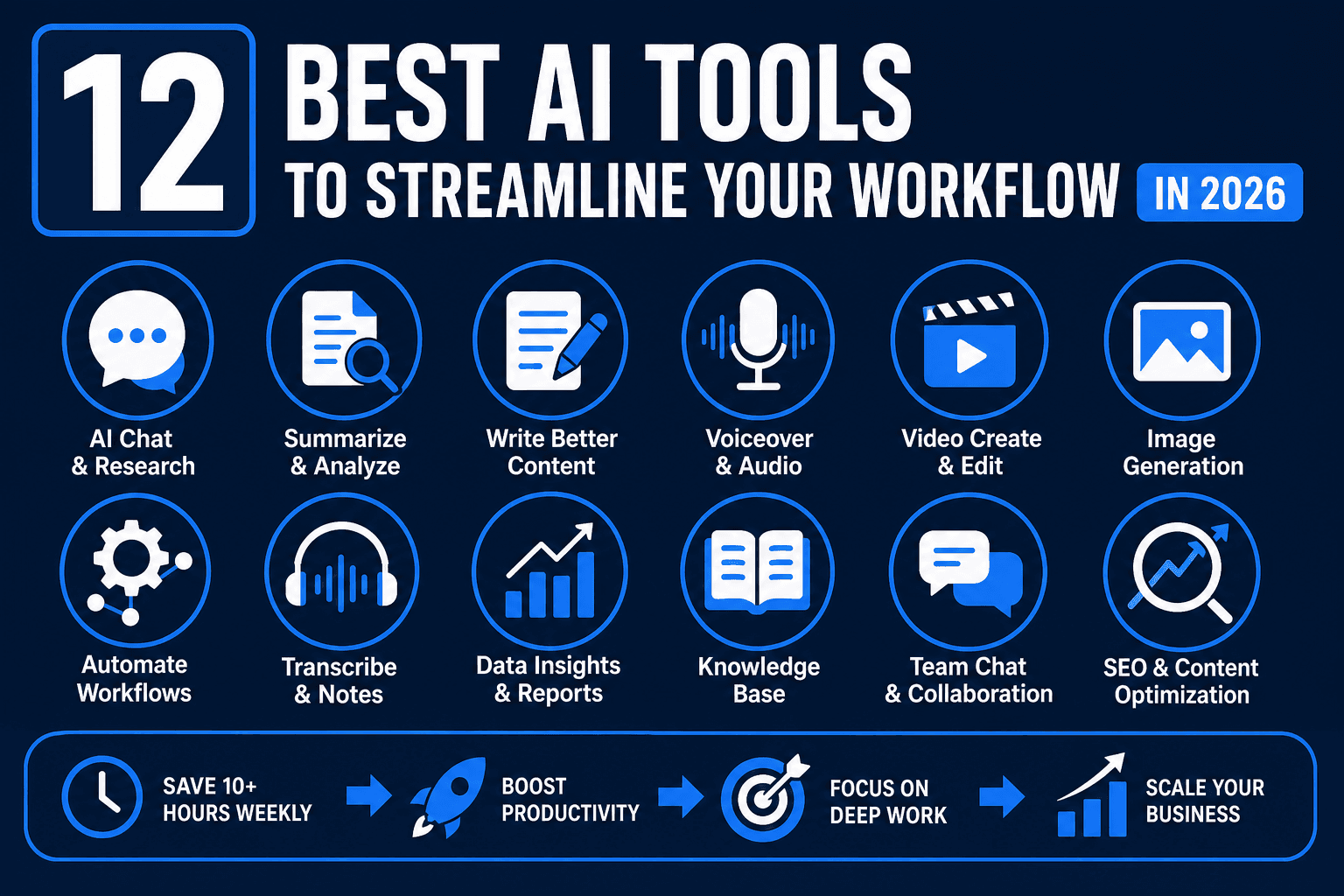
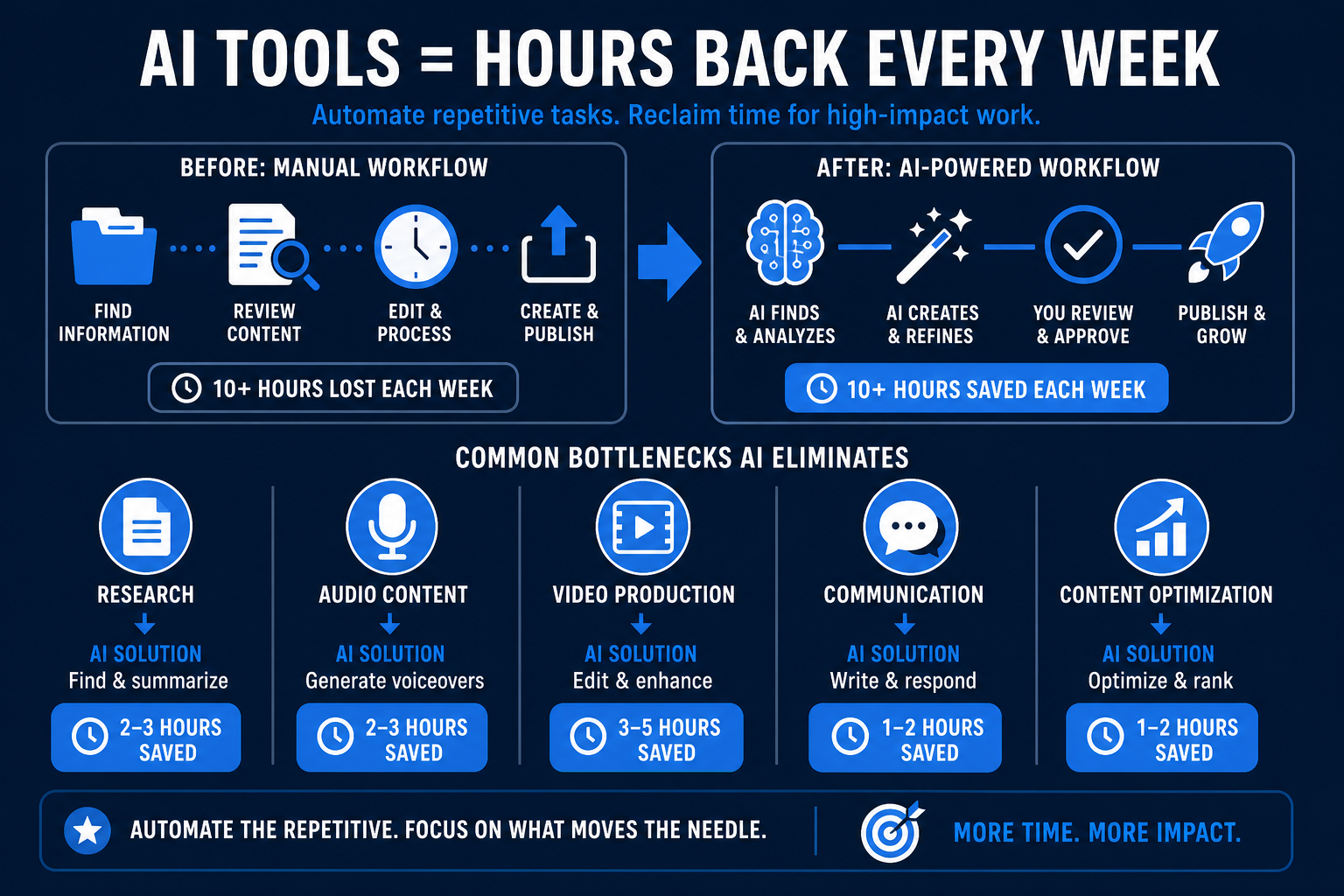
The most effective way to scale a side hustle or business in 2026 is to automate repetitive manual tasks. By using the best AI tools for research, audio, and video, creators can often reclaim over 10 hours of deep-work time every week. This guide identifies the top platforms currently delivering measurable results for entrepreneurs and small teams.
Whether you need to build a private knowledge base with CustomGPT.ai or generate studio-quality voiceovers with Murf.ai, choosing the right stack is critical for maintaining a competitive edge.
How AI Technology is Improving Modern Workflows
Artificial intelligence has moved beyond simple chat interfaces to become a foundational layer for business operations. Modern software now handles complex data synthesis, multi-step automations, and creative asset generation with minimal human oversight. This shift allows small teams to produce output previously only possible for large agencies.
The primary advantage of these systems is their ability to process unstructured data at scale. Instead of manually sorting through documents or editing hours of raw footage, users can deploy specialized algorithms to extract insights or generate polished final products. This efficiency is a core reason why 65% of organizations have already integrated these technologies into at least one business function.
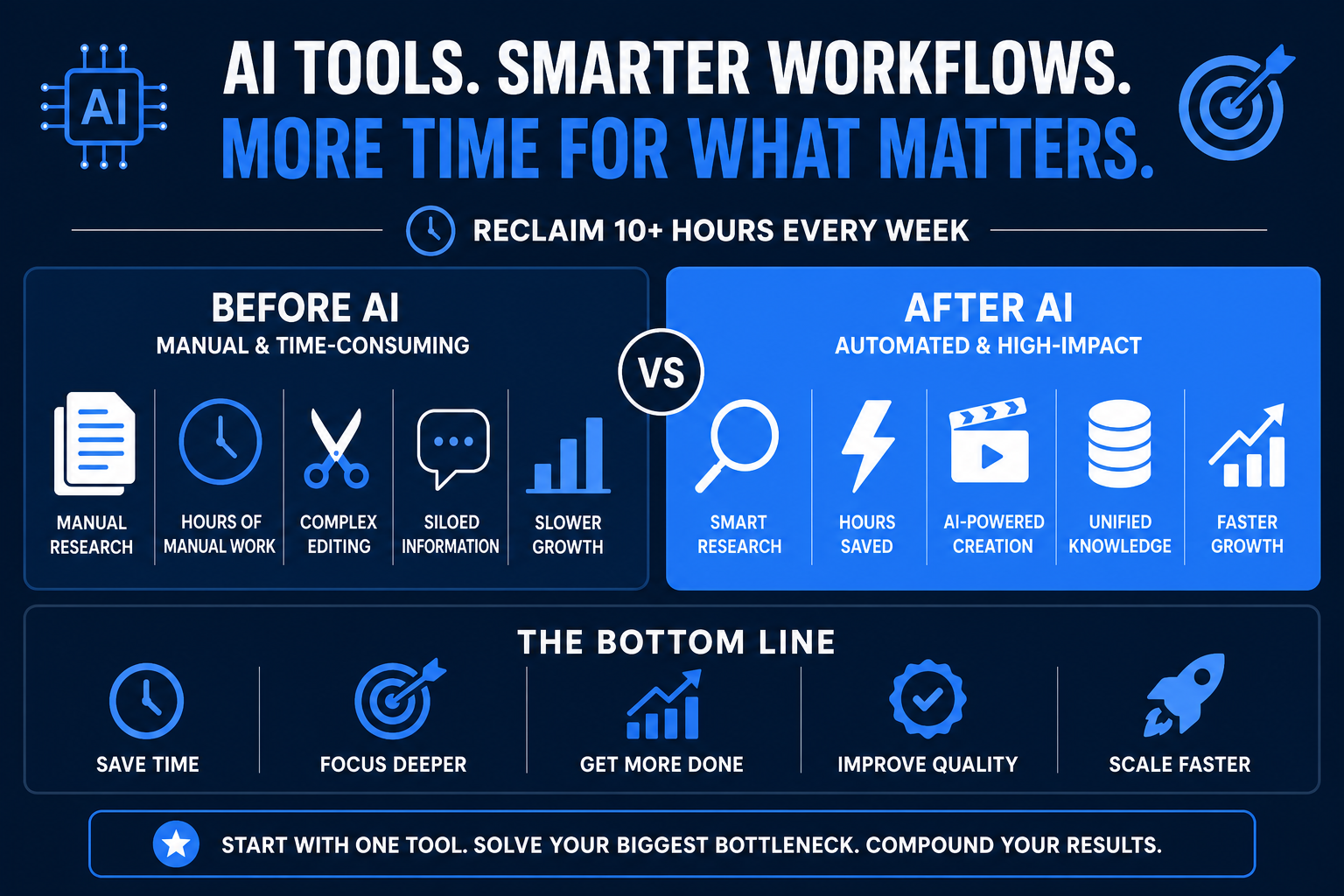
For beginners, the most important mindset shift is thinking in terms of time saved per week rather than features unlocked. Every tool on this list was selected because it directly addresses a specific bottleneck that solo operators and small teams run into repeatedly — whether that is writing, speaking, video production, internal communication, or content optimization. You do not need to adopt all twelve tools at once. Start with the one that maps to your single biggest time drain, get comfortable with it, and then layer in the next.
1. CustomGPT.ai: Best for Business Intelligence
CustomGPT.ai is a specialized platform that allows you to build "private" chatbots trained exclusively on your own data. Unlike generic bots, it does not hallucinate facts because it stays within the guardrails of the documents, PDFs, and website URLs you provide.
- Core Function: Ingests your business data to create a custom-knowledge assistant.
- Best For: Customer support, internal research, and automated technical documentation.
- Key Benefit: It indexes your uploaded documents in under 60 seconds, making them immediately searchable via a chat interface.
This tool is particularly useful for those following our guide on AI tools to make money, as it allows you to sell "Chat with your Data" services to local businesses.
Going Deeper: What Makes CustomGPT.ai Stand Out
The real power of CustomGPT.ai lies in what it does not do. Generic AI chatbots like an out-of-the-box ChatGPT interface will confidently answer questions about topics your business has nothing to do with — sometimes fabricating information in the process. CustomGPT.ai locks the assistant strictly to your source material. If the answer is not in your uploaded documents, the bot says so rather than inventing a response. That level of reliability is essential when you are deploying a bot that customers or colleagues will trust.
From a practical standpoint, you can upload PDFs, Word documents, text files, or even paste in website URLs. The platform crawls and indexes everything automatically. Once indexed, the chatbot becomes a powerful research and support layer you can embed on a website, share via a private link, or use purely internally.
Pricing Overview: CustomGPT.ai offers a free trial so you can test the platform before committing. Paid plans scale based on the number of documents and queries per month, making it accessible for solo freelancers and scalable for growing teams. Check their pricing page for the latest tiers since they update periodically.
Who Should Use CustomGPT.ai
- Freelance consultants who want to offer "AI-powered knowledge base" services to clients
- Small business owners who need a customer-facing FAQ bot trained on their actual product documentation
- Content researchers who regularly dig through large document libraries and want instant answers
- Course creators who want students to interact with course material through a chat interface
Pros and Cons
| Pros | Cons |
|---|---|
| No hallucinations — stays within your data | Requires organized source documents to perform well |
| Fast indexing (under 60 seconds) | Higher query volumes require a paid plan |
| No coding needed to deploy | Not ideal for general-purpose AI conversations |
| Can be embedded on any website | Limited creative generation features |
2. Murf.ai: Best for Professional Voiceovers
Murf.ai provides high-fidelity synthetic voices that eliminate the need for expensive recording studios or freelance voice actors. The platform features over 120 voices across 20+ languages, each with adjustable pitch, speed, and emphasis.
- Core Function: Converts text into realistic human-sounding speech.
- Best For: YouTube narrations, e-learning modules, and podcast intros.
- Key Benefit: The "Voice Cloning" feature allows you to create a digital twin of your own voice for consistent branding across all content.
Going Deeper: Why Murf.ai Is a Game-Changer for Creators
For anyone producing YouTube videos, online courses, or explainer content without the budget or desire to record professional audio, Murf.ai removes one of the most frustrating production bottlenecks entirely. Instead of booking studio time, buying microphones, or hiring freelance voice actors on platforms like Fiverr, you paste your script into Murf's interface and get broadcast-quality audio in minutes.
The voice library goes far beyond robotic text-to-speech. Each voice has multiple style variations — some voices have "narration," "promo," and "conversational" modes — giving you fine-grained control over how the final audio sounds. You can also emphasize specific words, insert pauses, and control pacing, which means the audio sounds like a real person who actually read your script, not a machine reciting it.
The Voice Cloning feature deserves special attention for brand builders. Once you clone your voice, every piece of audio content you produce carries your personal vocal identity — even content you produce at scale or outsource to a writer.
Pricing Overview: Murf.ai offers a free plan that allows you to explore the interface and generate a limited number of voiceovers. Paid plans unlock higher usage limits, commercial licensing, and the Voice Cloning feature. Their Creator plan is typically the entry point for freelancers producing content regularly.
Who Should Use Murf.ai
- YouTubers and video creators who want consistent narration without recording sessions
- E-learning developers building courses on platforms like Teachable or Thinkific
- Podcast producers needing intro and outro audio at scale
- Marketing teams producing ad voice scripts and product demo narrations
Pros and Cons
| Pros | Cons |
|---|---|
| 120+ voices in 20+ languages | Free plan has output limits |
| Voice Cloning for personal branding | Cloning requires a voice sample recording |
| Adjustable pitch, speed, and emphasis | Some voices sound slightly synthetic on close listening |
| No recording equipment needed | Commercial license tied to paid plans |
3. TryHolo.ai: Best for Interactive Avatars
TryHolo.ai specializes in conversational AI video and digital twins. It enables users to create lifelike avatars that can interact with customers or present video content without a camera crew.
- Core Function: Generates AI-driven video avatars from text scripts.
- Best For: Personalized sales videos and interactive website "concierges."
- Key Benefit: Reduces video production costs by removing the logistical hurdles of filming live talent.
Going Deeper: The Business Case for AI Avatars
The traditional barrier to video marketing for small businesses has always been logistics — you need a camera, lighting, a presenter who is comfortable on screen, and time to film and edit. TryHolo.ai collapses that entire pipeline into a text script and a few clicks.
The interactive element is where TryHolo distinguishes itself from standard AI video tools. Rather than simply generating a pre-recorded talking-head video, TryHolo can power live conversational avatars that respond to user input. Think of it as a video chatbot — except instead of a text bubble, users see a lifelike digital person answering their questions. This is a compelling use case for landing pages, product demos, and customer onboarding flows.
For creators building personal brands, TryHolo also allows you to create a digital twin of yourself — a video avatar trained on your likeness and voice — so you can produce content at volume without appearing on camera for every single piece.
Pricing Overview: Visit TryHolo.ai directly to review current plan tiers, as pricing is updated regularly based on usage and feature access.
Who Should Use TryHolo.ai
- E-commerce store owners wanting personalized product video without hiring talent
- Coaches and consultants building scalable onboarding or sales video sequences
- Agency owners offering AI video services to clients as a productized offering
- SaaS and tech companies looking for an interactive website concierge experience
Pros and Cons
| Pros | Cons |
|---|---|
| No camera or filming equipment needed | Avatar realism varies by plan level |
| Interactive conversational video capability | Script quality heavily affects output quality |
| Digital twin creation available | Learning curve for interactive flow setup |
| Dramatically reduces video production costs | Best results require clear, well-structured scripts |
4. Notion AI: Best for Project Management
Notion AI integrates directly into your workspace to summarize meeting notes, draft project briefs, and brainstorm ideas. It functions as an embedded writing assistant that understands the context of your existing pages.
- Core Function: AI-assisted writing and data organization within Notion.
- Best For: Freelancers and remote teams managing complex documentation.
- Key Benefit: The "Auto-fill" feature can extract specific data points from hundreds of pages and organize them into a clean database table automatically.
Going Deeper: Why Notion AI Works So Well for Solo Operators
The reason Notion AI is especially powerful for freelancers and small teams is context. Most standalone AI writing tools require you to paste in background information every time you start a new session. Notion AI, by contrast, lives inside the same workspace where all your notes, project docs, and client briefs already exist. When you ask it to summarize a project update or draft a proposal, it draws from the context already on the page — saving you the copy-paste loop that slows down most AI workflows.
The Auto-fill database feature is a genuine time-saver for anyone managing a content calendar, client tracker, or research library. You can set up a database property and tell Notion AI exactly what data to extract from each page, then have it populate the entire table automatically. What previously took hours of manual data entry can be completed in minutes.
Pricing Overview: Notion AI is available as an add-on to any Notion plan at an additional cost per member per month. The core Notion workspace has a generous free tier, making this a low-risk tool to start with.
Who Should Use Notion AI
- Freelancers managing multiple client projects in a single workspace
- Content teams running editorial calendars and brief libraries
- Startup founders documenting SOPs and team knowledge bases
- Remote workers who need fast summaries of long internal documents
Best For Summary
Notion AI is the best choice if you are already using Notion as your primary workspace tool. If you are not yet on Notion, the combination of its organizational features plus the AI layer makes it worth the switch for most knowledge workers.
5. Zapier: Best for App Automation
Zapier acts as the "glue" for your tech stack, connecting over 6,000 different applications. Its newer AI features allow you to describe an automation in plain English (e.g., "When I get a new lead in Typeform, summarize it with ChatGPT and send a Slack message") to build the workflow.
- Core Function: Connects disparate apps to create automated "Zaps."
- Best For: Eliminating manual data entry between platforms.
- Key Benefit: Their "Central" feature now allows you to create persistent AI agents that can take actions across your apps on your behalf.
Going Deeper: Building Your First Automation
The biggest misconception about Zapier is that it requires technical knowledge. It does not. The plain-English workflow builder means you describe what you want to happen in normal language, and Zapier maps it to the right apps and triggers. For a beginner, the fastest win is automating the hand-off between tools you already use — for example, automatically saving new email attachments to Google Drive, or posting new blog publications to your social accounts.
As your comfort grows, Zapier's AI agent layer (Central) opens up more sophisticated automations where the system does not just move data but makes decisions — like routing different types of customer inquiries to different team members based on topic.
Pricing Overview: Zapier offers a free plan supporting up to a set number of tasks per month with single-step Zaps. Paid plans unlock multi-step automations, premium app connections, and faster update intervals.
Who Should Use Zapier
- Side hustlers who use five or more apps and spend time manually copying information between them
- Ecommerce sellers automating order notifications, inventory updates, and customer follow-ups
- Freelancers who want new client inquiries to flow directly into their project management tools
- Content creators scheduling cross-platform publishing without manual intervention
6. Surfer SEO: Best for Search Rankings
Surfer SEO analyzes top-ranking pages for any keyword and provides a real-time "Content Score" as you write. It tells you exactly which terms to include and how many images to use to compete on the first page of Google.
- Core Function: Data-driven content optimization.
- Best For: Bloggers and SEO specialists.
- Key Benefit: The "Auto-Optimize" feature can refresh old blog posts by automatically inserting missing keywords based on current SERP trends.
Going Deeper: How Surfer SEO Works in Practice
Surfer SEO removes the guesswork from content optimization by reverse-engineering what the top-ranking pages for your target keyword have in common. Rather than relying on intuition about keyword density or heading structure, you get a concrete score and a checklist. Write to a high enough score and your on-page optimization aligns with what Google is already rewarding for that query.
The Auto-Optimize feature is particularly valuable for site owners with existing content libraries. Instead of creating new articles from scratch, you can often generate significant organic traffic growth by refreshing and improving posts that already have some ranking history.
Pricing Overview: Surfer SEO offers several paid tiers based on the number of articles you can optimize per month. There is no meaningful free tier, but they offer trial pricing for new users. It is one of the higher-investment tools on this list, but the ROI for a serious blogger or SEO agency is typically strong.
Who Should Use Surfer SEO
- Bloggers monetizing through display ads or affiliate links who depend on organic traffic
- SEO agency owners managing optimization deliverables for multiple clients
- Content teams producing a high volume of articles that need consistent on-page quality
- Niche site builders looking for a data-backed competitive edge against established sites
7. ElevenLabs: Best for Audio Realism
ElevenLabs is widely considered the leader in emotional range for synthetic speech. Their models capture the nuances of laughter, whispering, and distinct accents better than almost any other provider in the market.
- Core Function: Advanced long-form text-to-speech.
- Best For: Audiobook production and high-end video narration.
- Key Benefit: The "Speech-to-Speech" tool allows you to upload a low-quality recording of yourself and transform it into a professional voiceover while keeping your original pacing.
Going Deeper: ElevenLabs vs. Murf.ai
Both ElevenLabs and Murf.ai are excellent text-to-speech platforms, but they serve slightly different use cases. Here is a side-by-side look to help you decide:
| Feature | ElevenLabs | Murf.ai |
|---|---|---|
| Emotional range | Industry-leading | Good, with style modes |
| Voice library size | Large, with community voices | 120+ curated voices |
| Languages supported | Wide multi-language support | 20+ languages |
| Speech-to-Speech | Yes | No |
| Voice Cloning | Yes | Yes (on paid plans) |
| Best for | Audiobooks, cinematic narration | Course narration, marketing audio |
| Free tier | Yes (limited characters/month) | Yes (limited output) |
If your primary use case is audiobook production, dramatic narration, or content where subtle emotional delivery matters, ElevenLabs has the edge. If you need a streamlined workflow for business and marketing voiceovers with a large curated voice library, Murf.ai is the more focused choice.
Who Should Use ElevenLabs
- Audiobook publishers producing long-form content at scale
- Podcast producers and storytelling creators who need emotional depth in narration
- Video game or app developers (no coding required for the web interface) creating character voices
- Content creators who record their own voice but want to clean up and professionalize the output
8. Fathom: Best for Meeting Productivity
Fathom is a free AI meeting assistant that records, transcribes, and summarizes your Zoom, Google Meet, or Microsoft Teams calls. It highlights key action items so you never have to take manual notes during a conversation.
- Core Function: Meeting transcription and summarization.
- Best For: Consultants, sales teams, and project managers.
- Key Benefit: It automatically syncs meeting summaries and "pain points" directly to your CRM (like HubSpot or Salesforce).
Going Deeper: The Hidden Value of Automatic CRM Sync
Most people think of Fathom as a note-taking replacement — and it is excellent at that. But the CRM sync capability is where it delivers outsized business value. For consultants and sales professionals, the time spent after a call updating deal notes, logging action items, and recording client feedback in a CRM can easily consume 30 to 45 minutes per meeting. Fathom eliminates that entirely by writing the CRM update for you automatically.
The fact that it is free at the core tier makes it one of the easiest tools on this list to recommend without hesitation. There is almost no reason not to install it if you spend meaningful time in video meetings.
Pricing Overview: Fathom has a genuinely useful free plan. Paid plans (Fathom Team and Enterprise) unlock team-wide features, advanced CRM integrations, and admin controls. For individuals, the free tier handles most needs comfortably.
Who Should Use Fathom
- Freelance consultants who bill by the hour and cannot afford time lost to post-call admin
- Sales teams needing reliable call records and automatic CRM updates
- Project managers running recurring team standups who need documented action items
- Coaches and therapists keeping detailed session notes without manual transcription
9. Jasper AI: Best for Marketing Copy
Jasper is designed specifically for marketing teams who need to maintain a consistent brand voice. Unlike basic LLMs, Jasper can be trained on your company's style guide to ensure all generated ads, emails, and social posts sound like your brand.
- Core Function: Enterprise-grade copywriting.
- Best For: Ad agencies and in-house marketing departments.
- Key Benefit: The "Campaigns" feature allows you to upload a single brief and generate assets for email, Facebook, and Google Ads simultaneously.
Going Deeper: Why Brand Voice Training Matters
The difference between Jasper and simply using ChatGPT for copywriting is brand consistency. When you feed Jasper your style guide, your tone-of-voice guidelines, and examples of approved copy, it learns to generate new content that sounds authentically like your brand rather than like generic AI output. For businesses with multiple writers or a high content volume, this is the difference between content that feels cohesive and content that reads like it was written by a dozen different people.
The Campaigns feature is a meaningful productivity multiplier for anyone running multi-channel marketing. Rather than writing separate briefs for email, social, and paid ads, you write once and let Jasper reformat and adapt the messaging for each channel automatically.
Pricing Overview: Jasper is positioned as a mid-to-enterprise tier tool, with pricing based on word output and the number of seats. They offer a free trial period. It is not the most budget-friendly tool on this list, so it is best justified for teams with a clear, high-volume content output need.
Who Should Use Jasper AI
- Digital marketing agencies producing copy for multiple client accounts simultaneously
- In-house marketing teams maintaining a strict brand voice across campaigns
- E-commerce brands running ongoing paid ad campaigns that require continuous copy variations
- Content marketing leads managing a team of writers who need a consistent output standard
10. Gamma: Best for Presentations
Gamma replaces traditional slide software like PowerPoint by using AI to build decks, webpages, and documents from a simple prompt. You provide the topic, and it creates a visually stunning layout with images and text in seconds.
- Core Function: AI-generated visual presentations.
- Best For: Pitch decks and internal reporting.
- Key Benefit: Slides are "fluid," meaning they look perfect on both mobile devices and desktop screens without manual resizing.
Going Deeper: Presentations Without the Formatting Headache
Anyone who has spent three hours tweaking bullet point alignment and font sizes in PowerPoint will immediately understand Gamma's appeal. You describe your presentation topic, outline the key points you want to cover, and Gamma handles every visual decision — layout, typography, image selection, color palette — automatically. The result is a professional-looking deck in a fraction of the time.
The fluid layout system is particularly useful for anyone sharing presentations with audiences who might view them on mobile devices, a scenario where traditional slide formats typically break down visually.
Pricing Overview: Gamma offers a free plan with a set number of AI credits per month. Paid plans unlock unlimited AI generation, custom branding, and the ability to remove Gamma's watermark — an important consideration for client-facing presentations.
Who Should Use Gamma
- Startup founders creating investor pitch decks quickly
- Freelancers presenting proposals to clients without spending hours on design
- Educators and trainers building course or workshop slide decks at scale
- Internal teams who need clean, shareable reports without a dedicated designer
11. Suno: Best for Audio Branding
Suno allows users to create full-length songs, including lyrics and vocals, from a text description. For businesses, this is a fast way to generate royalty-free background music or custom jingles for social media advertisements.
- Core Function: Generative music production.
- Best For: Content creators and small business marketing.
- Key Benefit: You can specify the genre, mood, and BPM to ensure the audio matches your brand's aesthetic perfectly.
Going Deeper: Why Original Music Matters for Creators
Stock music libraries have long been the default for creators who cannot afford custom compositions. Suno changes that equation by letting you generate music that is genuinely original and tailored to your exact specifications. Want a lo-fi hip-hop track at 85 BPM with a slightly melancholic mood for a study-focused YouTube channel? Describe it, and Suno generates it. This level of customization is simply not possible with stock music subscriptions.
For small businesses running social ads, original audio branding also eliminates the risk of copyright claims that can accompany even licensed stock music on platforms like YouTube or TikTok.
Pricing Overview: Suno offers a free tier that generates a limited number of songs per day, which is sufficient for experimentation. Paid plans increase your daily generation limits and unlock commercial usage rights — the latter being essential if you plan to use the music in ads or monetized content.
Who Should Use Suno
- YouTube creators who want consistent, branded background music without licensing concerns
- Podcast hosts needing original intro and outro music
- Small business owners running social media video ads who want a unique audio identity
- Course creators looking to add professional-sounding audio atmosphere to video lessons
12. Guru: Best for Internal Knowledge
Guru uses AI to search through all your company's apps (Slack, Google Drive, Box) to answer employee questions instantly. It acts as a single source of truth, so staff don't have to hunt through folders to find a specific policy or project update.
- Core Function: AI-powered enterprise search and wiki.
- Best For: Scaling teams with significant internal documentation.
- Key Benefit: Its browser extension allows you to access company knowledge without leaving the tab you are currently working in.
Going Deeper: Solving the "Where Is That Document?" Problem
Every growing team eventually hits the same wall: information is scattered across Slack threads, Google Drive folders, email chains, and wikis, and nobody can reliably find what they need. Guru's AI search layer cuts through that chaos by treating all your connected apps as a single searchable knowledge base. An employee can ask a plain-English question — "What is our refund policy?" — and Guru surfaces the answer from wherever it lives, without that employee needing to know which folder or channel to check.
The browser extension is a particularly practical feature for remote teams, since it means the knowledge base is accessible in context, right alongside whatever tool a team member is already using.
Pricing Overview: Guru offers a free plan for small teams with basic features. Paid plans scale based on team size and include deeper integrations, analytics, and admin controls.
Who Should Use Guru
- Teams of five or more who are beginning to lose track of internal documentation
- Customer support teams who need instant access to product and policy information
- Onboarding managers who want new hires to self-serve answers rather than interrupting senior staff
- Agencies managing multiple internal processes and client-specific knowledge simultaneously
How to Select the Right AI Tool for Your Business
Choosing the best AI tools requires a clear understanding of your current bottlenecks rather than chasing the newest features. Start by identifying the task that takes you the most time each week. If it is client communication, an assistant like CustomGPT.ai is the logical first choice. If it is video production, focusing on a stack like Murf.ai and TryHolo.ai will yield the highest ROI.
Security is another vital factor. Ensure any tool you use for sensitive data is SOC2 compliant and offers clear data-privacy settings. For more specialized advice, see our Beginner's guide to blogging with AI to see how we integrate these tools into a real-world publishing workflow.
Here is a quick-reference summary table to help you match the right tool to your primary need:
| Tool | Primary Use Case | Best For | Free Tier? |
|---|---|---|---|
| CustomGPT.ai | Private AI knowledge base | Consultants, SMBs | Trial available |
| Murf.ai | Text-to-speech voiceovers | Creators, marketers | Yes |
| TryHolo.ai | Interactive AI video avatars | Sales, personal brands | Check site |
| Notion AI | Project and knowledge management | Freelancers, teams | Add-on to free plan |
| Zapier | App automation | All business types | Yes |
| Surfer SEO | SEO content optimization | Bloggers, agencies | No |
| ElevenLabs | Emotional AI narration | Audiobooks, storytelling | Yes |
| Fathom | Meeting transcription | Consultants, sales teams | Yes |
| Jasper AI | Brand-consistent copywriting | Marketing teams | Trial available |
| Gamma | AI presentation builder | Founders, freelancers | Yes |
| Suno | Generative music | Creators, advertisers | Yes |
| Guru | Internal knowledge search | Growing teams | Yes |
Frequently Asked Questions
What are the best AI tools for beginners?
Beginners should start with user-friendly platforms like Notion AI for organization, Fathom for meeting notes, and CustomGPT.ai for organizing personal research. These tools require zero coding knowledge and offer immediate, visible productivity gains within the first hour of use.
Are these AI tools safe for sensitive data?
Most professional-grade tools like CustomGPT and Jasper offer enterprise-grade security, including SOC2 compliance and data encryption. However, always check the privacy settings to ensure your data is not being used to train the provider's global models.
Can AI tools actually save money for small businesses?
Yes. By automating tasks like transcription, basic copywriting, and data entry, small businesses can often avoid hiring additional administrative staff. For example, using an AI meeting assistant can save a manager 3-5 hours of manual reporting work per week.
Do I need a powerful computer to run these tools?
No. Most of the best AI tools are cloud-based, meaning the heavy processing happens on the provider's servers. You only need a standard web browser and a stable internet connection to use platforms like Murf.ai or Gamma.
How often should I update my AI tool stack?
The AI landscape moves quickly, so it is wise to review your software every six months. Look for new integrations that might further automate your workflow or check if your current tools have released updated models that provide better output quality.
Can I build a side hustle income using only free tiers of these tools?
Absolutely — especially at the start. Tools like Fathom, Zapier (basic automations), Suno, Gamma, and ElevenLabs all offer free tiers capable of supporting real work output. As your side hustle generates revenue, reinvesting into paid tiers for the tools you use most heavily (such as Surfer SEO for a content business or Murf.ai for a video production service) is the logical progression. The goal is always to ensure the tool pays for itself in time saved or revenue generated before you upgrade.
What is the difference between a general AI chatbot and a tool like CustomGPT.ai?
A general AI chatbot like a default language model interface will answer questions using everything it was trained on during its development — which means it can sometimes generate inaccurate or irrelevant answers for your specific business context. CustomGPT.ai, by contrast, locks the assistant to only the documents and data you provide. This makes it far more reliable for business-specific use cases where accuracy and source control matter more than broad conversational ability.

Alex the Engineer
•Founder & AI ArchitectSenior software engineer turned AI Agency owner. I build massive, scalable AI workflows and share the exact blueprints, financial models, and code I use to generate automated revenue in 2026.
Related Articles

How to Start an AI-Assisted Resume Writing Side Hustle in 2026 (Beginner's Guide)
A step-by-step guide to using AI resume tools to offer a paid resume and cover letter writing service — what to charge, which tools to use, and how to find your first clients.

How to Build and Sell AI Voice Receptionists to Local Businesses in 2026
A beginner's guide to building AI voice agents that answer business phone calls — the tools to use, what to charge, and how to find your first client.

How to Make Money on Fiverr with AI Tools in 2026: 7 Gigs You Can Start This Week
Discover 7 real Fiverr gigs you can launch using free and low-cost AI tools in 2026 — no experience required. Real pricing data, step-by-step setup, and tools that actually work.