
Perplexity AI Personal Computer: The AI Agent for Your Mac (2026 Guide)
Perplexity AI just launched a Personal Computer app for Mac — an AI agent that works across your local files, apps, and the web. Here's what it does and how to use it.
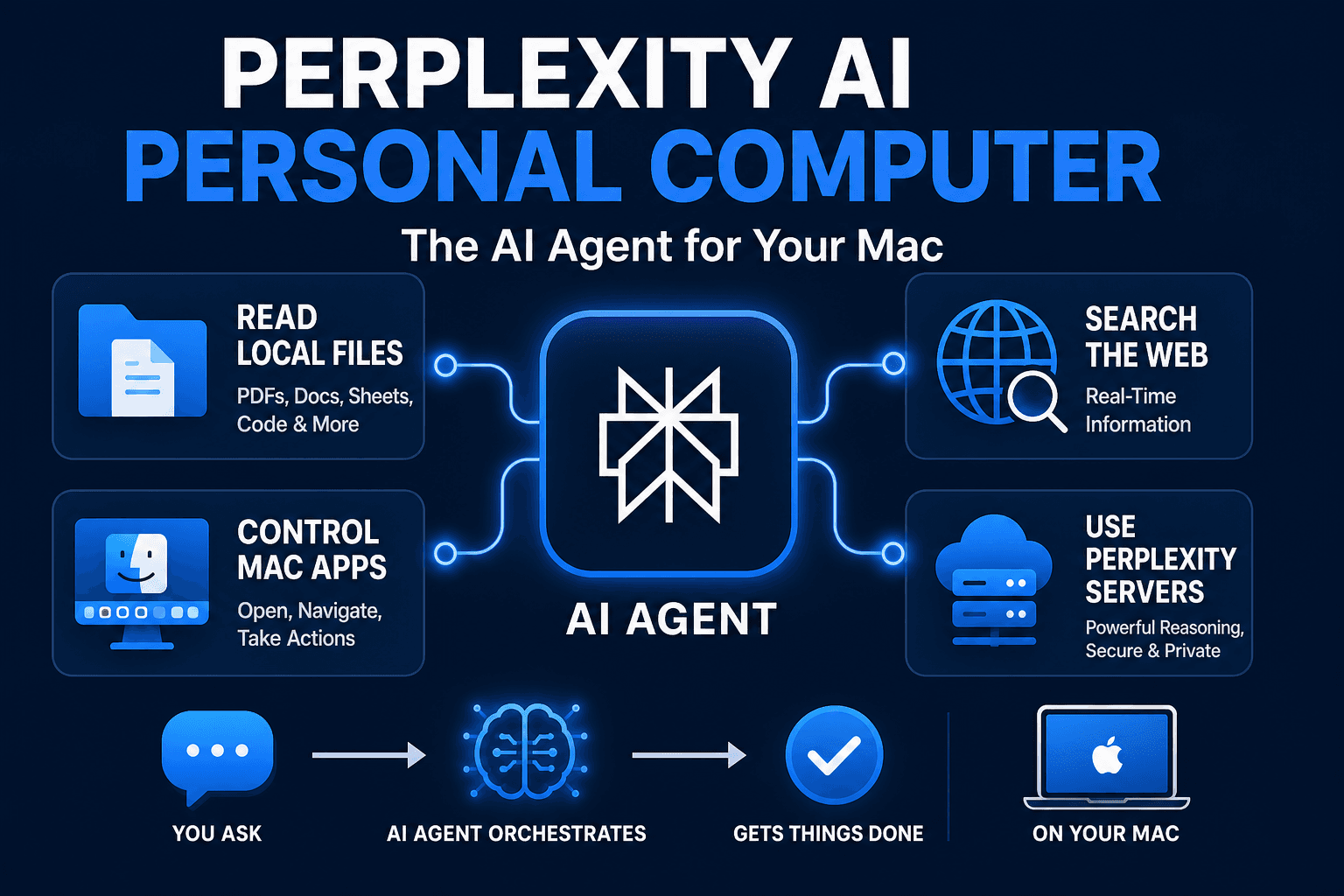
Perplexity AI just released a desktop app for Mac called Personal Computer, and it's different from every other AI tool you've tried so far. Instead of answering questions in a browser tab, it works as a full AI agent directly on your computer — reading your local files, controlling native Mac apps, searching the web, and pulling from Perplexity's servers, all in one place.
If you've been using ChatGPT in a browser window and wondering why it can't see your files, this is the answer.
What Is Perplexity AI Personal Computer?
Personal Computer is Perplexity's Mac desktop agent. It's not just a chat interface — it's an AI assistant that can:
- Read and analyze local files on your Mac (PDFs, documents, spreadsheets, code files)
- Control native Mac apps — open apps, navigate menus, take actions inside them
- Search the web in real time using Perplexity's existing multi-model search engine
- Use Perplexity's secure servers to run more compute-intensive reasoning tasks
The key word is orchestration. Instead of you copying a PDF into a chat window, you say "summarize the contract in my Downloads folder" and the agent finds it, reads it, and gives you the summary. Instead of manually switching between apps, you describe what you want and the agent navigates the apps on your behalf.
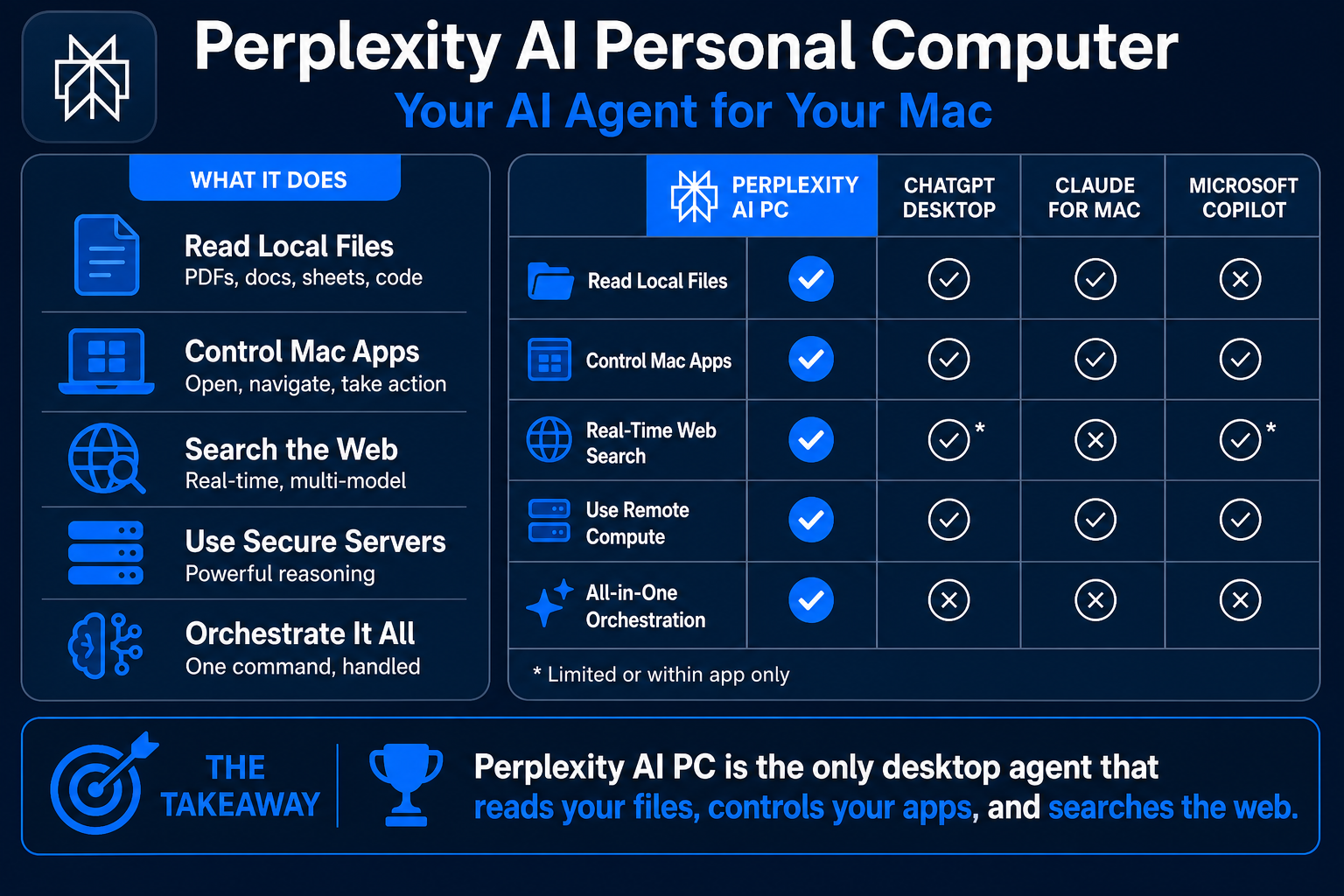
This puts it in direct competition with ChatGPT Desktop, Claude for Mac, and Microsoft Copilot — but with Perplexity's particular edge being live web search baked into every response.
How to Get Perplexity AI Personal Computer
The app is available to all Perplexity users — free and paid.
- Go to perplexity.ai and log in (or create a free account)
- Look for the Desktop App download in your account settings or at perplexity.ai/download
- Download the Mac
.dmgfile and install it like any other Mac app - Open the app, sign in with your Perplexity account
- Grant the permissions it asks for — file access and accessibility permissions are needed for the agent features
The initial setup takes about 3 minutes. The file access permissions are the most important step — without them, the agent can only use the web search features, not your local files or apps.
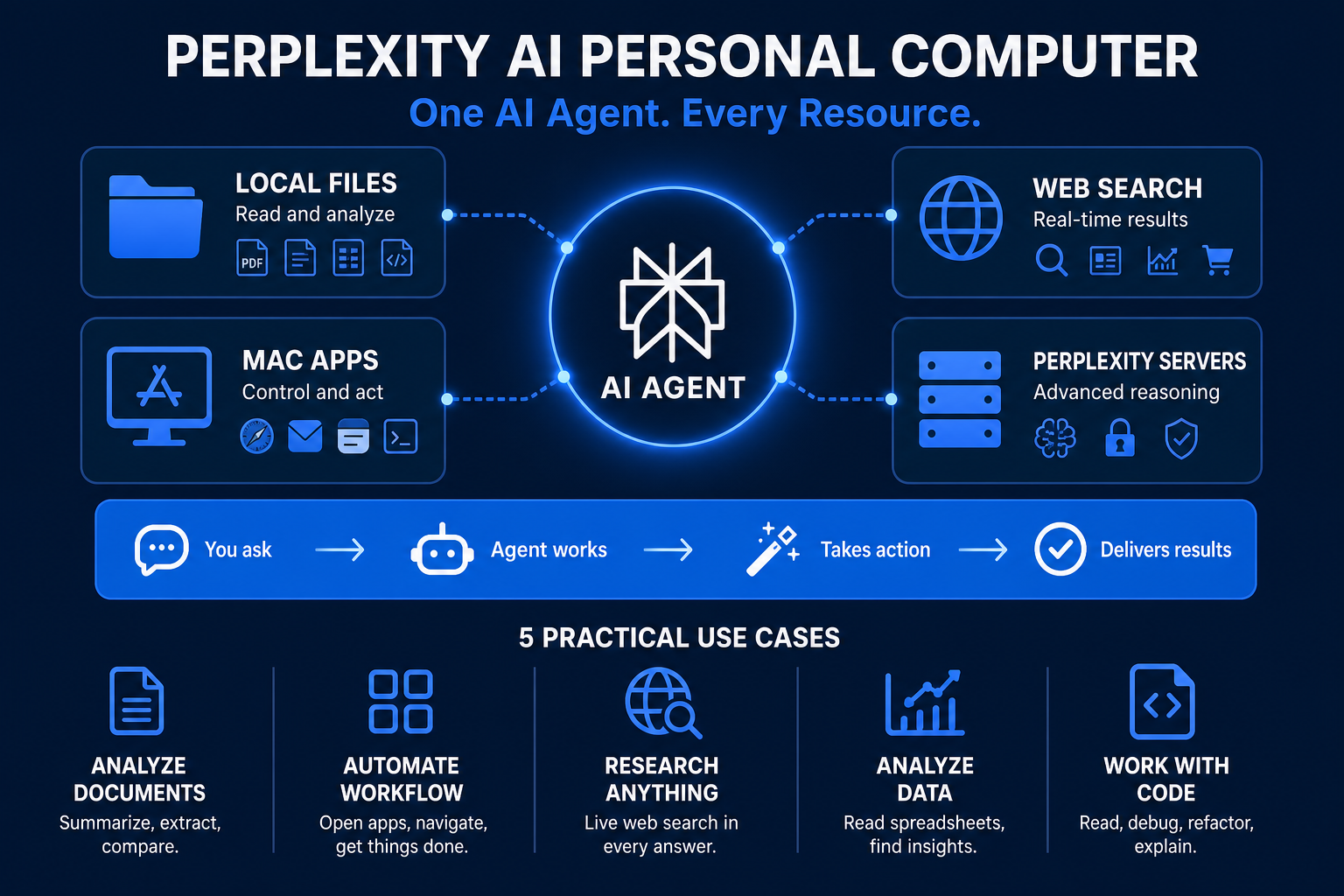
What Can It Actually Do? 5 Practical Use Cases
1. Analyze Documents Without Copy-Pasting
Instead of uploading a file to ChatGPT, you just tell Personal Computer where the file lives:
"Read the proposal in my Documents folder named 'client-proposal-may.pdf' and list the three main deliverables and the total budget."
The agent reads the file directly and responds. You can then ask follow-up questions about the same file without re-uploading anything.
This is especially useful for long PDFs — contracts, reports, manuals — where copy-pasting into a chat window either truncates the content or hits token limits.
2. Web Research That Cites Sources
Perplexity has always been strong at cited web search, and that carries into Personal Computer. Ask a question and you get an answer with numbered source links you can verify.
"What are the current pricing plans for Notion and how do they compare to Coda?"
The agent searches live, compiles the answer, and cites the specific pages it pulled from. Much more useful than a model trained on data from 12 months ago giving you pricing that's since changed.
3. Summarize Email Threads (Mac Mail)
If you use Apple Mail, the agent can navigate to specific email threads and summarize them. Tell it who the email is from, roughly when it arrived, or what the subject is, and it finds and reads it.
Useful for long email chains where you need the bottom line before a meeting.
4. App Navigation Assistance
For Mac apps you're still learning, Personal Computer can walk through steps interactively — clicking menus, filling in fields, and confirming actions. Think of it as having someone guide your cursor instead of reading a tutorial while switching windows.
This isn't unlimited — complex multi-step workflows in design or coding apps are still rough — but for common productivity apps (Pages, Numbers, Keynote, Mail, Calendar), it works well enough to save time.
5. Cross-Source Research
Combine local files with live web research in one query:
"I have a competitor analysis spreadsheet in my Downloads folder. Compare what's in it with the latest pricing pages for each company mentioned."
The agent reads your spreadsheet, identifies the companies, searches each one, and gives you an updated comparison. This is genuinely difficult to do with any single tool otherwise.
Perplexity Personal Computer vs. ChatGPT Desktop vs. Claude for Mac
The three major desktop AI apps each have different strengths:
Perplexity Personal Computer — best for: research-heavy workflows, anything requiring live web data, document analysis combined with web lookup. Free tier available. Weakness: newer product, app navigation still maturing.
ChatGPT Desktop — best for: general-purpose tasks, image generation (GPT-5.5), coding assistance via the Advanced Data Analysis feature. Requires Plus plan ($20/month) for most useful features. Weakness: no live web in the base chat model unless you explicitly trigger Browse mode.
Claude for Mac — best for: long-document analysis (200K context window), careful code review, detailed writing. Good for users who already use the Claude API, like in our Claude API beginner guide. Weakness: no live web search built in; web features require a connected tool or browser extension.
For the average beginner who wants real-time answers plus the ability to reference local files — Perplexity Personal Computer is the easiest starting point and has a usable free tier.
Perplexity Personal Computer: Free vs. Pro
The free tier gives you access to the core features: file reading, web search, and basic app navigation. Rate limits apply — you'll hit a cap on the number of agent actions per day.
Perplexity Pro ($20/month) removes the rate limits and adds:
- More complex multi-step agent workflows
- Priority access to the stronger reasoning models on Perplexity's servers
- Unlimited AI searches (the web search feature)
- Access to Pro-only models including GPT-5.5 and Claude Sonnet via Perplexity's interface
For most beginners, the free tier is plenty to test the product and understand what it can do. Upgrade to Pro if you're using it daily and hitting the caps — $20/month is competitive with ChatGPT Plus.
What's Next: AI Agents on Your Desktop
Perplexity Personal Computer is part of a larger trend: AI moving from browser tabs into your operating system itself. The next few months will likely see deeper app integrations (more third-party app support), better multi-step workflows, and tighter memory features (the agent remembers context across sessions).
If you want to go deeper into running AI tools locally without sending your files to any server, our Llama 4 local install guide and LM Studio tutorial cover that side of things. For cloud-based GPU access to run your own AI models at scale — without needing to buy hardware — Ampere Cloud rents GPU time by the hour.
FAQ
Q: Is Perplexity AI Personal Computer free?
A: Yes, there's a free tier. It includes file reading, web search, and basic app navigation with daily usage limits. Perplexity Pro ($20/month) removes limits and adds stronger reasoning models.
Q: Does it work on Windows?
A: The current release is Mac-only. Windows support has been mentioned but has no confirmed release date.
Q: Is my data sent to Perplexity's servers?
A: Files you ask the agent to analyze are processed using Perplexity's secure servers. If privacy is a concern for sensitive files, check Perplexity's current privacy policy or use a local AI tool instead (our LM Studio guide covers that).
Q: How is this different from just using Perplexity in a browser?
A: The browser version is search-only — you type a query and get an answer. Personal Computer adds file access, native Mac app control, and the ability to combine local data with web research in one request. That's the key difference.
Q: Can it write and save files on my Mac?
A: The current version reads files and can help you draft content, but saving files to specific locations on your Mac requires you to confirm the action. It doesn't write files autonomously.
Q: Do I need an account to use it?
A: Yes. You need a free Perplexity account (email signup) to use Personal Computer. The desktop app uses your account to authenticate.
Q: What Mac system requirements does it have?
A: macOS 13 (Ventura) or later. Works on both Intel and Apple Silicon Macs. Approximately 250MB download.
Personal Computer is one of those tools that sounds overhyped until you use it for a real task — summarizing a contract, updating a comparison table from live pricing pages, or just finally being able to ask your computer about files without copy-paste. Start with the free tier, try the document analysis on something you actually need, and see if it fits your workflow.

Alex the Engineer
•Founder & AI ArchitectSenior software engineer turned AI Agency owner. I build massive, scalable AI workflows and share the exact blueprints, financial models, and code I use to generate automated revenue in 2026.
Related Articles

How to Start an AI-Assisted Resume Writing Side Hustle in 2026 (Beginner's Guide)
A step-by-step guide to using AI resume tools to offer a paid resume and cover letter writing service — what to charge, which tools to use, and how to find your first clients.

How to Build and Sell AI Voice Receptionists to Local Businesses in 2026
A beginner's guide to building AI voice agents that answer business phone calls — the tools to use, what to charge, and how to find your first client.

How to Make Money on Fiverr with AI Tools in 2026: 7 Gigs You Can Start This Week
Discover 7 real Fiverr gigs you can launch using free and low-cost AI tools in 2026 — no experience required. Real pricing data, step-by-step setup, and tools that actually work.