
OpenAI Privacy Filter: What It Is and Why Your Data Is Finally Safer
OpenAI released Privacy Filter — a free, open-source AI that strips personal data before it reaches any cloud. Here's what it does, how it works, and what it means for you.
If you've ever typed something into ChatGPT and immediately thought "wait, should I have shared that?" — you're not alone.
A lot of people hesitate to use AI tools at work because they don't want to accidentally expose customer emails, internal reports, or sensitive business data. That worry just got a lot smaller.
On April 22, 2026, OpenAI released Privacy Filter — a free, open-source AI model designed specifically to strip personal information from text before it ever reaches a cloud server. No more guessing what happens to your data. You scan it first, scrub it clean, then use it with confidence.
Here's everything you need to know about it.
What Is OpenAI Privacy Filter?
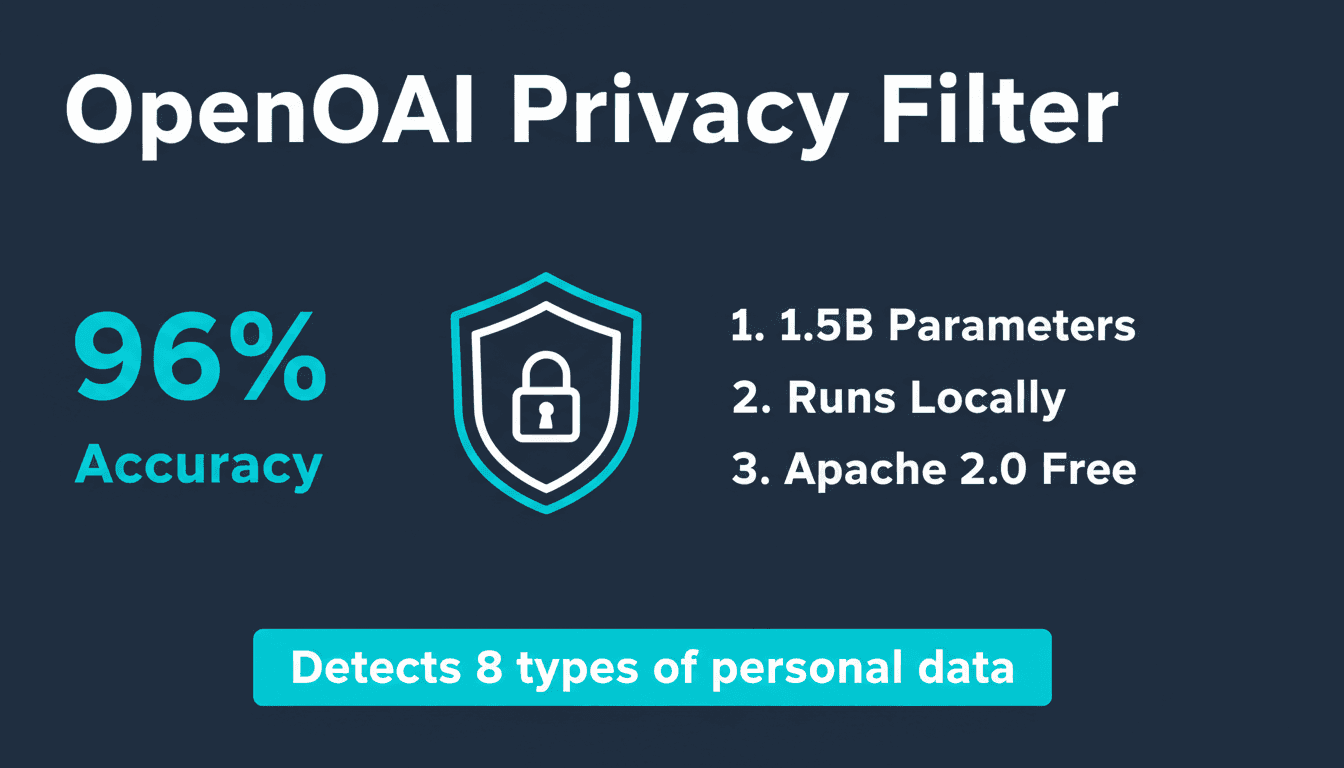
Privacy Filter is a small AI model (1.5 billion parameters) that reads through text and finds personal information — names, addresses, phone numbers, passwords, emails, and more — then removes or masks it automatically.
Think of it as a smart find-and-replace, but instead of looking for exact words, it understands context. It knows that "Alice" in a business report about employee records is probably a real person, while "Alice" in a story about Wonderland probably isn't. That difference matters when you're trying to protect real people's data.
The model is:
- Completely free (Apache 2.0 license — you can even use it commercially)
- Open source (hosted on Hugging Face)
- Runs locally — meaning your data doesn't go anywhere before it's cleaned
- Fast — 50 million active parameters make it light enough to run on a laptop or even inside a browser
Why Did OpenAI Build This?
Data privacy has always been the number one objection to using AI tools at work.
A company's legal team wants to use AI to summarize contracts — but those contracts contain client names and account numbers. An HR department wants to use ChatGPT for policy drafts — but the source documents include employee social security numbers. A startup wants to fine-tune an AI model on customer support logs — but those logs contain personal emails and addresses.
Every one of those scenarios requires the same workaround: manually scrubbing sensitive data before it goes into an AI pipeline. That's tedious, error-prone, and expensive.
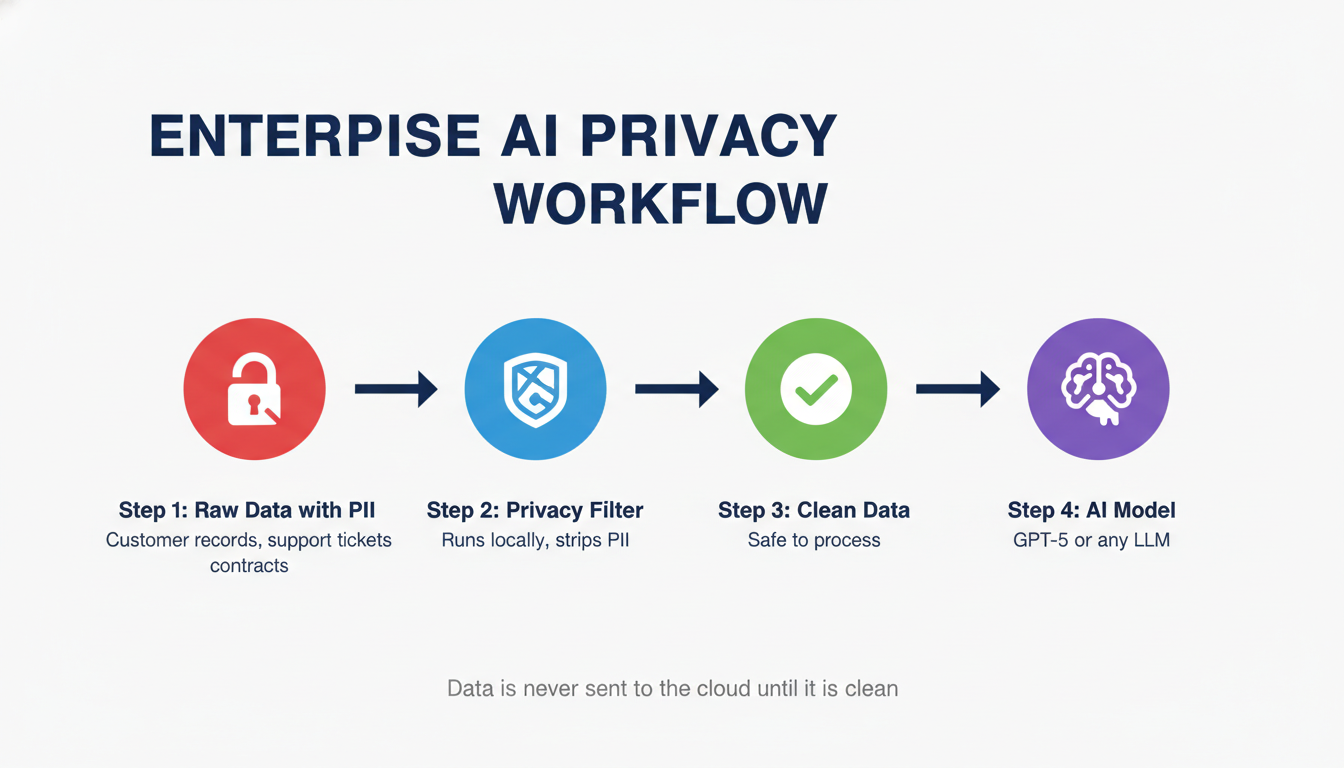
Privacy Filter solves this at the infrastructure level. You run text through it first, it masks the sensitive parts, and then the clean version goes to whatever AI model you're actually working with.
What Exactly Does It Detect?
Privacy Filter catches eight categories of personal information:
| Category | Examples |
|---|---|
| Private Names | Individual people (employees, customers, patients) |
| Physical Addresses | Home and private business addresses |
| Email Addresses | Personal and private business emails |
| Phone Numbers | Mobile and landline numbers |
| URLs | Private or user-specific web links |
| Dates | Personally significant dates (birthdays, appointment dates) |
| Account Numbers | Credit card numbers, bank account numbers |
| Secrets | Passwords, API keys, authentication tokens |
That last category — Secrets — is particularly useful for developers. If your codebase or logs accidentally contain API keys or passwords, Privacy Filter will catch them before they end up in a prompt sent to an external AI system.
How Does It Actually Work? (The Simple Version)
Most AI tools you've used generate text one word at a time, looking forward. Privacy Filter is different — it reads text in both directions at once, which makes it much better at understanding context.
Here's a simple example: the word "Smith" could be a surname, a job title (like a blacksmith), or a common last name. A forward-only model might flag it every time. Privacy Filter looks at what comes before and after it to decide whether that's actually someone's name in this particular sentence.
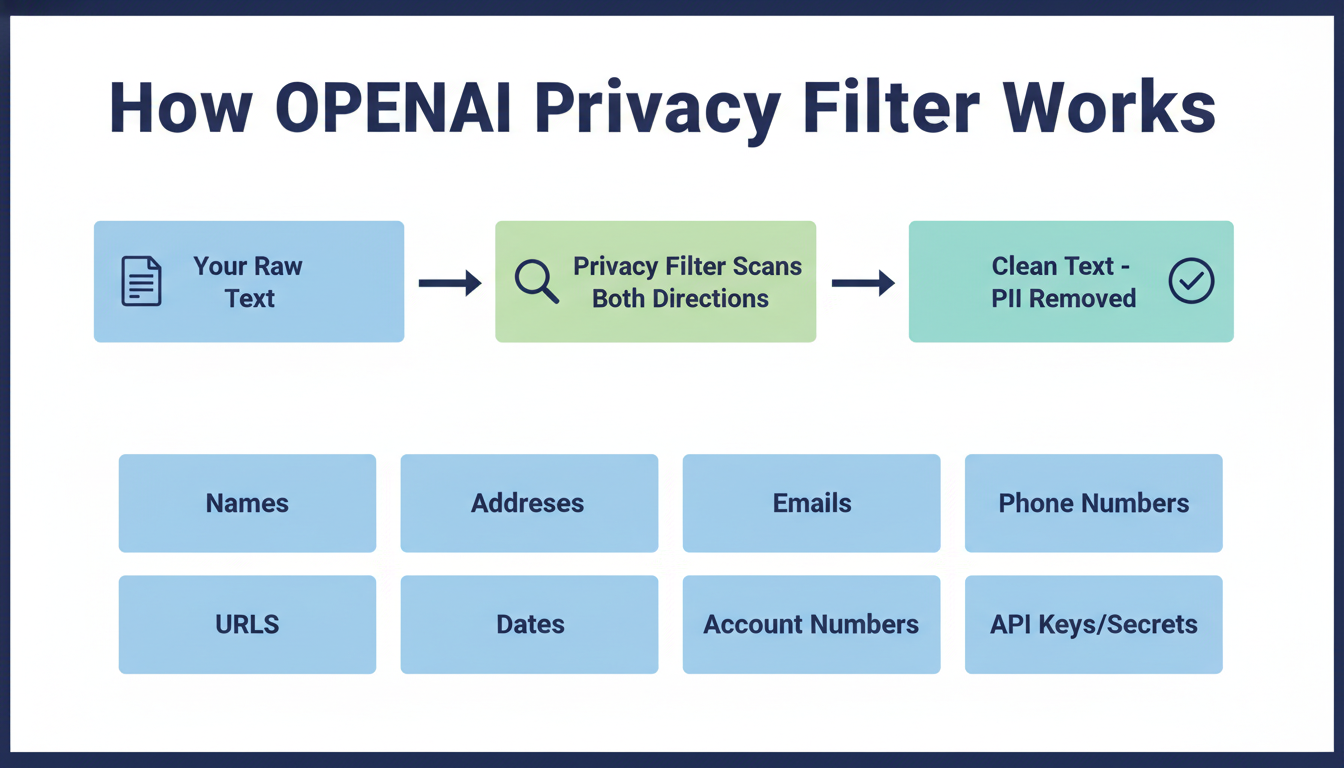
It uses a technique called the BIOES labeling scheme — it marks whether a word is the Beginning, Inside, Outside, End, or a Single-word entity. So if your text says "John Smith," it knows "John" starts a name and "Smith" finishes it. They stay linked together rather than being flagged separately.
The result: 96% accuracy (F1 score) on standard PII benchmarks. That's better than most enterprise-grade tools, at zero cost.
Who Is This For?
Business owners and freelancers who want to use AI tools but deal with client data. You can run client documents through Privacy Filter before sending them to ChatGPT or any other AI assistant. The AI still gets useful context — just with the identifying details removed.
Developers building AI-powered apps. If you're building a product that handles user data and feeds it into an LLM, Privacy Filter slots into your pipeline as a pre-processing step. It's especially useful for RAG systems (Retrieval-Augmented Generation) where you're feeding real documents to your AI.
Teams using AI for customer support or HR. Support ticket logs, HR documents, and CRM exports all tend to be full of personal data. Filter first, process second.
Anyone building AI tools for clients — if you're offering AI services to businesses through platforms like CustomGPT, Privacy Filter is a powerful way to make your offering enterprise-safe. Clients who need GDPR or HIPAA compliance will appreciate having a clean data layer built into your solution.
How to Try It
The model is available on Hugging Face right now, free and ready to use.
If you're a developer, you can run it using Hugging Face's transformers library in Python, or use transformers.js to run it entirely in the browser without any server.
Quick start (Python):
from transformers import pipeline

pii_filter = pipeline("token-classification", model="openai/privacy-filter")

text = "Hi, my name is Sarah Johnson. My email is sarah@example.com and my phone is 555-0192."
results = pii_filter(text)
print(results)
The output tells you exactly which spans are PII and what category they fall into. From there, you can replace them with placeholders like [NAME], [EMAIL], and [PHONE] before your text goes anywhere else.
For browser-based use, OpenAI has published examples using transformers.js with WebGPU acceleration, which means it can run client-side in modern browsers with no backend required.
Important Limitations (Don't Skip This Part)
OpenAI is upfront about what Privacy Filter is not:
It is not a compliance guarantee. If you're in a heavily regulated industry — healthcare, finance, legal — you still need human review. Privacy Filter calls itself a "redaction aid," not a safety net. The documentation explicitly warns against treating it as a complete solution in high-stakes workflows.
It can miss things. Uncommon names, rare identifier formats, or very short text snippets with limited context can sometimes slip through. The 96% accuracy figure is impressive, but 4% of misses can still be a problem at scale.
It doesn't understand images, audio, or video. It only works on text. If your sensitive data is in PDFs with scanned images or in call recordings, you'll need separate tools for those.
It's not anonymization. Removing a name from a document doesn't make someone truly anonymous — especially in small datasets where other details might still identify someone. For full anonymization, privacy engineers are still necessary.
What This Means for Regular ChatGPT Users
If you don't write code and just use ChatGPT through the website, Privacy Filter isn't something you'd directly install or run. But its release signals something important:
OpenAI is building privacy infrastructure into the AI ecosystem. The fact that they released this as a free, open-source tool means third-party apps and business tools built on AI will increasingly have a "privacy layer" baked in.
For now, if you're a non-technical user worried about what to share with ChatGPT, the practical advice is the same as always:
- Don't paste full names, emails, or phone numbers when you can describe the situation without them
- Use placeholders: instead of "My client Mark Thompson at Thompson & Associates," write "My client [Name] at [Company]"
- Don't share passwords, API keys, or financial details — ever
But tools like Privacy Filter are making it much easier for the apps built on top of ChatGPT to handle this automatically before data even leaves your device.
FAQ
Is OpenAI Privacy Filter free? Yes. It's released under an Apache 2.0 open-source license, which means it's free for personal use, commercial use, and modification. You can even build it into a product you sell.
Does Privacy Filter work with ChatGPT? It's not integrated into ChatGPT directly. It's a developer tool you run on text before sending it to any AI — ChatGPT included. Non-technical users can't currently install it in ChatGPT.
How accurate is it? It achieves a 96% F1 score on the PII-Masking-300k benchmark (94% precision, 98% recall). OpenAI notes that with annotation corrections, the adjusted score reaches 97.43%.
Can it run without internet? Yes. It's designed to run fully locally — on a laptop or even in a browser with WebGPU. Your data doesn't need to leave your device during the filtering process.
Is this the same as ChatGPT's built-in privacy settings? No. ChatGPT has settings to opt out of training data collection. Privacy Filter is a separate, standalone model for developers and businesses to scrub PII from text before sending it to any AI system.
Can small businesses use this? Absolutely — and it's especially valuable for businesses that handle customer data and want to use AI tools responsibly. If you're looking for a complete privacy-first AI solution built for business, CustomGPT is worth exploring — it lets you build custom AI assistants on your own content with enterprise-grade data controls.
What if it misses something? OpenAI explicitly warns this can happen. The recommended approach is to treat Privacy Filter as a first pass, not a final review — especially for sensitive legal, medical, or financial documents. Human oversight is still essential in those contexts.
The Bottom Line
OpenAI Privacy Filter is genuinely useful. It's not marketing — it's a real, well-engineered tool that solves a real problem: how do you use AI when the data you're working with is sensitive?
For developers and businesses, it's an easy addition to any AI pipeline that handles user data. For the broader AI ecosystem, it's a sign that privacy is increasingly being treated as infrastructure, not an afterthought.
If you've been holding back on using AI tools because of data privacy concerns, Privacy Filter is one more reason those concerns are getting addressed.
Check it out on Hugging Face: huggingface.co/openai/privacy-filter

Alex the Engineer
•Founder & AI ArchitectSenior software engineer turned AI Agency owner. I build massive, scalable AI workflows and share the exact blueprints, financial models, and code I use to generate automated revenue in 2026.
Related Articles

How to Start an AI-Assisted Resume Writing Side Hustle in 2026 (Beginner's Guide)
A step-by-step guide to using AI resume tools to offer a paid resume and cover letter writing service — what to charge, which tools to use, and how to find your first clients.

How to Build and Sell AI Voice Receptionists to Local Businesses in 2026
A beginner's guide to building AI voice agents that answer business phone calls — the tools to use, what to charge, and how to find your first client.

How to Make Money on Fiverr with AI Tools in 2026: 7 Gigs You Can Start This Week
Discover 7 real Fiverr gigs you can launch using free and low-cost AI tools in 2026 — no experience required. Real pricing data, step-by-step setup, and tools that actually work.