
How to Use Claude 3.7 Sonnet API: Python Beginner Guide (2026)
Learn how to use Anthropic's Claude 3.7 Sonnet API with Python. Step-by-step setup, authentication, and real-world examples for beginners.
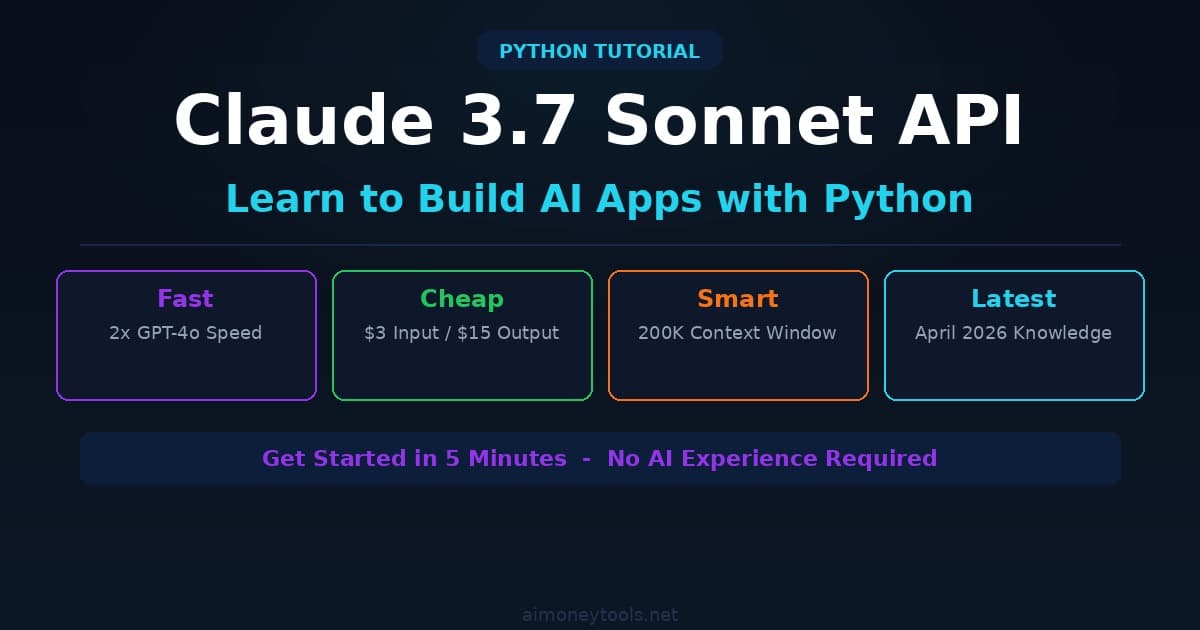
Claude 3.7 Sonnet is Anthropic's fastest and most cost-effective model. It's perfect for building AI applications, chatbots, and automation.
But if you've only used ChatGPT before, switching to Claude's API feels different. The authentication, the client setup, the request/response structure — it's all new.
In this guide, I'll walk you through everything you need to know to use Claude 3.7 Sonnet API in Python, starting from zero.
What is Claude 3.7 Sonnet?
Claude 3.7 Sonnet is Anthropic's latest model (released April 2026). It's:
- Fast — ~2x faster than GPT-4o for most tasks
- Cheap — $3/1M input tokens, $15/1M output tokens (vs. GPT-4o: $5/$15)
- Smart — 200K context window (reads 500+ pages in one request)
- Latest — Real-time knowledge cutoff (April 2026)
Sonnet vs. other Claude models:
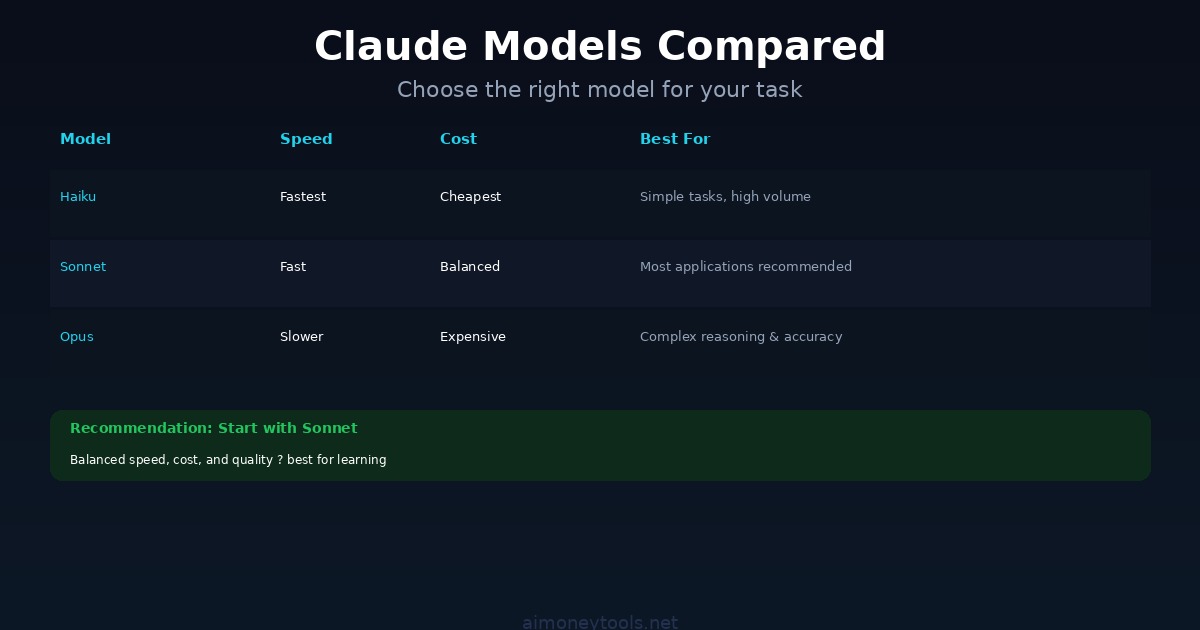
- Claude 3.7 Opus — Smartest, slowest, most expensive ($15/$45 per 1M tokens). Use for complex reasoning.
- Claude 3.7 Sonnet — Balanced speed, cost, quality. Use for most applications.
- Claude 3.7 Haiku — Fastest, cheapest ($0.80/$4 per 1M tokens). Use for simple tasks.
For beginners, Sonnet is the sweet spot.
Prerequisites
You need:
- Python 3.8+ installed on your computer
- An Anthropic API key (free trial includes $5 credit)
- 5 minutes to set up
That's it.
Step 1: Get an API Key
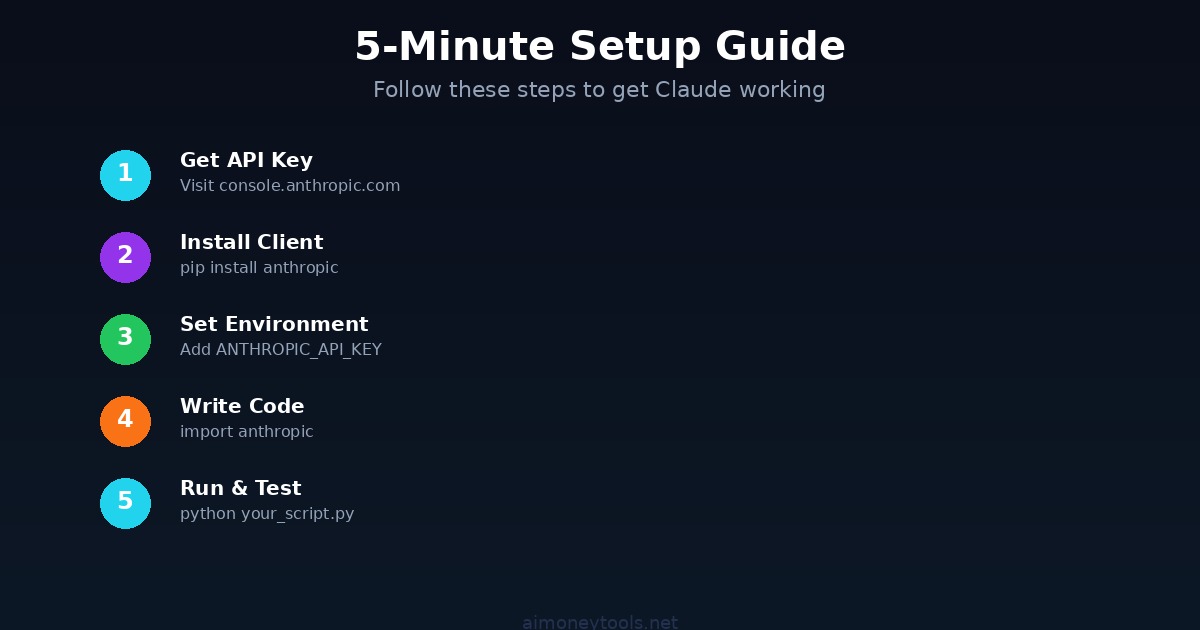
- Go to console.anthropic.com
- Sign up (or log in if you have an account)
- Navigate to API Keys (or go directly to console.anthropic.com/account/keys)
- Click Create Key
- Give it a name like "My First Claude Project"
- Copy the key immediately — you won't see it again
- Store it somewhere safe (we'll use it in 2 minutes)
Your API key looks like: sk-ant-abc123xyz789...
Step 2: Install the Claude API Client
Open your terminal and run:
pip install anthropic
This installs the official Anthropic Python library. Verify it worked:
python -c "import anthropic; print(anthropic.__version__)"
You should see a version number (e.g., 0.7.1). If you get an error, try pip3 install anthropic.
Step 3: Write Your First Claude Request
Create a new file called claude_test.py:
import anthropic

# Initialize the client with your API key
client = anthropic.Anthropic(api_key="sk-ant-YOUR_API_KEY_HERE")

# Make your first request
message = client.messages.create(
    model="claude-3-5-sonnet-20241022",
    max_tokens=1024,
    messages=[
        {
            "role": "user",
            "content": "What is the capital of France?"
        }
    ]
)

# Print the response
print(message.content[0].text)
Replace sk-ant-YOUR_API_KEY_HERE with your actual API key.
Then run it:
python claude_test.py
You should see:
The capital of France is Paris.
Congrats! You just used Claude 3.7 Sonnet. 🎉
Step 4: Use Environment Variables (Best Practice)
Hardcoding your API key is insecure. Use environment variables instead.
On Mac/Linux, create a file called .env in your project folder:
ANTHROPIC_API_KEY=sk-ant-YOUR_API_KEY_HERE
On Windows, open Command Prompt and run:
setx ANTHROPIC_API_KEY sk-ant-YOUR_API_KEY_HERE
Then update your Python script:
import os
import anthropic

# The client reads ANTHROPIC_API_KEY automatically
client = anthropic.Anthropic()

message = client.messages.create(
    model="claude-3-5-sonnet-20241022",
    max_tokens=1024,
    messages=[
        {
            "role": "user",
            "content": "What is the capital of France?"
        }
    ]
)

print(message.content[0].text)
Much better. Now your key is never visible in your code.
Step 5: Build a Chatbot (Multi-Turn Conversation)
Claude can remember previous messages. Here's a simple chatbot:
import anthropic

client = anthropic.Anthropic()

conversation_history = []

def chat(user_message):
    """Send a message and get a response."""
    conversation_history.append({
        "role": "user",
        "content": user_message
    })

    response = client.messages.create(
        model="claude-3-5-sonnet-20241022",
        max_tokens=1024,
        system="You are a helpful AI assistant.",
        messages=conversation_history
    )

    assistant_message = response.content[0].text
    conversation_history.append({
        "role": "assistant",
        "content": assistant_message
    })

    return assistant_message

# Test the chatbot
print(chat("What is machine learning?"))
print(chat("Explain it like I'm 5."))
print(chat("Now explain it like I'm a PhD."))
Run it:
python chatbot.py
Output:
Machine learning is a branch of artificial intelligence that learns from data...

Machine learning is like teaching a computer by showing it lots of examples...

Machine learning is a subset of artificial intelligence that leverages statistical...
Claude remembers the previous messages! That's why it adjusts the explanation for each question.
Step 6: Use System Prompts (Customize Claude's Behavior)
The system parameter tells Claude how to behave. Here's an example:
import anthropic

client = anthropic.Anthropic()

message = client.messages.create(
    model="claude-3-5-sonnet-20241022",
    max_tokens=1024,
    system="You are a expert Python programmer. Answer only in Python code, no explanations.",
    messages=[
        {
            "role": "user",
            "content": "Write a function that reverses a list."
        }
    ]
)

print(message.content[0].text)
Output:
def reverse_list(lst):
    return lst[::-1]
Notice Claude responded only with code, because the system prompt told it to.
Common Patterns
Pattern 1: Extract Structured Data
import anthropic
import json

client = anthropic.Anthropic()

message = client.messages.create(
    model="claude-3-5-sonnet-20241022",
    max_tokens=1024,
    messages=[
        {
            "role": "user",
            "content": """Extract the name and age from this text and return as JSON:

My name is Alice and I'm 28 years old."""
        }
    ]
)

# Parse the JSON response
data = json.loads(message.content[0].text)
print(data["name"])  # Alice
print(data["age"])   # 28
Pattern 2: Summarize Long Text
long_text = """[Your long article or document here]"""

message = client.messages.create(
    model="claude-3-5-sonnet-20241022",
    max_tokens=200,
    messages=[
        {
            "role": "user",
            "content": f"Summarize this in 3 sentences:\n\n{long_text}"
        }
    ]
)

print(message.content[0].text)
Pattern 3: Translate Text
message = client.messages.create(
    model="claude-3-5-sonnet-20241022",
    max_tokens=500,
    messages=[
        {
            "role": "user",
            "content": "Translate to Spanish: 'Hello, how are you?'"
        }
    ]
)

print(message.content[0].text)
FAQ
How much does Claude 3.7 Sonnet cost?
- Input: $3 per 1 million tokens (~750K words)
- Output: $15 per 1 million tokens (~750K words)
For context: a typical chatbot request (500 input tokens + 200 output tokens) costs about $0.0021 (less than 1/10 of a penny).
With the $5 free trial, you can make ~2,380 requests before running out.
Which Claude model should I use?
| Model | Best For | Cost (Input/Output) | Speed |
|---|---|---|---|
| Haiku | Simple tasks, high volume | $0.80/$4 per 1M | Fastest |
| Sonnet | Most applications (balanced) | $3/$15 per 1M | Fast |
| Opus | Complex reasoning, accuracy | $15/$45 per 1M | Slower |
Recommendation: Start with Sonnet. Switch to Haiku for simple tasks, Opus for complex reasoning.
How do I handle errors?
import anthropic

client = anthropic.Anthropic()

try:
    message = client.messages.create(
        model="claude-3-5-sonnet-20241022",
        max_tokens=1024,
        messages=[{"role": "user", "content": "Hello"}]
    )
except anthropic.APIError as e:
    print(f"API Error: {e}")
except anthropic.AuthenticationError:
    print("Invalid API key")
Can I use Claude 3.7 Sonnet offline?
No. Claude API requires an internet connection. If you want to run AI models locally, use Ollama (free, open-source) with LLaMA or Mistral.
What's the difference between Claude 3.5 and 3.7?
Claude 3.5 Sonnet (Oct 2024): Original Sonnet model, slower, cheaper.
Claude 3.7 Sonnet (Apr 2026): Faster, smarter, newer training data (includes events through Apr 2026).
Always use 3.7 unless you have a specific reason not to.
Can I batch API requests?
Yes! Use the Batch API for non-urgent requests (e.g., processing 1000 documents overnight):
# Save your requests to a JSONL file
# Then submit to batches.create() for 50% discount
# Results ready in ~24 hours
See Anthropic Batch API docs for details.
What if I hit rate limits?
Claude API includes rate limits for free users (500 requests/minute). If you hit the limit, wait a minute and retry. For production apps, upgrade to a paid plan.
Next Steps
- Build something small — A chatbot, a text summarizer, an email classifier
- Read the official docs — console.anthropic.com/docs
- Explore advanced features — Vision (image analysis), tool use (function calling), streaming responses
- Scale it — Move from playground to production with error handling and logging
Related Articles

Alex the Engineer
•Founder & AI ArchitectSenior software engineer turned AI Agency owner. I build massive, scalable AI workflows and share the exact blueprints, financial models, and code I use to generate automated revenue in 2026.
Related Articles

How to Start an AI-Assisted Resume Writing Side Hustle in 2026 (Beginner's Guide)
A step-by-step guide to using AI resume tools to offer a paid resume and cover letter writing service — what to charge, which tools to use, and how to find your first clients.

How to Build and Sell AI Voice Receptionists to Local Businesses in 2026
A beginner's guide to building AI voice agents that answer business phone calls — the tools to use, what to charge, and how to find your first client.

How to Make Money on Fiverr with AI Tools in 2026: 7 Gigs You Can Start This Week
Discover 7 real Fiverr gigs you can launch using free and low-cost AI tools in 2026 — no experience required. Real pricing data, step-by-step setup, and tools that actually work.