
8 Best AI Video Generator Tools for Creators in 2026
Compare the best AI video generator 2026 options. See top picks for marketing, YouTube, and social media to scale your video income fast.
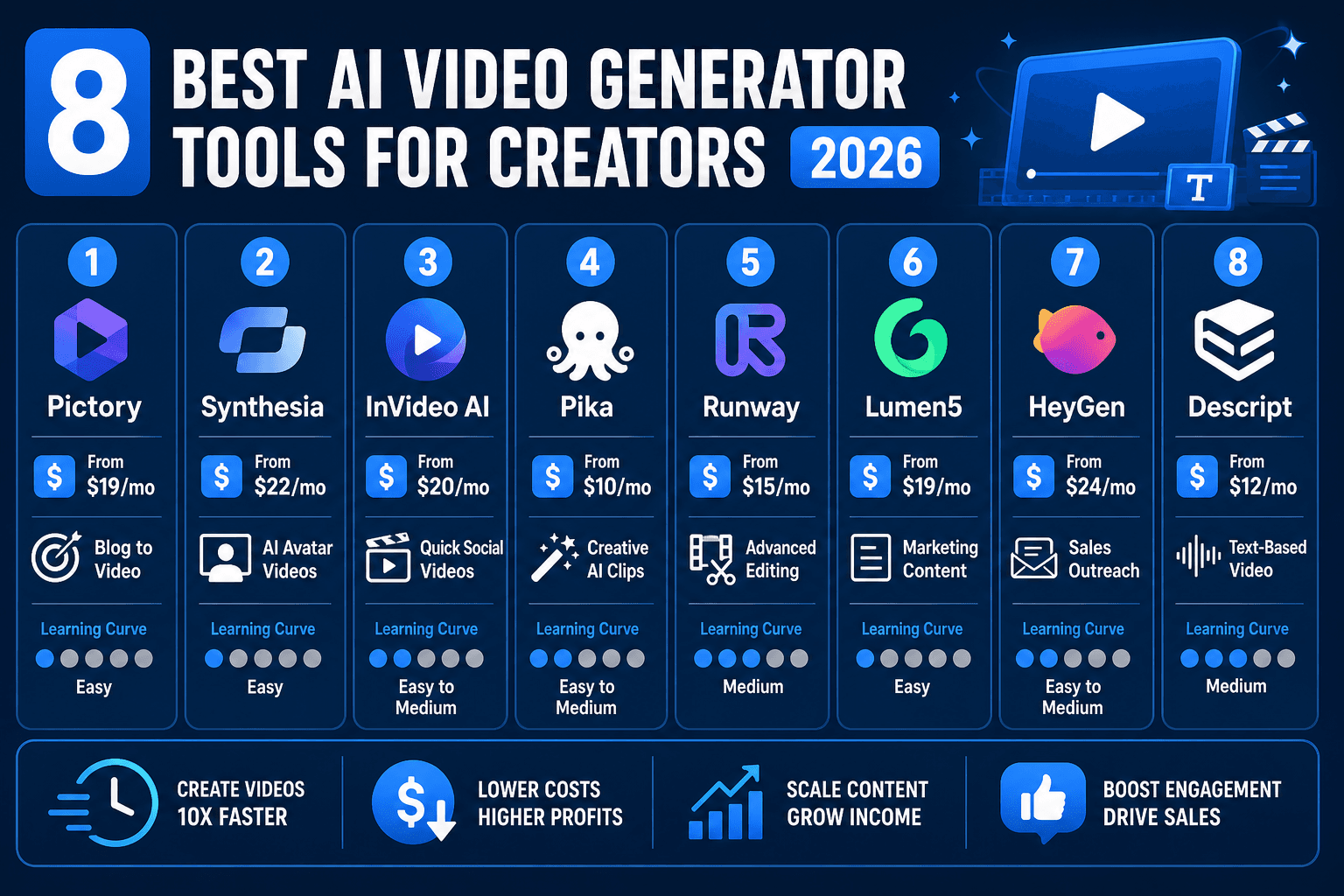
The best AI video generator 2026 tools allow you to create professional marketing content, social media clips, and training videos from simple text prompts. These platforms eliminate the need for expensive cameras or complex editing software, making video production accessible for freelancers and small businesses. In this guide, we break down which tools offer the highest return on investment for your side hustle.
I spent $400 testing the top contenders to see which ones actually produce high-converting content. While many apps create "cool" visuals, only a few are optimized for creators who need to turn a profit. Whether you are building a YouTube automation channel or running a freelance ad agency, choosing the right software is the first step toward scaling your output.
Why AI Video Tools are Essential for Earning in 2026
Video is the primary driver of engagement across TikTok, Instagram, and YouTube, but manual production is a bottleneck for solo creators. According to Wyzowl's 2024 State of Video Marketing report, 88% of people say they've been convinced to buy a product or service by watching a brand's video. For a freelancer, the ability to produce these videos quickly is a significant competitive advantage.
On platforms like Upwork, freelance editors charge between $150 and $500 for a single short-form video. By using a high-quality generator, you can reduce production time from five hours to thirty minutes. This efficiency allows you to take on more clients without increasing your workload. If you are looking for more ways to monetize these skills, check out our guide on AI side hustle ideas.
The shift happening right now is not just about speed — it is about access. A solo creator in 2026 can compete with a full production studio because the gap in tooling has nearly closed. The question is no longer whether AI video is good enough for professional use. It clearly is. The real question is which tool fits your specific income goal.
Understanding this distinction early will save you both money and frustration. A blogger repurposing articles needs a completely different tool than a sales consultant sending personalized outreach videos. Use this guide to match yourself to the right platform before you spend a dollar on a subscription.
Top 8 AI Video Generators for 2026 Compared
| Tool | Starting Price | Best For | Learning Curve |
|---|---|---|---|
| TryHolo.ai | $29/mo | Performance Ads & Social | Very Low |
| Runway | $12/mo | High-End Cinematic Effects | Medium |
| Synthesia | $22/mo | Corporate Training & Avatars | Low |
| HeyGen | $29/mo | Personalized Sales Videos | Low |
| InVideo | $30/mo | YouTube & Faceless Channels | Very Low |
| D-ID | $5.99/mo | Talking Photos & Memes | Low |
| Pictory | $19/mo | Content Repurposing | Very Low |
| Sora (OpenAI) | TBA | Photorealistic B-Roll | Low |
This table gives you a quick snapshot, but pricing alone should not drive your decision. A $5.99 tool that does not fit your use case will cost you more in wasted time than a $30 tool that nails your workflow on the first try. Read through each breakdown below to understand exactly what you are paying for and whether it matches your side hustle model.
1. TryHolo.ai: Best for Marketing and Ad Revenue
TryHolo.ai is designed specifically for marketers who need to create high-converting video ads for Facebook and Instagram. Unlike artistic tools that focus on abstract visuals, Holo provides templates and avatars optimized for "scroll-stopping" engagement.
The platform allows you to generate a complete ad — including script, voiceover, and visuals — in under 15 minutes. For freelancers, this means you can offer "Ad Packages" to local businesses and fulfill the orders almost instantly. It is currently one of the most practical options for those focusing on direct monetization.
What makes TryHolo.ai stand out from most other tools is its focus on commercial outcomes rather than artistic expression. Every template inside the platform is built around a specific goal: getting a viewer to click, sign up, or buy. For a beginner entering the freelance ad space, this eliminates a lot of guesswork because the structure is already optimized for performance.
The interface is genuinely beginner-friendly. You do not need to understand aspect ratios, codec settings, or frame rates. You select a template, input your text, choose an avatar or visual style, and export. The entire workflow is point-and-click, which means your first billable deliverable can be ready within an hour of signing up.
Who Should Use TryHolo.ai
TryHolo.ai is ideal for freelancers who want to offer social media ad packages to local businesses such as restaurants, salons, gyms, and real estate agents. It also works well for e-commerce sellers who want to create product highlight reels for paid advertising campaigns. If your primary goal is to generate income from video as quickly as possible, this is the most direct path.
- Pros: Fast rendering, ad-centric templates, affordable for agencies, beginner-friendly interface, built-in voiceover options.
- Cons: Not intended for long-form cinematic filmmaking, limited creative flexibility compared to tools like Runway.
- Best For: Freelancers selling ad creation services, e-commerce brands running paid social campaigns.
- Income Potential: Charge $100 per ad; 10 ads per month equals $1,000 in revenue for minimal active work.
2. Runway: The Choice for Creative Professionals
Runway Gen-3 Alpha is widely considered the gold standard for high-fidelity generative video. It offers granular control over motion, camera angles, and style, making it ideal for YouTubers who want to create unique B-roll that doesn't look like stock footage.
While it has a steeper learning curve than template-based tools, the output is nearly indistinguishable from high-budget studio production. This tool is best for those providing premium video services or building high-end brand identities.
Starting at $12 per month, Runway is actually one of the more affordable entry points given the quality ceiling it offers. The platform uses a credit system, so heavier usage will require higher-tier plans. For professionals doing consistent client work, budgeting for the mid-tier plan makes the most sense.
Where Runway genuinely separates itself is in the level of creative direction you can apply. You can specify camera movements such as slow pans or zooms, control the mood and lighting, and even blend reference images with text prompts. This level of control means your output has a distinctive visual signature rather than looking like something generated by a generic AI tool. That distinction matters when you are charging premium rates.
Who Should Use Runway
Runway is best suited for experienced freelancers or aspiring directors who already have a creative eye and want AI to accelerate their production pipeline rather than replace their creative input. It also works well for YouTube creators building a cinematic brand aesthetic who want original B-roll footage that cannot be traced back to a stock library.
- Pros: Unmatched visual quality and creative control, supports advanced camera motion commands, output suitable for premium client work.
- Cons: Requires more time to master the prompting system, credit-based model means costs scale with usage.
- Best For: Premium content agencies, high-end YouTubers, brand filmmakers.
3. Synthesia: The Best for Educational and Training Content
Synthesia remains the leader in the AI avatar space. It allows you to "type" a video script and have a realistic human avatar deliver the message in over 120 languages. This is particularly valuable for creating onboarding videos for SaaS companies or educational courses.
Businesses pay a premium for localized content. By using Synthesia, you can offer localization services to companies looking to expand their training materials into new markets without hiring voice actors.
Starting at $22 per month, Synthesia sits at a comfortable price point for the value it delivers. The platform's avatar library has expanded significantly, and the lip-syncing quality has reached a level where most viewers cannot distinguish the output from a real presenter unless they are actively looking for artifacts.
For freelancers, the most profitable angle with Synthesia is corporate training content. HR departments and L&D (Learning and Development) teams at mid-sized companies are constantly producing onboarding videos, compliance training modules, and product explainers. These are not glamorous projects, but they pay reliably and repeat. A single corporate client needing monthly training updates can provide consistent recurring income without any client acquisition effort on your end.
Who Should Use Synthesia
Synthesia is the right choice for anyone who wants to offer corporate video services without on-camera talent. It is especially effective for instructional designers, online course creators, and HR consultants who need multilingual video content at scale. If you want to build a recurring revenue stream from video, the corporate training niche is one of the most stable options available.
- Pros: Extremely realistic lip-syncing and gestures, 120-plus language support, great for recurring corporate contracts.
- Cons: The "talking head" format can feel repetitive for social media, less effective for entertainment-focused content.
- Best For: Instructional designers, HR consultants, online course creators, SaaS onboarding specialists.
4. HeyGen: The Leader in Personalized Outreach
HeyGen excels at video personalization and "instant avatars." One of its standout features is the ability to clone your own voice and likeness to send personalized messages to hundreds of leads at once.
Sales teams use this to increase response rates by sending "custom" videos to prospects. If you are a consultant, using HeyGen to send a personalized 30-second video to every new lead can significantly boost your conversion rates. You can find more about high-value tools in our list of AI tools for making people wealthy.
Starting at $29 per month, HeyGen is priced at the same level as TryHolo.ai but serves a completely different purpose. Where TryHolo.ai is built for broadcast advertising, HeyGen is built for one-to-one communication at scale. The distinction matters because the psychology of personalization is powerful — a prospect who receives a video that mentions their name and company feels a level of attention that a mass email simply cannot replicate.
The voice cloning feature is one of the most compelling in the industry. After providing a short audio sample, the platform can replicate your vocal tone, cadence, and even accent with impressive accuracy. Combined with a video avatar that mirrors your appearance, the result is a scalable version of yourself that can be in hundreds of inboxes simultaneously.
Who Should Use HeyGen
HeyGen is ideal for sales consultants, coaches, and agency owners who rely on outbound prospecting. It is also a strong fit for anyone building a personal brand who wants to maintain the appearance of personalized communication while operating at scale. If your income depends on conversion rates from cold or warm outreach, HeyGen has a measurable impact on response rates.
- Pros: Voice cloning, instant avatar creation, powerful personalization at scale, strong for B2B outreach.
- Cons: Less useful for broadcast content or content repurposing, some features require higher-tier plans.
- Best For: Sales consultants, coaches, agency owners, personal brand builders.
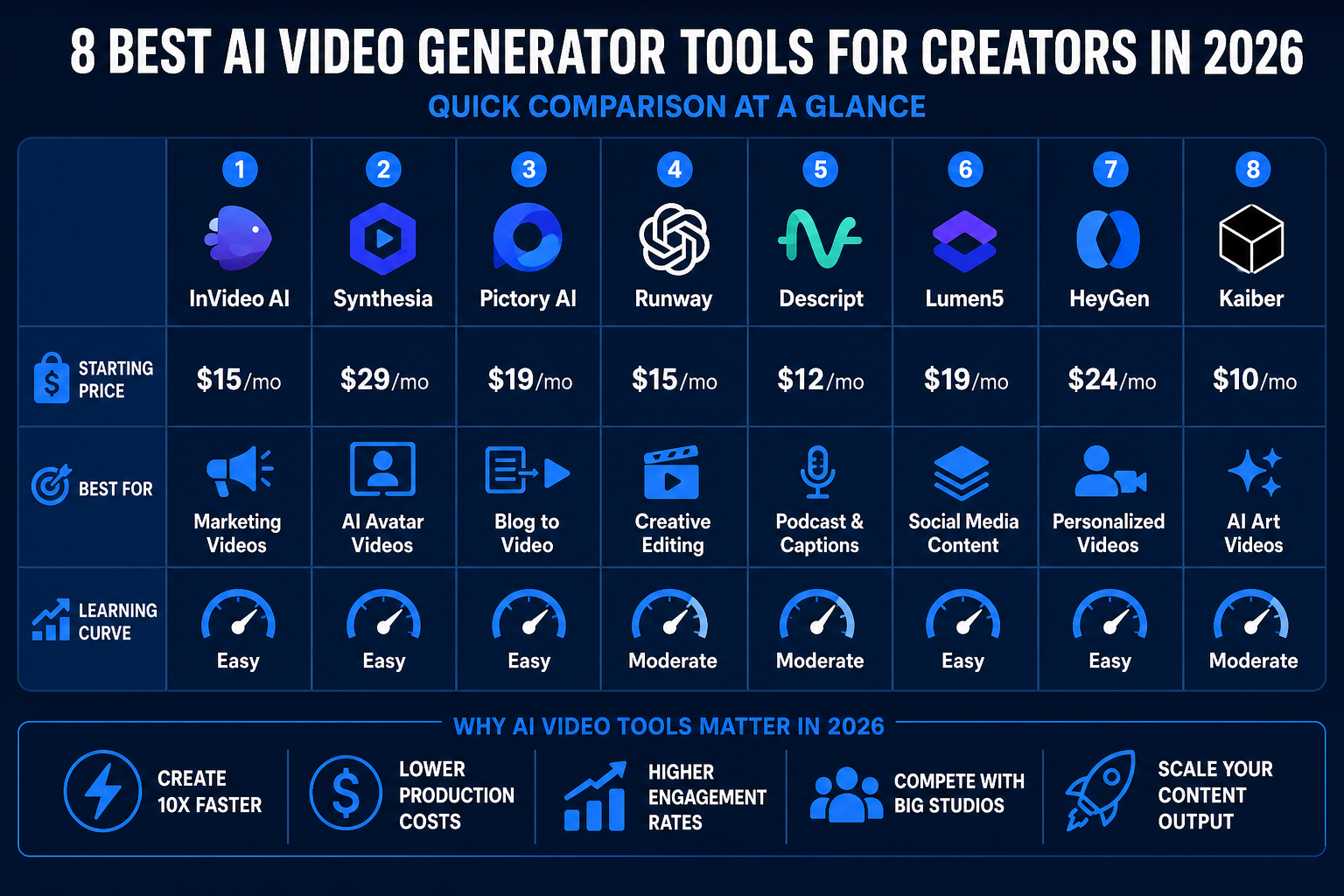
5. InVideo AI: Best for Faceless YouTube Channels
InVideo AI simplifies the process of creating "faceless" YouTube videos. You simply give it a topic like "Top 10 Travel Destinations in Europe," and the AI finds relevant stock footage, generates a script, and applies a voiceover.
This is the fastest way to build a YouTube automation business. Instead of spending days editing, you can publish daily videos and monetize through the YouTube Partner Program or affiliate marketing.
At $30 per month, InVideo AI gives you access to a workflow that previously required a team of researchers, writers, editors, and voiceover artists. For someone building a channel in a niche like personal finance, travel, true crime, or health tips, the ability to produce consistently without ever appearing on camera is a game-changing advantage.
The key to success with InVideo AI is not just volume — it is consistency combined with niche specificity. A channel publishing three videos per week on a focused topic will outperform a channel publishing daily videos across scattered subjects. Use InVideo AI to handle the production side while you focus on topic research, thumbnail strategy, and audience growth.
Pairing InVideo AI with a premium voiceover tool like Murf can noticeably elevate the final product. While InVideo's built-in voiceovers are functional, Murf's studio-quality AI voices add a layer of polish that helps channels stand out in competitive niches.
Who Should Use InVideo AI
InVideo AI is the best starting point for anyone who wants to build passive income through YouTube without appearing on camera. It is also useful for affiliate marketers who need regular video content to support review-based channels and for social media managers who need a high volume of short-form clips.
- Pros: Direct integration with massive stock libraries, fast text-to-video workflow, ideal for YouTube automation, beginner-friendly.
- Cons: Stock footage can sometimes feel generic if not customized, voiceover quality is improved by pairing with a dedicated tool.
- Best For: YouTube automation builders, affiliate marketers, social media managers handling multiple accounts.
6. Pictory: Best for Repurposing Written Content
Pictory is the go-to tool for bloggers who want to turn their articles into videos. It automatically extracts the "golden nuggets" from your text and creates short-form video highlights.
This is a powerful way to boost SEO. By embedding a video version of your blog post, you increase "time on page," which is a key ranking factor for Google. It's an essential tool for any content creator looking to maximize the value of their existing work.
Starting at $19 per month, Pictory is one of the most affordable tools on this list, and its ROI is particularly strong for content marketers who already have a library of written work. Rather than starting from scratch, you are essentially unlocking a second format from content you have already invested time and money to produce.
The workflow is simple: paste your article URL or text into Pictory, let the AI identify the most impactful sentences, match them with relevant visuals from the built-in media library, and export a polished video. The entire process takes minutes. For a blogger publishing weekly long-form content, this means you can maintain an active YouTube or social presence without any additional writing or filming effort.
Who Should Use Pictory
Pictory is the right fit for bloggers, newsletter writers, and content marketers who want to extend their reach without producing original video content from scratch. It is also useful for podcast hosts who want to turn episode highlights into shareable video clips for social media promotion.
- Pros: Excellent for repurposing existing content, very beginner-friendly, strong SEO applications, affordable entry price.
- Cons: Output is dependent on the quality of the source text, limited creative control compared to raw video editors.
- Best For: Bloggers, newsletter creators, podcast hosts, content marketers with existing text libraries.
7. D-ID: Best for Viral Social Media Content
D-ID specializes in animating still images. It gained fame for its ability to make historical figures "talk," but in 2026, it is primarily used for creating viral AI characters on TikTok and Reels.
Because the cost per video is very low, it is perfect for creators testing multiple viral concepts. If one video goes viral, the return on the $5.99 monthly subscription is massive.
The low barrier to entry makes D-ID an excellent sandbox for creators who want to experiment with AI characters and personas without committing to a larger platform. The ability to animate any still image — whether a custom AI-generated portrait, a historical photo, or an illustrated character — opens up creative angles that purely text-to-video tools cannot replicate.
From a monetization standpoint, D-ID works particularly well for creators building themed TikTok or Instagram accounts around a fictional AI persona. These accounts often grow quickly because the novelty factor drives shares, and once an account reaches a meaningful following, income through brand deals, merchandise, or digital products becomes achievable.
Who Should Use D-ID
D-ID is best for social media creators who want to experiment with viral AI character content at minimal cost. It is also useful for educators and historians who want to make engaging explainer content by animating relevant figures. If you are testing multiple content concepts and need to move fast without a large budget, D-ID's low price point makes it an ideal starting tool.
- Pros: Extremely low cost, unique animated portrait output, great for testing viral concepts, fast to learn.
- Cons: Output format is limited to talking-head animation, not suitable for complex scene generation.
- Best For: Social media experimenters, viral content creators, educators, history-focused channels.
8. Sora (OpenAI): The Future of High-Fidelity Video
OpenAI's Sora is beginning to roll out to more creators in 2026. It represents the peak of photorealism, capable of generating complex scenes with multiple characters and specific types of motion. While still in limited release for some, its impact on the stock footage industry is already being felt.
The pricing for Sora has not been finalized across all tiers, but early access has been bundled with ChatGPT Plus subscriptions for some users. This makes it worth monitoring closely, especially for creators who already use OpenAI's ecosystem.
What makes Sora different from every other tool on this list is the sheer complexity of the scenes it can produce. While most AI video tools excel at short clips with limited motion or static avatar presentations, Sora can generate multi-second sequences with physical realism, environmental detail, and character interaction that approaches what you would see from professional B-roll footage. For creators who need authentic-looking establishing shots, product environments, or atmospheric scene-setting clips, Sora is the tool to watch.
Who Should Use Sora
Sora is best suited for early adopters and experienced creators who want to future-proof their workflow by learning the tool before it becomes mainstream. It is also worth exploring for anyone producing premium branded content or documentary-style videos where photorealistic B-roll is essential to the production value.
- Pros: Unprecedented photorealism, capable of complex multi-character scenes, expanding access through existing OpenAI subscriptions.
- Cons: Pricing not fully established across all plans, still in limited rollout for some users, output length is currently restricted.
- Best For: Early adopters, premium content producers, documentary-style creators, brand filmmakers.
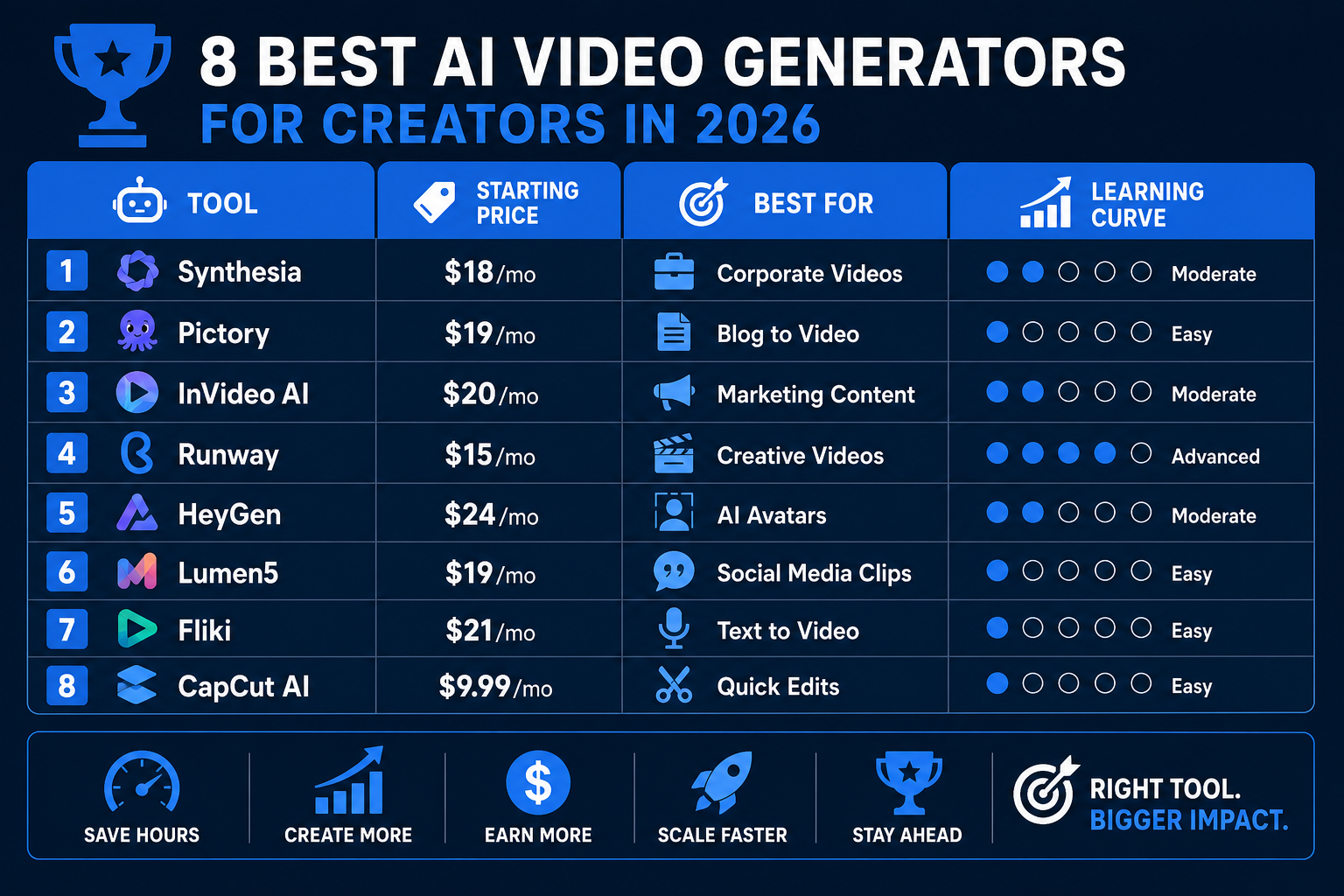
How to Maximize ROI with AI Video
To make money with the best AI video generator 2026, you must focus on the problem you are solving for the client. Most businesses don't care about the technology; they care about lead generation and brand awareness.
- Select a Niche: Don't just offer "AI video." Offer "Short-form video ads for Real Estate Agents" using TryHolo.ai.
- Productize Your Service: Create tiers (e.g., 4 videos for $300, 10 videos for $600).
- Use High-Quality Voiceovers: While many generators include audio, using a dedicated tool like Murf can give your videos a more human, premium feel. Murf's studio-grade AI voices cover a wide range of accents and tones, allowing you to match the voice to the brand you are creating content for.
A fourth strategy worth adding is to document your process and sell it. Once you have a working system for producing videos efficiently — say, a template-based workflow using TryHolo.ai combined with Murf voiceovers — you can package that process as a course or tutorial series and earn from it passively. The knowledge you build using these tools is itself a monetizable asset.
By combining these tools, you can build a full-scale content agency with virtually no overhead. For a deeper look at getting started, read our guide on how to make money with AI.
Quick Comparison: Choosing the Right Tool for Your Goal
| Your Goal | Recommended Tool | Starting Price |
|---|---|---|
| Sell ad creation services to local businesses | TryHolo.ai | $29/mo |
| Build a faceless YouTube channel | InVideo AI | $30/mo |
| Offer corporate training video services | Synthesia | $22/mo |
| Improve sales outreach response rates | HeyGen | $29/mo |
| Repurpose blog content into video | Pictory | $19/mo |
| Create viral TikTok AI characters | D-ID | $5.99/mo |
| Produce premium B-roll for branded content | Runway | $12/mo |
| Generate photorealistic scene footage | Sora (OpenAI) | TBA |
Use this table as a decision shortcut if you already know your income goal. If you are still exploring, starting with TryHolo.ai or InVideo AI will give you the fastest path to a first paid deliverable because of their very low learning curves.
Frequently Asked Questions
What is the best AI video generator for beginners?
TryHolo.ai and InVideo AI are the best for beginners. They use simple text-to-video workflows and provide templates, meaning you don't need any prior editing experience to produce professional results. Both platforms are designed so that a first-time user can produce something publishable within the first session, which is important when you want to start earning quickly rather than spending weeks learning a complex tool.
Can I monetize AI-generated videos on YouTube?
Yes, you can monetize AI-generated videos as long as they provide original value. YouTube's policies require you to disclose when content is altered or synthetic, but thousands of "faceless" channels successfully earn ad revenue using these tools. The key is to ensure your videos add genuine informational or entertainment value to the viewer rather than simply stringing together AI output with no editorial direction.
How much do AI video generators cost in 2026?
Most professional tools range from $20 to $60 per month. Entry-level plans like D-ID start as low as $5.99, while tools like Runway offer a starting plan at $12 per month. Enterprise-grade tools with API access can cost significantly more depending on usage volume. For most freelancers and side hustlers, a single mid-tier plan in the $20 to $30 range is sufficient to support several paying clients.
Do I need a powerful computer to run these tools?
No. Most of the best AI video generator 2026 tools are cloud-based. All the heavy processing happens on the company's servers, so you only need a standard web browser and a stable internet connection. This is one of the major advantages of modern AI video platforms compared to traditional video editing software, which often requires high-end hardware to run smoothly.
Is AI video quality good enough for professional clients?
Yes. Tools like Runway and Synthesia produce high-definition content used by Fortune 500 companies for marketing and training. The key is to review the AI's output and make small manual adjustments to ensure brand consistency. Most clients who have used AI video services report being satisfied with the quality, especially when the final product is paired with a professional voiceover from a tool like Murf and a clear, well-structured script. The days of AI video looking noticeably artificial are largely behind us for the mainstream use cases covered in this guide.

Alex the Engineer
•Founder & AI ArchitectSenior software engineer turned AI Agency owner. I build massive, scalable AI workflows and share the exact blueprints, financial models, and code I use to generate automated revenue in 2026.
Related Articles

How to Start an AI-Assisted Resume Writing Side Hustle in 2026 (Beginner's Guide)
A step-by-step guide to using AI resume tools to offer a paid resume and cover letter writing service — what to charge, which tools to use, and how to find your first clients.

How to Build and Sell AI Voice Receptionists to Local Businesses in 2026
A beginner's guide to building AI voice agents that answer business phone calls — the tools to use, what to charge, and how to find your first client.

How to Make Money on Fiverr with AI Tools in 2026: 7 Gigs You Can Start This Week
Discover 7 real Fiverr gigs you can launch using free and low-cost AI tools in 2026 — no experience required. Real pricing data, step-by-step setup, and tools that actually work.