
TryHolo vs Synthesia vs HeyGen 2026: Best AI Avatar Video Tool
In-depth comparison of TryHolo, Synthesia, and HeyGen for creating AI avatar videos. Which tool wins for your use case, workflow, and budget.
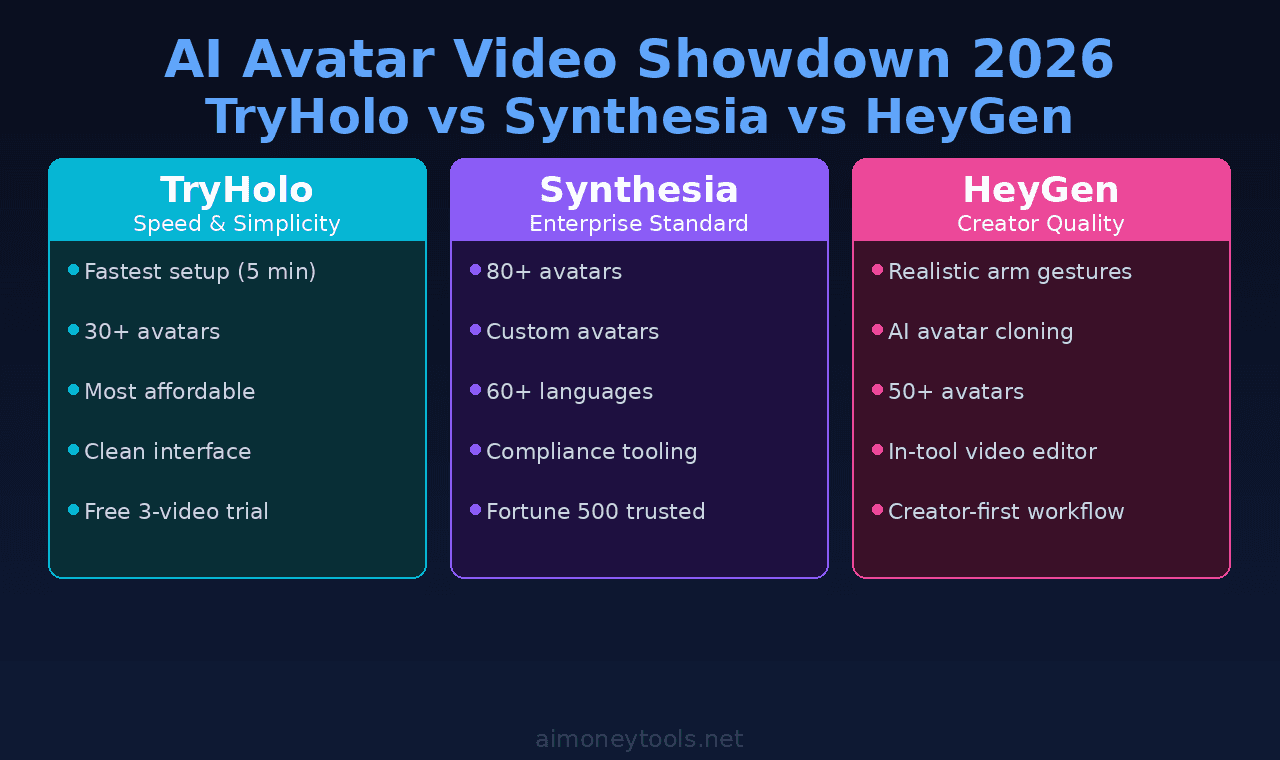
Creating professional videos with digital avatars used to require a production crew and months of editing. Now three tools dominate the space: TryHolo, Synthesia, and HeyGen. Each one takes a different approach — and picking the wrong one kills your workflow.
This guide breaks down the real differences: pricing, ease of use, output quality, and which use cases each tool actually wins.
The Core Difference
Synthesia is the enterprise standard. It's been around the longest, has the most avatar styles, and gets used by Fortune 500 companies for training videos and announcements. It's polished but pricey.
HeyGen is the creator-focused middle ground. Faster workflows, lower price, influencer-friendly features like natural arm gestures and realistic expressions. Strong for YouTube channels and social content.
TryHolo is the emerging challenger. Built for speed and simplicity, with competitive pricing and a refreshingly clean interface. If you want to make avatar videos without a learning curve, TryHolo is fastest.
Feature Breakdown
| Feature | TryHolo | Synthesia | HeyGen |
|---|---|---|---|
| Avatar selection | 30+ realistic avatars | 80+ avatars + custom | 50+ avatars + custom |
| Setup time | 5–10 minutes | 15–20 minutes | 10–15 minutes |
| Video quality | 4K | 4K | 4K (up to 1080p base) |
| Voice options | 40+ languages, 200+ voices | 60+ languages, 1000+ voices | 50+ languages, 500+ voices |
| Natural gestures | ✅ Standard | ⚠️ Limited | ✅ Realistic arm/hand motion |
| Video editing within tool | ✅ Basic trim/crop | ✅ Full suite | ✅ Advanced |
| Script auto-detect | ✅ Yes | ✅ Yes | ✅ Yes |
| Custom avatar | Coming soon | ✅ Yes ($1,500+) | ✅ Yes ($500+) |
| Pricing (monthly) | ~$60–$200 | $163–$576 | $73–$200+ |
| Free trial | ✅ 3 videos | ✅ 1 video | ✅ 3 videos |
| API access | ✅ Yes | ✅ Yes | ✅ Yes |
| Best for | Speed, simplicity, creators | Enterprise, training, compliance | Creators, YouTube, social |
Pricing and features current as of April 2026. Check official sites for latest updates.
When TryHolo Wins
Fastest time-to-video: TryHolo's interface is the cleanest of the three. Paste script → pick avatar → select voice → export. Most users get a finished video in under 15 minutes. Synthesia requires more setup, HeyGen has more options but steeper learning curve.
Budget-conscious creators: At ~$60/month for the starter plan, TryHolo is the cheapest entry point. If you're testing whether avatar videos fit your content workflow, TryHolo's low barrier to entry makes sense. Synthesia starts at $163/month.
Short-form social content: YouTube Shorts, TikTok, Instagram Reels — TryHolo's presets are built for quick turnaround. Export, trim, post. No fussing with enterprise-grade features you don't need.
Affiliate partners: TryHolo has strong partner programs and integrations with content creation platforms.
The tradeoff: if you need custom branding or enterprise-grade control, TryHolo gets outpaced.
When Synthesia Wins
Enterprise compliance & training: Synthesia is the safe choice for corporate L&D teams, regulatory training, and HR announcements. If you need audit trails, version control, and formal approval workflows, Synthesia is built for that.
Custom avatars that look like your team: Synthesia allows you to upload photos of real people and create a digital avatar that matches them. It costs extra ($1,500+) but it's invaluable for company announcements where stakeholders recognize the face.
Localization at scale: 60+ languages + 1,000+ voices means Synthesia is the only choice if you're producing the same video in 20 languages. HeyGen and TryHolo support multiple languages, but Synthesia's voice selection and lipsync quality is the best for multilingual workflows.
Longest track record: Synthesia has been used by companies like BMW, Unilever, and Microsoft for years. If you're building a business around avatar videos, you want the tool with the deepest feature set and the strongest case studies.
Content libraries for enterprises: Synthesia's library of business-ready templates and scripts is deeper than competitors.
The tradeoff: it's overkill if you're just making YouTube videos.
When HeyGen Wins
Realistic gestures & natural motion: HeyGen's avatars have the best arm and hand animations. If you're watching a HeyGen video, the avatar looks less "read from script" and more "actually alive." That matters for storytelling content and explainers.
Creator-first features: Lip-sync adjustment, emotion controls, gesture libraries, full video editing within the tool. HeyGen puts the creative controls where creators expect them.
YouTube channel growth: HeyGen has built a reputation in the creator community. If you're growing a YouTube channel with avatar-hosted content, HeyGen's workflows are optimized for that. See how to grow on X for parallel social strategies.
Influencer-ready: AI cloning (upload video, HeyGen creates a deepfake avatar of you) is a unique HeyGen feature. Some creators love it; some find it unsettling. But it's an option.
Custom avatars at lower cost: $500+ vs Synthesia's $1,500+ for custom avatars based on your photos.
The tradeoff: HeyGen is more expensive than TryHolo for the same output quality.
Head-to-Head: Specific Scenarios
Scenario 1: You're starting a YouTube channel with daily AI videos
→ TryHolo or HeyGen. Skip Synthesia — overkill and slow for daily uploads. TryHolo if you want the fastest workflow; HeyGen if you want premium gesture quality and creative tools.
Scenario 2: Your company needs 50 training videos in 10 languages
→ Synthesia. The multilingual voice quality and compliance tooling are worth the premium. HeyGen and TryHolo will force you to recreate videos per language; Synthesia has built-in localization.
Scenario 3: You're a freelancer selling video creation as a service
→ HeyGen or TryHolo. Both have white-label and API options. HeyGen edges ahead for portfolio quality (better gestures); TryHolo edges ahead for margin (lower cost to operate).
Scenario 4: You want to create a branded avatar that looks like a team member
→ Synthesia (if your budget allows $1,500+), otherwise HeyGen ($500+). TryHolo is adding this — check back in Q3 2026.
Scenario 5: You're prototyping — need to test if avatar videos work for your brand
→ TryHolo free trial (3 videos). Fastest way to see if it's worth the monthly subscription. HeyGen is second choice (3 free videos, slightly slower to onboard).
Quality Comparison
All three tools produce broadcast-quality 4K video. The differences are subtle:
- Avatar realism: HeyGen > Synthesia > TryHolo (but TryHolo is closing the gap)
- Lip-sync accuracy: Synthesia ≈ HeyGen > TryHolo
- Voice quality: Synthesia > HeyGen ≈ TryHolo
- Rendering speed: TryHolo > HeyGen > Synthesia (TryHolo is 2–3× faster)
- Editing flexibility: Synthesia > HeyGen > TryHolo
For YouTube or TikTok, all three produce acceptable output. For corporate training or broadcasting, Synthesia has a slight edge. For creators who care about speed, TryHolo wins.
Pricing at a Glance
TryHolo: $60–$200/month depending on video minutes and export limits HeyGen: $73–$200+/month depending on custom avatars and features Synthesia: $163–$576/month depending on team size and storage
For most small creators, TryHolo and HeyGen are in the same ballpark. Synthesia is significantly pricier but justified if you need enterprise features.
Integration & API Access
All three offer API access for developers:
- TryHolo API is lean and fast — good for building custom workflows
- HeyGen API is well-documented with webhooks for automation
- Synthesia API is the most feature-rich but also the most complex
If you're building a SaaS product around avatar video generation, any of the three work. TryHolo and HeyGen are easier to integrate quickly; Synthesia requires more development time but offers more control.
Frequently Asked Questions
Q: Can I use these tools to impersonate someone?
A: HeyGen has AI cloning; use responsibly and disclose deepfakes per FTC guidelines. TryHolo and Synthesia don't have cloning, only scripted avatars. All three tools have terms against non-consensual impersonation.
Q: Which tool has the most avatar styles?
A: Synthesia (80+) > HeyGen (50+) ≈ TryHolo (30+). But quantity doesn't equal quality — TryHolo's 30 are high-quality and improve monthly.
Q: Can I export and edit videos outside the tool?
A: Yes, all export MP4/MOV files. HeyGen has the best on-tool editing; TryHolo is minimal but exportable to Premier or DaVinci.
Q: Do these tools have green-screen mode?
A: HeyGen and Synthesia yes; TryHolo is adding it. If you need your avatar on a transparent background, HeyGen or Synthesia today.
Q: What's the learning curve?
A: TryHolo — 30 minutes to comfortable. HeyGen — 1–2 hours. Synthesia — 2–3 hours (more powerful, more options).
Q: Can I use real actors instead of AI avatars?
A: Yes, all three support uploading real video footage of humans. It defeats the purpose of the tool, but it's possible for blending real + avatar content.
Recommendation
Pick TryHolo if: You're new to avatar videos and want the fastest, cheapest entry point.
Pick HeyGen if: You're a creator wanting premium gesture quality and don't mind paying slightly more for the features.
Pick Synthesia if: Your company needs enterprise compliance, multilingual support, or branded custom avatars.
For most individuals in 2026, TryHolo edges ahead for simplicity + price. HeyGen wins if quality and creative tools matter more than cost. Synthesia is the enterprise choice.
Sources: Official pricing pages (TryHolo, HeyGen, Synthesia) + feature comparison matrix + April 2026 user reports

Alex the Engineer
•Founder & AI ArchitectSenior software engineer turned AI Agency owner. I build massive, scalable AI workflows and share the exact blueprints, financial models, and code I use to generate automated revenue in 2026.
Related Articles

How to Start an AI-Assisted Resume Writing Side Hustle in 2026 (Beginner's Guide)
A step-by-step guide to using AI resume tools to offer a paid resume and cover letter writing service — what to charge, which tools to use, and how to find your first clients.

How to Build and Sell AI Voice Receptionists to Local Businesses in 2026
A beginner's guide to building AI voice agents that answer business phone calls — the tools to use, what to charge, and how to find your first client.

How to Make Money on Fiverr with AI Tools in 2026: 7 Gigs You Can Start This Week
Discover 7 real Fiverr gigs you can launch using free and low-cost AI tools in 2026 — no experience required. Real pricing data, step-by-step setup, and tools that actually work.