
n8n Tutorial for Beginners: Automate Anything Without Code (2026 Guide)
A complete beginner's guide to n8n in 2026 — how to set it up, build your first workflow, and use AI nodes to automate real tasks without writing a line of code.
Most people hear "automation" and immediately picture spreadsheets, Python scripts, or some developer-only tool. n8n is none of those things. It is a visual workflow builder where you connect apps together like building blocks — and it now has built-in AI nodes that let you add a language model to any step in the workflow.
This guide is written for complete beginners. By the end, you will understand how n8n works, how to set it up for free, and how to build your first real automation.
What Is n8n?
n8n (pronounced "n-eight-n" or "nodemation") is an open-source workflow automation tool. Think of it like Zapier — but free to self-host, more flexible, and built for the AI era.
You build workflows by connecting "nodes." Each node is either a trigger (something that starts the workflow) or an action (something the workflow does). Connect them in a visual canvas and n8n runs the logic automatically.
Example of a simple n8n workflow:
- A new row is added to a Google Sheet → trigger fires
- n8n sends the row data to an AI model → AI summarizes it
- AI summary is posted to a Slack channel → action completes
That entire process runs automatically, 24/7, without you touching anything.
Why n8n Instead of Zapier or Make?
The most common alternatives are Zapier and Make (formerly Integromat). Here is why n8n is worth considering for beginners who want flexibility:
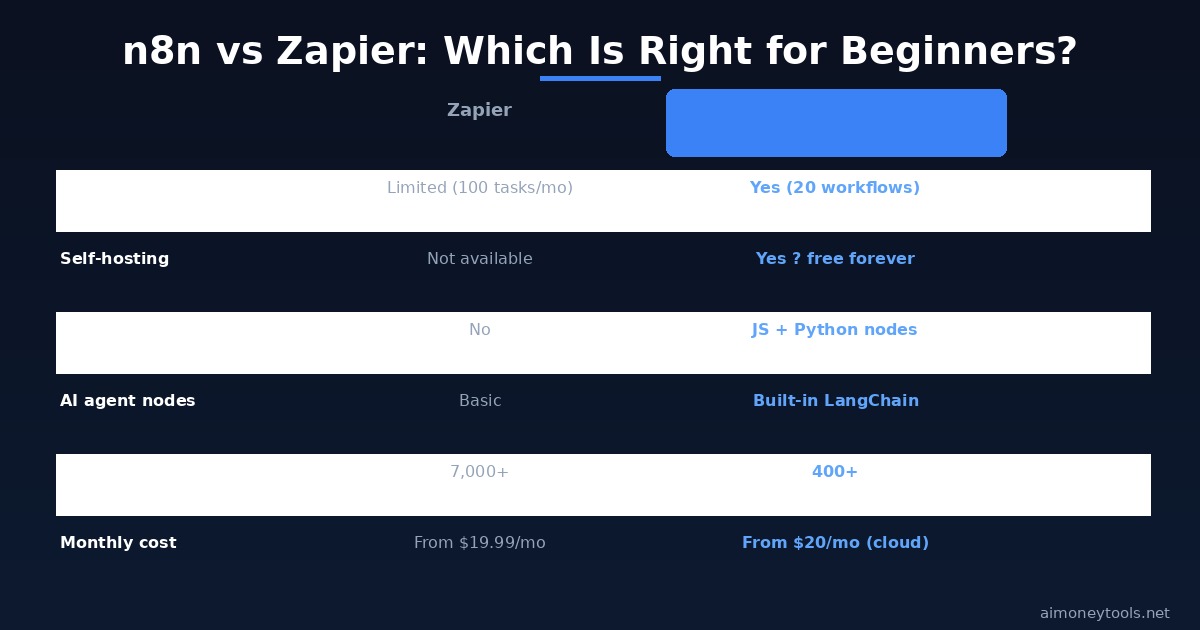
It is free to self-host. If you run n8n on your own server (a $5–$10/month VPS is enough), the software itself costs nothing. Zapier charges $20–$600/month for similar usage.
It has built-in AI nodes. n8n ships with LangChain-based AI nodes: AI Agent, AI Chat, text classification, summarization, and more. You connect your OpenAI or Anthropic API key and these become just another node in your workflow. Zapier's AI features are more limited and require paid add-ons.
It supports code when you need it. The Code node lets you write JavaScript or Python inside a workflow step. For beginners, you never need to use it — but as you grow, it means n8n scales with you without switching tools.
It has 400+ integrations. The most popular apps (Gmail, Google Sheets, Slack, Notion, Airtable, HubSpot, Stripe, Webhook, HTTP request, and many more) are all built in.
How to Get Started With n8n (Free — No Install Required)
The fastest way to start is n8n Cloud, which handles hosting for you.
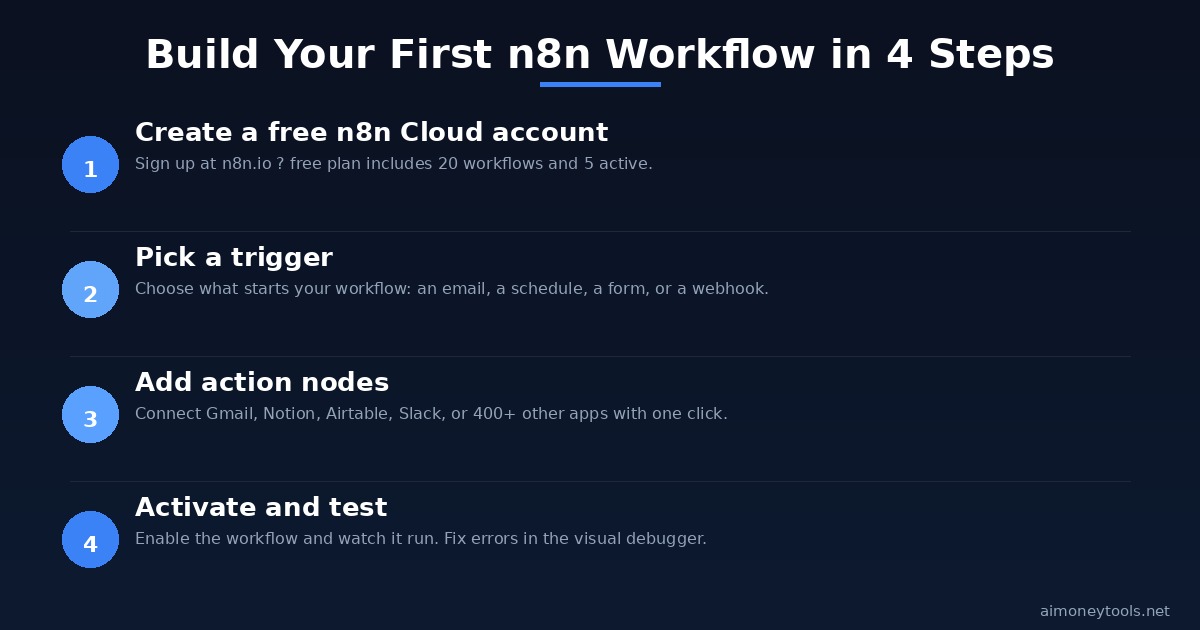
Step 1: Create a free n8n Cloud account
Go to n8n.io and sign up. The free plan includes 20 workflows and 5 active at a time, which is more than enough to learn and run a few automations.
If you already have a server (even a cheap VPS or a spare computer), you can self-host n8n instead using Docker or npm. The official install takes about 5 minutes. Self-hosted is completely free with no usage limits.
Step 2: Open the canvas
After logging in, click "Create workflow." You land on a blank canvas. This is where you build.
Step 3: Add your first trigger node
Click the "+" button to add a node. A trigger is what starts your workflow. Common beginner triggers:
- Schedule — runs the workflow at set times (every morning at 9 AM, every hour, etc.)
- Webhook — triggers when an external service sends data to a URL
- Gmail — triggers when a new email arrives
- Google Sheets — triggers when a new row is added
For your first test, use the Schedule trigger — it fires on a time interval you set, so you control when it runs.
Step 4: Add action nodes
After the trigger, add the actions you want n8n to execute. Each node has its own settings panel — fill in your credentials (you connect your Google account, Slack workspace, etc. once per account type) and configure what you want it to do.
Step 5: Test and activate
Every workflow has a "Test" mode where you can run individual nodes and see the exact data flowing through. Once everything looks correct, switch the workflow to "Active." It now runs automatically.
Build Your First n8n Workflow in 4 Steps
Here is a practical first workflow that is genuinely useful: a daily email digest of new content ideas.
What it does: Every morning at 8 AM, n8n fetches the top 5 posts from a subreddit relevant to your niche, sends the titles to an AI model for summarization, and emails you the digest.
The nodes you need:
- Schedule Trigger — fires at 8 AM daily
- Reddit node (or HTTP Request to Reddit API) — fetches top posts
- Code node or AI Agent — formats or summarizes the data
- Gmail node — sends the summary to your email
Why this is a good starter project: It teaches you: trigger setup, external API calls, data transformation, and output delivery — the four core patterns that appear in almost every automation.
n8n's AI Nodes Explained
The AI nodes are where n8n separates from older automation tools. These are the main ones beginners use:
AI Agent node An autonomous agent that can use tools you give it. You define a goal ("research the top AI tools released this week"), give it tools (web search, HTTP requests), and it figures out the steps. Similar to how ChatGPT with browsing works, but inside your automation pipeline.
AI Chat node A simple chat interface you can embed in your workflow. Useful for building internal chatbots that answer from a dataset you define.
LLM Chain Sends a prompt to a language model and returns the response as data that feeds into the next node. The most commonly used AI node — you pass it a template with variables and it fills in the blanks using the current workflow data.
Text Classifier Categorizes text into labels you define. Practical use: automatically sorting incoming emails by type (sales inquiry / support ticket / newsletter), then routing each to a different workflow path.
Summarize Takes long text input and returns a summary. Useful for processing long web pages, documents, or transcripts.
All of these connect to OpenAI, Anthropic Claude, Google Gemini, or any model with an API endpoint — you configure the connection once in n8n Credentials.
5 Beginner-Friendly n8n Automations Worth Building
These are practical workflows beginners use to actually save time:
1. Gmail → AI triage → Notion New emails get classified by the AI node (urgent / info / newsletter), then logged to the appropriate Notion database. You open Notion in the morning and already have emails sorted.
2. Google Form → AI responder → Gmail When someone fills out a contact form, n8n sends the submission to an AI model, generates a personalized first response, and emails it automatically. Works well for freelancers or small business owners who get repetitive inquiries.
3. RSS feed monitor → AI summary → Slack Monitor 10 industry blogs. Every day, n8n pulls new articles, summarizes them with AI, and posts a digest to your Slack. No more manually checking multiple sites.
4. Competitor price monitoring Use HTTP Request nodes to scrape pricing pages (or API feeds), run a comparison, and alert you via email when something changes. No code needed if you use n8n's built-in data transformation nodes.
5. Social post scheduler Write your posts in a Google Sheet, n8n picks up new rows on a schedule and posts to Twitter/X and LinkedIn automatically. Add an AI node in the middle to rewrite the same post in platform-appropriate tone.
Connecting n8n to Custom AI Assistants
One of the more powerful combinations for content creators and small businesses: connecting n8n to a custom AI assistant trained on your own material.
CustomGPT (affiliate) lets you build an AI chatbot trained on your own documents, website content, and FAQs. The CustomGPT API integrates with n8n through the HTTP Request node — meaning you can pipe incoming messages, form submissions, or emails directly to your CustomGPT agent and return the AI's answer as part of an automated workflow.
Practical example: a client submits a support question through your website. n8n catches the webhook, sends the question to your CustomGPT agent (which is trained on your product documentation), and emails the client the answer — in under 60 seconds, fully automated.
For more on building custom AI assistants trained on your content, see our guide to CustomGPT and business automation.
n8n vs Zapier vs Make — Quick Summary
| Feature | n8n | Zapier | Make |
|---|---|---|---|
| Free self-hosting | Yes | No | No |
| AI Agent nodes | Built-in | Limited | Limited |
| Code support | JS + Python | No | Limited |
| Integrations | 400+ | 7,000+ | 1,000+ |
| Free plan | 20 workflows | 100 tasks/mo | 1,000 ops/mo |
| Cloud paid tier | From $20/mo | From $19.99/mo | From $9/mo |
Choose n8n if: You want to self-host for free, use AI natively in workflows, or need code flexibility as you grow.
Choose Zapier if: You need a specific app integration that n8n does not support, or you want the simplest possible setup with no learning curve.
Choose Make if: You are building complex conditional logic and prefer Make's visual logic tools.
Frequently Asked Questions
Do I need to know how to code to use n8n?
No. The visual editor handles almost everything without code. The Code node exists for advanced cases, but beginners never need to use it. Most workflows are built entirely by connecting nodes and configuring their settings through form fields.
Is n8n really free?
Self-hosted n8n is free with no usage limits. The n8n Cloud plan has a free tier (20 workflows, 5 active). If you need more workflows or executions, the Cloud paid plan starts at $20/month. Hosting it yourself on a $6/month VPS gives you unlimited everything for the cost of the server.
How is n8n different from Zapier?
The biggest differences: n8n can be self-hosted for free, it has native AI/LangChain nodes, and it supports code in workflows. Zapier has more third-party integrations but costs more and has weaker AI capabilities.
Can n8n connect to OpenAI or Claude?
Yes. n8n has built-in nodes for OpenAI (GPT models), Anthropic (Claude), Google Gemini, and Ollama (for local models). You add your API key in Credentials, and the model becomes available to any workflow node.
What is a webhook in n8n?
A webhook is a URL that n8n gives you. When another service sends data to that URL (for example, a form submission, a Stripe payment, or a GitHub event), n8n receives it and triggers your workflow. It is one of the most useful triggers because it lets any app send data to n8n in real time.
Can I make money with n8n automations?
Yes. Common approaches: building automations for clients (businesses pay $500–$3,000 for custom n8n setups), selling pre-built workflow templates, or using n8n to automate your own content or lead generation processes. See our AI automation agency guide for the full breakdown.
Is n8n safe for handling customer data?
Self-hosted n8n keeps all data on your own server — nothing is sent to a third-party cloud by default. For the Cloud version, n8n handles data per their privacy policy (GDPR compliant). For sensitive customer data, self-hosting is the recommended path.

Alex the Engineer
•Founder & AI ArchitectSenior software engineer turned AI Agency owner. I build massive, scalable AI workflows and share the exact blueprints, financial models, and code I use to generate automated revenue in 2026.
Related Articles
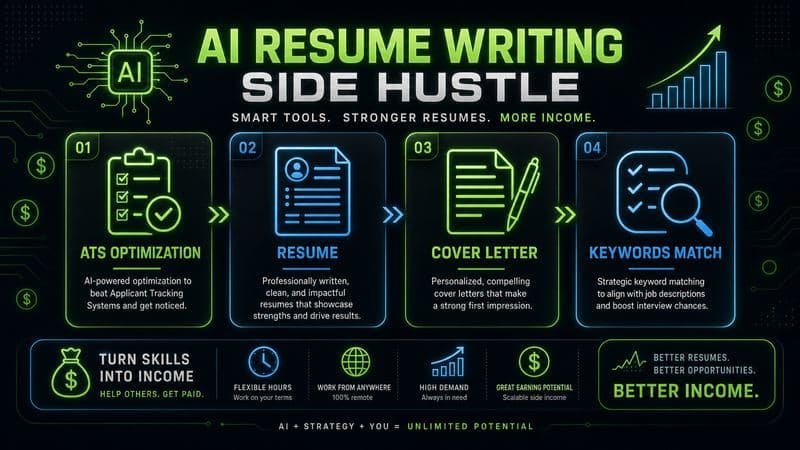
How to Start an AI-Assisted Resume Writing Side Hustle in 2026 (Beginner's Guide)
A step-by-step guide to using AI resume tools to offer a paid resume and cover letter writing service — what to charge, which tools to use, and how to find your first clients.
How to Build and Sell AI Voice Receptionists to Local Businesses in 2026
A beginner's guide to building AI voice agents that answer business phone calls — the tools to use, what to charge, and how to find your first client.
How to Make Money on Fiverr with AI Tools in 2026: 7 Gigs You Can Start This Week
Discover 7 real Fiverr gigs you can launch using free and low-cost AI tools in 2026 — no experience required. Real pricing data, step-by-step setup, and tools that actually work.