
Microsoft Agent Framework RC: Build AI Agents That Make Money in 2026
Microsoft's Agent Framework just hit RC. Here's how to set it up, build your first AI agent, and start earning as a developer or freelancer.
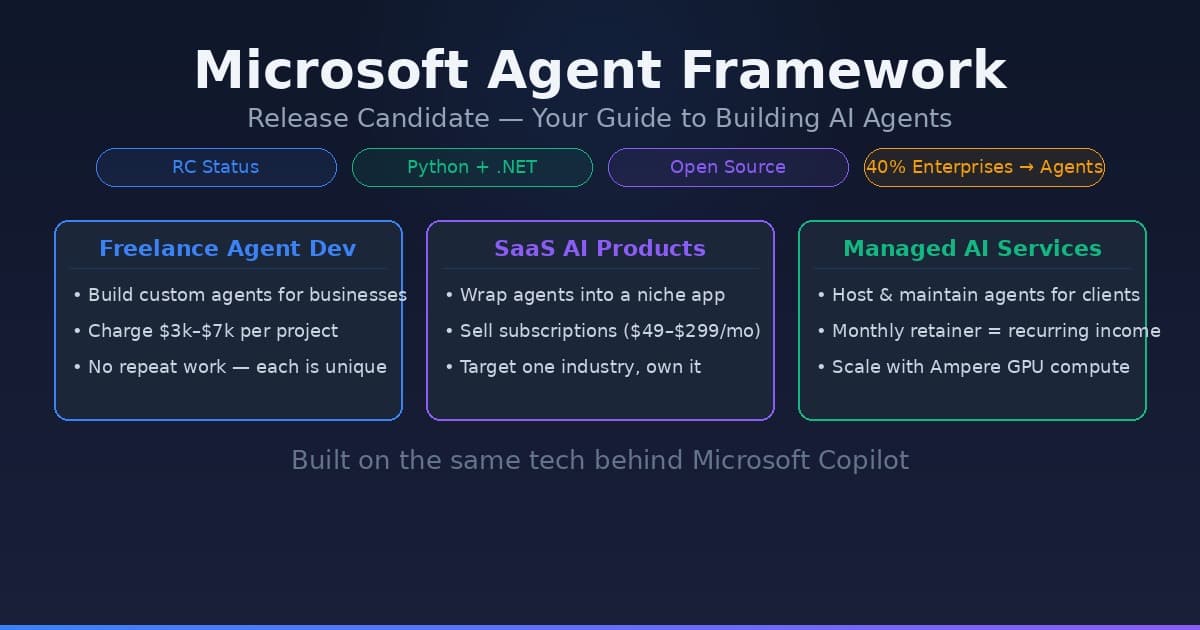
Microsoft has finally moved its Agent Framework (formerly AutoGen) into the Release Candidate (RC) stage. This isn’t just another software update; it is a fundamental shift in how we build autonomous systems that solve real business problems. While the early experimental versions were great for hobbyists, the RC version provides the stability needed to build production-grade applications that companies are willing to pay for.
The market for these services is expanding. According to a 2025 Gartner report, 40% of large enterprises have now deployed at least one autonomous agent to handle internal workflows. For developers and freelancers, this represents a massive opportunity to move beyond simple chatbots and into high-ticket automation services.
Why the RC Version Changes the Business Model
Before this release, building multi-agent systems was brittle. You would often deal with "hallucination loops" where agents would talk to each other in circles without finishing a task. The Microsoft Agent Framework RC introduces structured state management and typed communication.
For those looking to monetize these tools, the stability of the RC version means you can offer Performance Level Agreements (PLAs) to clients. You can confidently promise that an agent will follow a specific logic gate—such as verifying an invoice against a contract before sending it to a human for approval—without the system breaking every time the LLM updates.
If you are deploying these agents for clients, you also need high-performance infrastructure. Running complex multi-agent loops requires low latency. Using a provider like Ampere allows you to host these agentic workloads on ARM-based instances that offer a better price-to-performance ratio than standard cloud VMs, which is crucial when you are trying to keep your margins high on a fixed-price client project.
Microsoft Agent Framework Setup Guide: The Technical Foundation
Setting up the environment correctly is the difference between a scalable agent and a debugging nightmare. This microsoft agent framework setup guide focuses on the Python implementation, which remains the gold standard for AI development.
1. Prerequisites
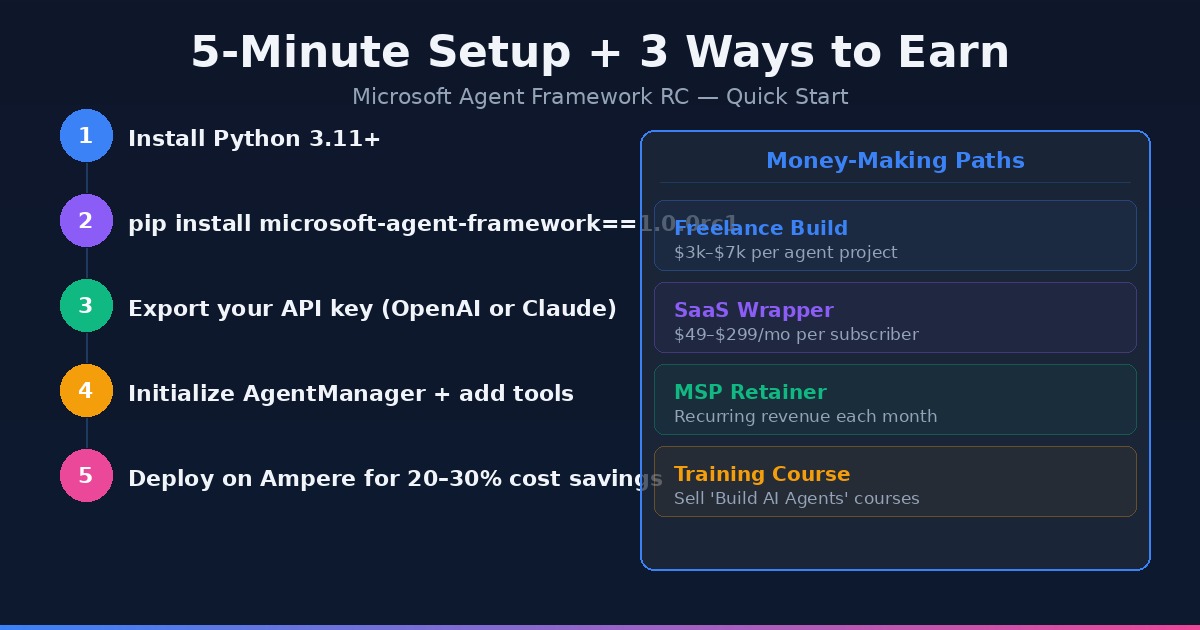
Ensure you have Python 3.11 or higher installed. The RC version utilizes newer typing features that aren't fully supported in older versions.
# Create a virtual environment
python -m venv agent-env
source agent-env/bin/activate  # Windows: agent-env\Scripts\activate

# Install the framework
pip install microsoft-agent-framework==1.0.0rc1
2. Configure Your LLM Provider
The framework is model-agnostic, but for commercial applications, GPT-5.4 or Claude 4.6 Sonnet are the standard. You will need to export your API keys as environment variables:
export OPENAI_API_KEY='your-key-here'
3. Initialize the Agent Manager
The core of the RC version is the AgentManager. This component tracks the state of the conversation and ensures that memory is preserved across different sessions—a requirement for any agent meant to handle long-term business processes like lead nurturing.
Building Your First Revenue-Generating Agent
To make money with this framework, you need to solve a "bleeding neck" problem. Companies don't pay for "AI"; they pay for "Time Saved" or "Revenue Increased."
A common high-value use case is the Autonomous SDR (Sales Development Representative). This agent researches a prospect, checks their recent LinkedIn activity, cross-references it with your client's whitepaper library, and drafts a hyper-personalized outreach email.
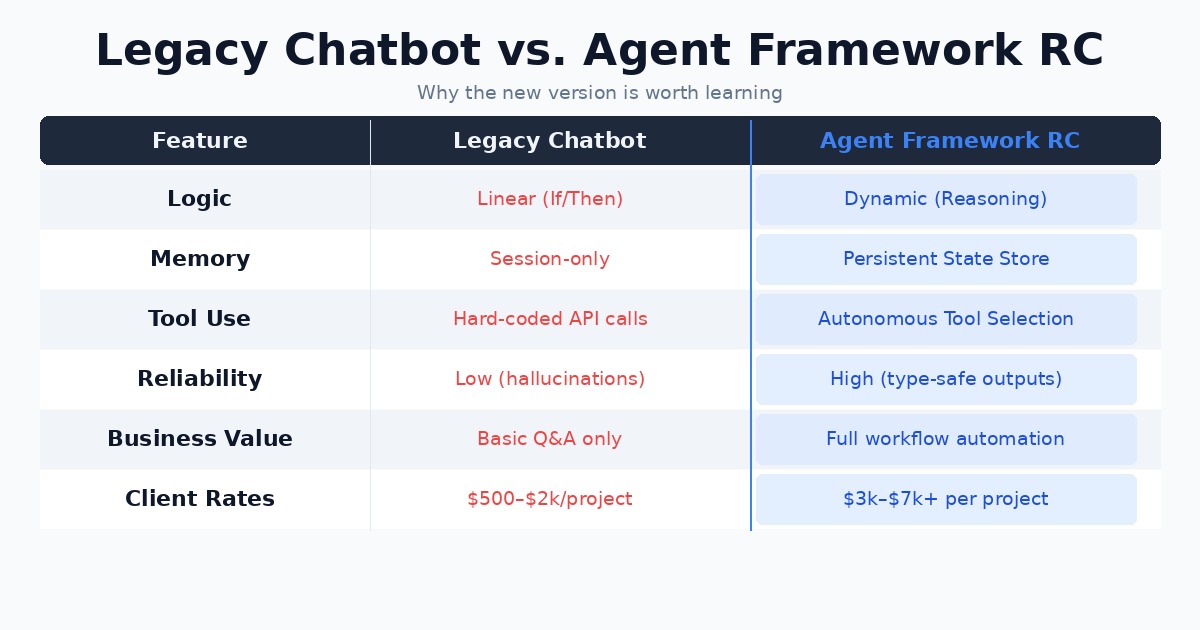
| Feature | Legacy Chatbot | Microsoft Agent Framework RC |
|---|---|---|
| Logic | Linear (If/Then) | Dynamic (Reasoning-based) |
| Memory | Session-only | Persistent State Store |
| Tool Use | Hard-coded API calls | Autonomous Tool Selection |
| Reliability | Low (Hallucinations) | High (Type-safe outputs) |
When you follow this microsoft agent framework setup guide to build an SDR agent, you aren't just selling a script. You are selling a system that can do the work of a $50k/year employee for the cost of an API subscription.
Monetization Strategies: Where the Cash Is
Building the agent is only half the battle. To actually see a return on your time, you should consider these three models:
- The "Efficiency" Freelancer: Charge a flat fee (typically $3,000–$7,000) to build a custom internal agent for a small business. Focus on departments like HR (onboarding agents) or Finance (expense auditing).
- SaaS Wrapper: Build a niche tool for a specific industry, such as an agent that helps real estate agents draft compliant listing descriptions from iPhone photos.
- Managed Service Provider (MSP): Host and maintain agents for clients for a monthly retainer. This is where the real wealth is built through recurring revenue.
For those pursuing the SaaS or MSP route, hosting costs will be your biggest overhead. It is worth checking out Ampere for their optimized inference hosting. Since agents often run "thought loops" that consume more tokens and compute time than standard prompts, saving 20-30% on compute costs can significantly impact your bottom line.
Advanced Tactics: Integrating External Tools
An agent that stays within its own sandbox isn't very useful. The power of the Microsoft Agent Framework RC lies in its ability to interact with the real world.
According to HubSpot’s 2025 State of AI Report, 62% of business leaders say their primary concern with AI is its inability to integrate with existing software stacks. You can solve this by building "Toolkits." The framework allows you to define Python functions that the agent can call autonomously.
For example, if you build a "Research Agent," you can give it a google_search tool and a save_to_notion tool. The agent will decide when it has enough information to stop searching and start writing. This autonomy is what makes it a "Microsoft Agent" rather than a simple script.
Troubleshooting Common Setup Issues
Even with a solid microsoft agent framework setup guide, you will likely hit two hurdles: rate limits and context window management.
- Rate Limits: If your agent is too efficient, it will hit OpenAI or Anthropic limits within seconds. Implement a "Cool-down" middleware in your Agent Manager.
- Context Drift: Over long conversations, agents can lose track of the original goal. Use the framework's new
SummaryContextManagerto prune irrelevant information every five turns.
Key Takeaways
- Move Fast on RC: The Release Candidate status means the API is stable. This is the time to build commercial products before the market is saturated.
- Focus on State: Use the framework’s state management to build agents that remember customer preferences and past interactions.
- Solve Specific Problems: Don't build a "general assistant." Build a "Legal Document Auditor" or a "Supply Chain Optimizer."
- Watch Your Infrastructure: As you scale, compute costs will bite. Use efficient hosting solutions to keep your margins healthy.
- The "Human-in-the-Loop" bridge: Always build a mechanism for the agent to escalate to a human. This increases the perceived value and safety of your product for enterprise clients.
The Microsoft Agent Framework is the most robust tool we have for building the next generation of AI services. By following this setup guide and focusing on high-value business problems, you can position yourself at the forefront of the agentic economy.

Alex the Engineer
•Founder & AI ArchitectSenior software engineer turned AI Agency owner. I build massive, scalable AI workflows and share the exact blueprints, financial models, and code I use to generate automated revenue in 2026.
Related Articles

How to Start an AI-Assisted Resume Writing Side Hustle in 2026 (Beginner's Guide)
A step-by-step guide to using AI resume tools to offer a paid resume and cover letter writing service — what to charge, which tools to use, and how to find your first clients.

How to Build and Sell AI Voice Receptionists to Local Businesses in 2026
A beginner's guide to building AI voice agents that answer business phone calls — the tools to use, what to charge, and how to find your first client.

How to Make Money on Fiverr with AI Tools in 2026: 7 Gigs You Can Start This Week
Discover 7 real Fiverr gigs you can launch using free and low-cost AI tools in 2026 — no experience required. Real pricing data, step-by-step setup, and tools that actually work.