
How to Master AI Engineering in 30 Days (2026 Roadmap)
The exact 30-day path from zero to building real AI products — RAG chatbots, agents, production systems. What actually works in 2026.
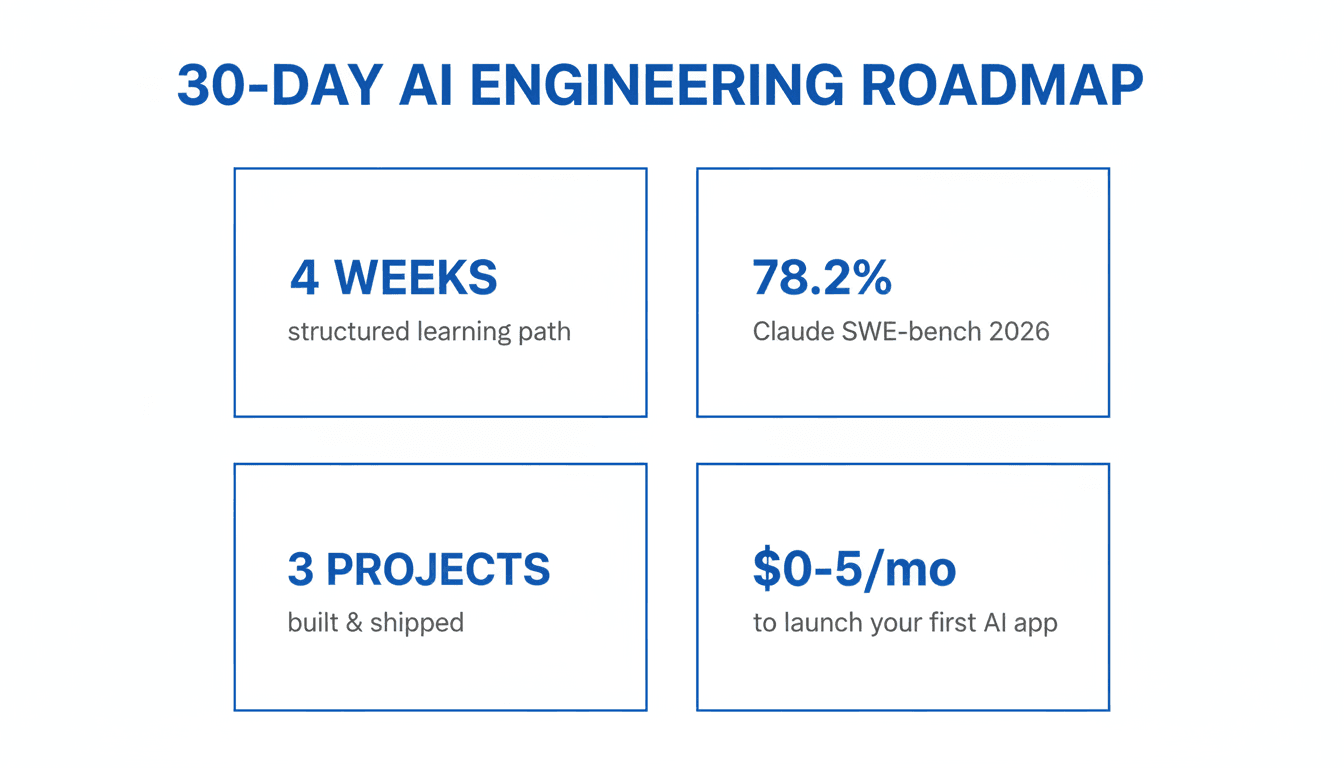
Most people are still learning AI the wrong way.
They watch 6-hour YouTube tutorials. They follow every new model announcement. They collect bookmarks they'll never open. They start projects and abandon them because "the AI landscape changed again."
Sound familiar?
Here's the thing: the landscape is always changing. The builders winning right now aren't the ones who waited for it to stabilize. They're the ones who learned fast, shipped fast, and adapted.
This is the 30-day roadmap I wish I had — the exact path from zero to dangerous.
Why This Roadmap Is Different (And Why Now)
The AI landscape shifted dramatically in the last 12 months alone:
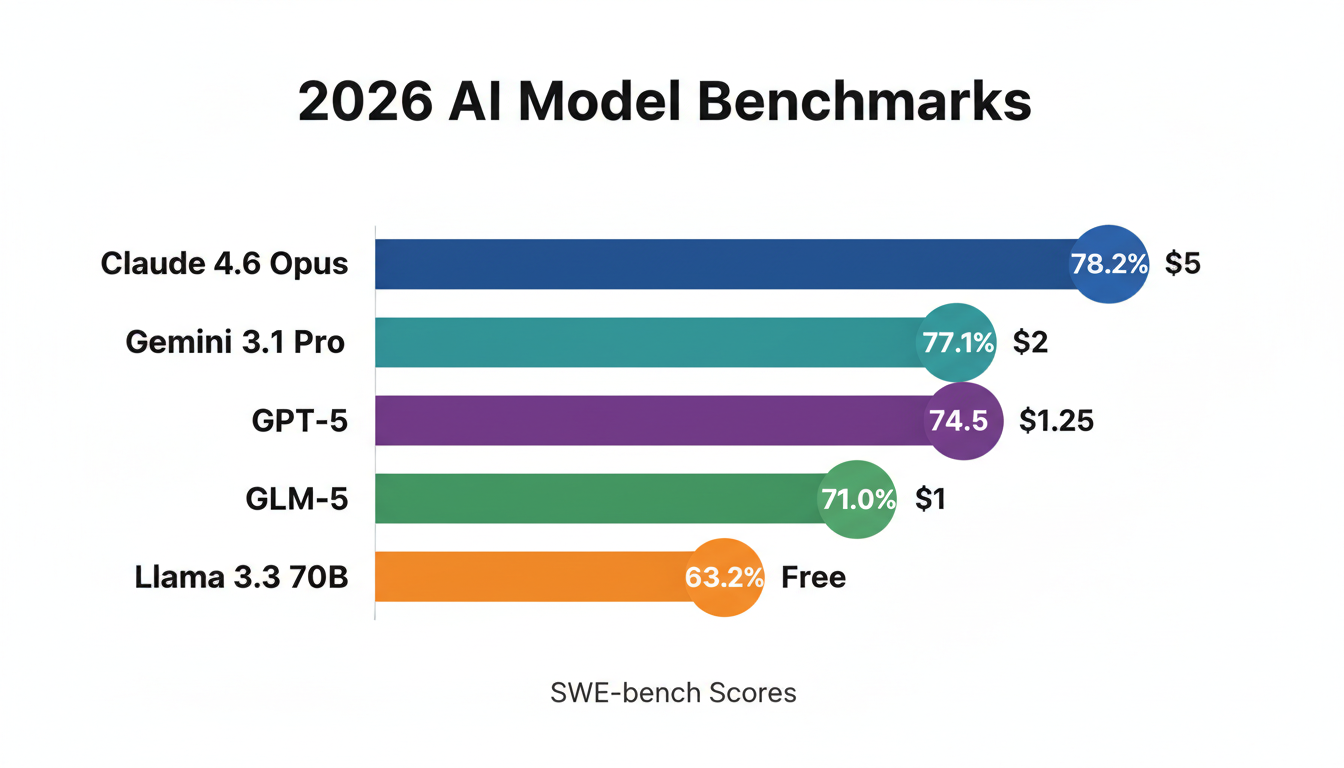
- Claude 4.6 Opus hits 78.2% on SWE-bench — up from ~49% just a year ago
- Gemini 3.1 Pro scores 77.1% on ARC-AGI-2, more than double its predecessor
- Five top models now cluster within 0.8 benchmark points of each other — the "best model" war is basically over
- Open-source models like GLM-5 (MIT licensed, self-hostable) now match frontier models at $1/M input tokens
- Groq can serve Llama 3.3 70B at 750+ tokens/second — 10x the speed of standard inference
There has never been a better time to build seriously with AI. But the tooling has also never been more overwhelming to navigate.
This roadmap cuts through it.
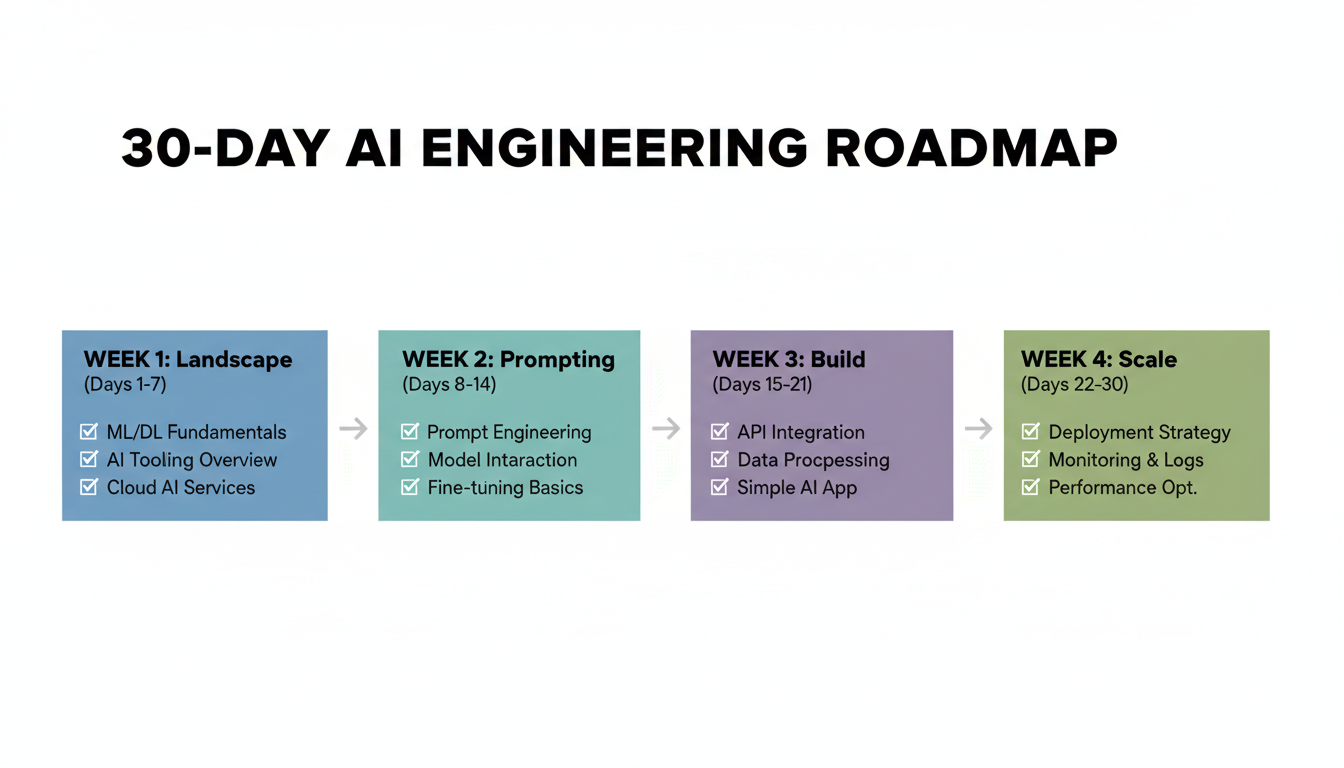
Week 1: Understand the Landscape (Days 1–7)
Before touching code, you need a mental model of what you're working with. Most people skip this and spend months confused about why their prompts work sometimes and fail randomly.
The 2026 Model Map
Not all models are the same. Not all use cases need the same model. Here's what actually matters:
| Model | Best For | Cost (in/out per 1M) | Standout Metric |
|---|---|---|---|
| Claude 4.6 Opus | Complex coding, autonomous agents | $5/$25 | 78.2% SWE-bench |
| Gemini 3.1 Pro | Multimodal, long documents | $2/$12 | 1M context, 77.1% ARC-AGI-2 |
| Claude Sonnet 4.6 | Everyday workhorse | $3/$15 | Default free tier; 59% user-preferred |
| GPT-5 | OpenAI ecosystem integrations | $1.25/$10 | Deepest tooling compatibility |
| DeepSeek R1 | Math, logic-heavy reasoning | Free (self-host) | Open-source, MIT licensed |
| GLM-5 | Cost-efficient frontier | $1/$3.20 | 744B MoE, no NVIDIA dependency |
| Llama 3.3 70B | Local inference | Free | 750+ tokens/sec via Groq API |
Key Concepts You Must Lock In
Tokens — The unit of AI currency. 1 token ≈ 4 characters ≈ 3/4 of a word. A paragraph is ~100 tokens. Pricing is almost always per 1M tokens (input and output priced separately).
Context Windows — How much the model can "hold in mind" at once. Claude 4.6: 200K tokens (~500 pages). Gemini 3.1: 1M tokens (~2,500 pages). GPT-5: 128K tokens. This matters enormously for RAG, long document analysis, and multi-turn agents.
Temperature — How random the output is. 0.0 = perfectly deterministic. 0.7 = balanced. 1.5+ = chaotic. For production apps: 0.0–0.3. For content generation: 0.7–1.0.
Input vs. Output tokens — Output tokens typically cost 3–5× more than input tokens. A common mistake is assuming pricing is symmetric. It's not.
Inference speed — For most APIs: 30–80 tokens/second. Groq (Llama models): 750+ tokens/second. For real-time apps, speed matters as much as quality.
Days 1–7 Checklist
Days 1–3:
- Create accounts: OpenAI, Anthropic, Google AI Studio
- Set up OpenRouter — a single API that routes to every major model above with unified billing
- Install Python 3.12 and set up a clean virtual environment
- Run the same 5 prompts across 3 different models. Note where outputs differ and why.
Days 4–7:
- Read the Anthropic and OpenAI prompt engineering guides (both free, both excellent)
- Watch 3Blue1Brown's Neural Networks series on YouTube — still the best intuition-building content for how LLMs actually work
- Set up a simple Python script that calls the OpenRouter API with a dynamic model parameter
- Get comfortable reading token usage in API responses
Week 2: Prompt Engineering That Actually Works (Days 8–14)
Prompt engineering is not a soft skill. It's the difference between a tool that works in demos and one that works reliably in production.
The Formula That Works
Role → Task → Context → Format → Constraints
Here's the difference in practice:
❌ Bad prompt:
Write me a Python function
✅ Good prompt:
You are a senior Python engineer specializing in production-grade APIs.

Task: Write a Python function that validates and sanitizes user-submitted email addresses for a FastAPI endpoint.

Context: This will be used in a user registration flow. We have 10,000+ signups per day. Security and performance matter more than brevity.

Format: Return only the function with type hints and docstring. No explanations.

Constraints: Must handle Unicode domains, strip whitespace, and raise a ValueError with a specific message for invalid formats.
The first prompt gives you tutorial code. The second gives you production-ready code.
Advanced Techniques Worth Learning
Chain-of-thought prompting — Add "think step by step" before your request. This measurably improves accuracy on math, logic, and multi-step reasoning by forcing the model to work through intermediate steps.
Few-shot prompting — Show the model 2–3 examples of your exact input/output format before making your real request. Essential for consistent structured output.
System vs. user prompt split — Put constraints, persona, and global rules in the system prompt. Put the actual task in the user turn. Don't mix them.
Extended thinking (Claude 3.7+) — For complex reasoning tasks, enable thinking mode. Costs ~2× standard pricing but solves problems that standard mode fails on completely.
Prompt caching (Claude) — If you're sending the same large system prompt with every API call, use Anthropic's prompt caching. Cuts costs by up to 90% on cached portions.
Structured output / JSON mode — For any programmatic use case, force JSON output rather than parsing natural language. Reliability jumps from ~85% to ~99%.
Days 12–14: Benchmark Your Own Use Case
Every AI benchmark you read online measures general capability. Your actual use case is specific.
Build a small eval set:
- Take 20–30 example inputs for your use case
- Write down what a "good" output looks like
- Run all 3 models (Claude, GPT-5, Gemini) on them
- Score them manually
You'll almost always find one model is 30–40% better for your specific task.
Week 3: Build Three Real Things (Days 15–21)
This is where most people stall. Don't stall here.
Project 1: A RAG Chatbot (Days 15–17)
RAG (Retrieval-Augmented Generation) is the foundation of virtually every serious AI product. Instead of relying on the model's training data, you give it the right documents at query time.
Architecture:
User query → Embed query (text-embedding-3-small)
           → Similarity search in vector DB (pgvector)
           → Retrieve top-5 relevant chunks
           → Pass chunks + query to LLM
           → Return grounded answer
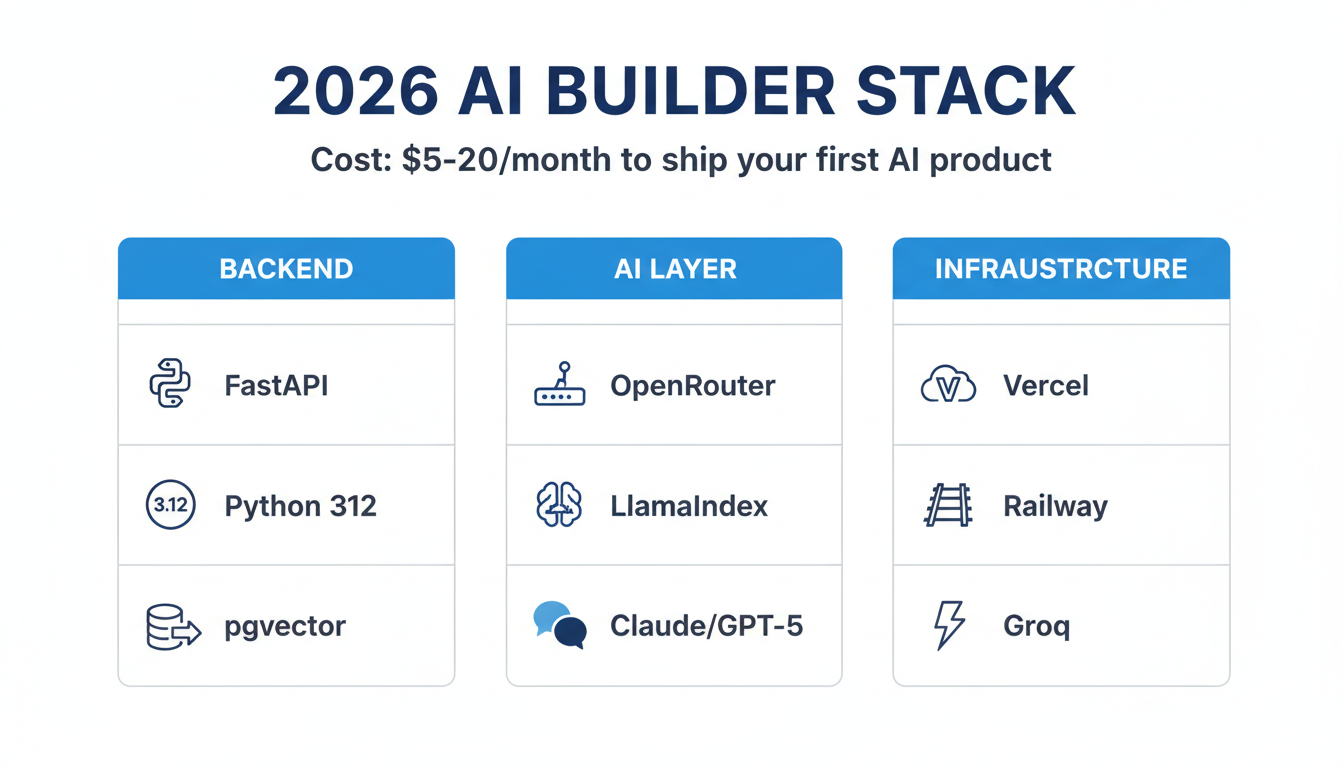
Stack: Python + LlamaIndex + pgvector (Postgres extension) + OpenRouter
Chunking strategy:
- Chunk size: 500 tokens
- Overlap: 50 tokens (prevents context loss at boundaries)
- Store: original text + embedding + metadata (source, page, date)
Embedding cost: text-embedding-3-small costs $0.02 per 1M tokens. For a 500-page document: less than $0.005 total. Essentially free.
Project 2: An AI Agent With Tool Use (Days 18–20)
Agents are the most overhyped and least understood concept in AI right now.
The actual definition: an agent is a model that can call tools, observe results, and decide what to do next — in a loop — until it completes a goal.
The basic agent loop:
- Model receives goal + available tools
- Model decides: call tool or respond to user
- If tool: execute tool, feed result back to model
- Repeat until goal met or max iterations hit
Tools your agent should have:
web_search— retrieve current informationrun_python— execute code in a sandboxread_file / write_file— interact with the filesystemcall_api— make HTTP requests to external services
Frameworks: Use CrewAI for multi-agent setups. Use raw function calling with Claude or GPT-5 for single-agent workflows — less overhead, easier to debug.
Common mistake: Building agents that can do everything. Start with one specific, narrow task. Get it reliable. Then expand.
Project 3: Ship Something Public (Day 21)
Non-negotiable. You need to ship something people can actually use.
Minimal stack:
- Backend: FastAPI (Python, minimal boilerplate)
- Frontend: v0.dev → generate React components from text prompt
- Database: Postgres on Railway ($5/month, zero config)
- Deploy: Vercel (free tier covers almost everything at this stage)
Total cost: $0–5/month
Week 4: Scale, Optimize, Specialize (Days 22–30)
Cost Optimization (Days 22–23)
At small scale, cost doesn't matter. At 10,000+ API calls per day, it does.
The routing principle: use cheap models for everything that doesn't require frontier intelligence. Reserve expensive models for final output generation only.
Concrete pipeline example for a content app:
| Step | Model | Cost/call |
|---|---|---|
| Intent classification | GPT-5 mini | $0.00015 |
| Context retrieval | Llama 3.3 (Groq) | $0.00005 |
| Draft generation | Claude Sonnet | $0.00200 |
| Quality check | GPT-5 mini | $0.00015 |
| Total | ~$0.00235 |
vs. ~$0.012 if you used Claude Opus for everything.
At 100,000 monthly active users doing 5 interactions/day: that's a $45,000/month difference in API costs.
For GPU-intensive inference workloads at scale, Ampere.sh offers affordable cloud GPUs designed specifically for AI inference — worth knowing when your API costs outpace your revenue.
Other cost levers:
- Prompt caching (Claude): Cache large system prompts. Up to 90% cost reduction.
- Output length control: Explicitly instruct models to be concise. Models tend toward verbosity.
- Batching: For non-real-time tasks, use batch APIs (50% cheaper, 24-hour turnaround).
Evaluation and Testing (Days 24–25)
Most AI products ship without proper evals. This is why most AI products feel unreliable.
A minimal eval setup:
- Collect 50–100 representative inputs
- Manually label what a good output looks like
- Run your full pipeline on all examples automatically
- Track: accuracy, latency, cost per call, error rate
Tools: LangSmith (most mature), Braintrust (better for teams), Helicone (lightweight cost tracking).
For RAG specifically, measure all three failure modes:
- Retrieval precision (did we pull the right chunks?)
- Answer relevance (does the answer address the question?)
- Groundedness (is the answer supported by retrieved context?)
These are separate failure modes. Fixing them requires different changes.
Fine-Tuning vs. Prompting (Days 26–27)
Fine-tuning is worth it when:
- You need highly consistent output format at scale (millions of calls/day)
- You have 500+ high-quality labeled examples
- The task is narrow enough to benefit from domain specialization
- Latency is critical and you need a smaller, faster model
Fine-tuning is NOT worth it when:
- You haven't exhausted prompt engineering yet
- You have fewer than 500 examples
- Your use case is still changing
- You're trying to teach the model facts (use RAG instead)
Specialize (Days 28–30)
The market in 2026 does not need generalists who "know AI." It needs builders who can ship one specific thing that works reliably in production.
Pick one:
AI agents for workflow automation — Highest demand, highest complexity. Target: ops-heavy teams (finance, legal, HR, sales). Builders who can make agents that reliably complete 10-step workflows without human intervention are rare and valuable.
RAG systems for enterprise data — Clear ROI, large budgets, repeatable playbook. Every company has documents they can't search. $50K+ contracts are standard. Technical risk is low once you've built one.
AI-assisted developer tools — VS Code extensions, code review tools, PR summarizers, test generators. Easy distribution via GitHub and VS Code marketplace.
Multimodal applications — Image analysis, video understanding, audio processing. Gemini 3.1 Pro leads here. Still early, defensible moats available.
Don't try to build all four. You'll ship none.
The Honest Numbers
Time investment:
- Week 1: 1–2 hours/day (reading, setup, experimentation)
- Week 2: 2–3 hours/day (prompt practice, API calls, eval set)
- Week 3: 4–5 hours/day (project builds)
- Week 4: 3–4 hours/day (optimization, deployment, specialization)
Total: ~90 hours across 30 days. That's 3 hours per day. Less than the average person spends on Netflix in a month.
What you'll have at the end:
- 3 shipped projects with real users
- A personal prompt library that saves you hours every week
- Production intuition about cost vs. latency vs. quality tradeoffs
- A clear specialization with your first deployed product
- Relationships with builders you met by shipping in public
What you won't have: An expert title. Deep ML theory. A perfect understanding of transformer architecture.
You don't need any of that to build things people want.
The One Thing That Separates People Who Make It
They build in public.
Post your projects while they're ugly. Document your failures. Write one tweet about what you learned each week.
This does two things:
- Forces you to actually build (you told people you would)
- Attracts collaborators, users, and opportunities you can't manufacture
The technical skills from this roadmap will make you capable.
Building in public is what makes you visible.
In 30 days, you won't be an expert. But you'll be dangerous.
And that's enough to start.
Frequently Asked Questions
How much does it cost to start learning AI engineering in 2026?
Total setup cost is near zero. OpenRouter gives you a single API key for all major models with pay-as-you-go billing — a month of learning (running prompts, small projects) will cost $5–20 in API credits. The only potential cost is if you need GPU compute for local inference or fine-tuning, where Ampere.sh is a cost-effective option.
Do I need a machine learning background?
No. This roadmap is explicitly designed for engineers without ML backgrounds. Week 1 builds the mental model from scratch. The focus is on application — building things that work — not on the mathematical theory underneath.
What programming language should I use?
Python. Not because it's the "best" language, but because the entire AI tooling ecosystem (LlamaIndex, LangChain, CrewAI, the OpenAI SDK, Anthropic SDK) is Python-first. JavaScript SDKs exist but lag 3–6 months behind.
Is the "AI engineering" job market real or hype?
Real, but specific. There's enormous demand for people who can ship production AI products — RAG pipelines, agents, and evaluation systems. There's very limited demand for people who can just "prompt ChatGPT." The market pays well for the builder skill, not the prompt skill.
What's the fastest way to get noticed in AI engineering?
Ship something in public and write about it. A post about "what I learned building my first RAG system" will generate more career opportunities than a certification. The signal the market trusts in 2026 is deployed products and documented learnings — not credentials.

Alex the Engineer
•Founder & AI ArchitectSenior software engineer turned AI Agency owner. I build massive, scalable AI workflows and share the exact blueprints, financial models, and code I use to generate automated revenue in 2026.
Related Articles

How to Start an AI-Assisted Resume Writing Side Hustle in 2026 (Beginner's Guide)
A step-by-step guide to using AI resume tools to offer a paid resume and cover letter writing service — what to charge, which tools to use, and how to find your first clients.

How to Build and Sell AI Voice Receptionists to Local Businesses in 2026
A beginner's guide to building AI voice agents that answer business phone calls — the tools to use, what to charge, and how to find your first client.

How to Make Money on Fiverr with AI Tools in 2026: 7 Gigs You Can Start This Week
Discover 7 real Fiverr gigs you can launch using free and low-cost AI tools in 2026 — no experience required. Real pricing data, step-by-step setup, and tools that actually work.