
Best AI Voice Generators for Podcasts in 2026: Complete Beginner's Guide
Discover the best AI voice generators for podcasts in 2026. Compare top tools, learn how to choose, and get step-by-step setup guides. No experience needed.
Podcasts are everywhere in 2026. But here's the problem: hosting, recording, and editing a podcast takes hours. What if you could generate professional podcast episodes from a written script in 5 minutes?
That's what AI voice generators do. They turn your blog posts, articles, or scripts into podcast-quality audio with realistic human voices.
If you want to start a podcast but don't have the time to record and edit, this guide is for you.
Why Use AI Voice Generators for Podcasts?
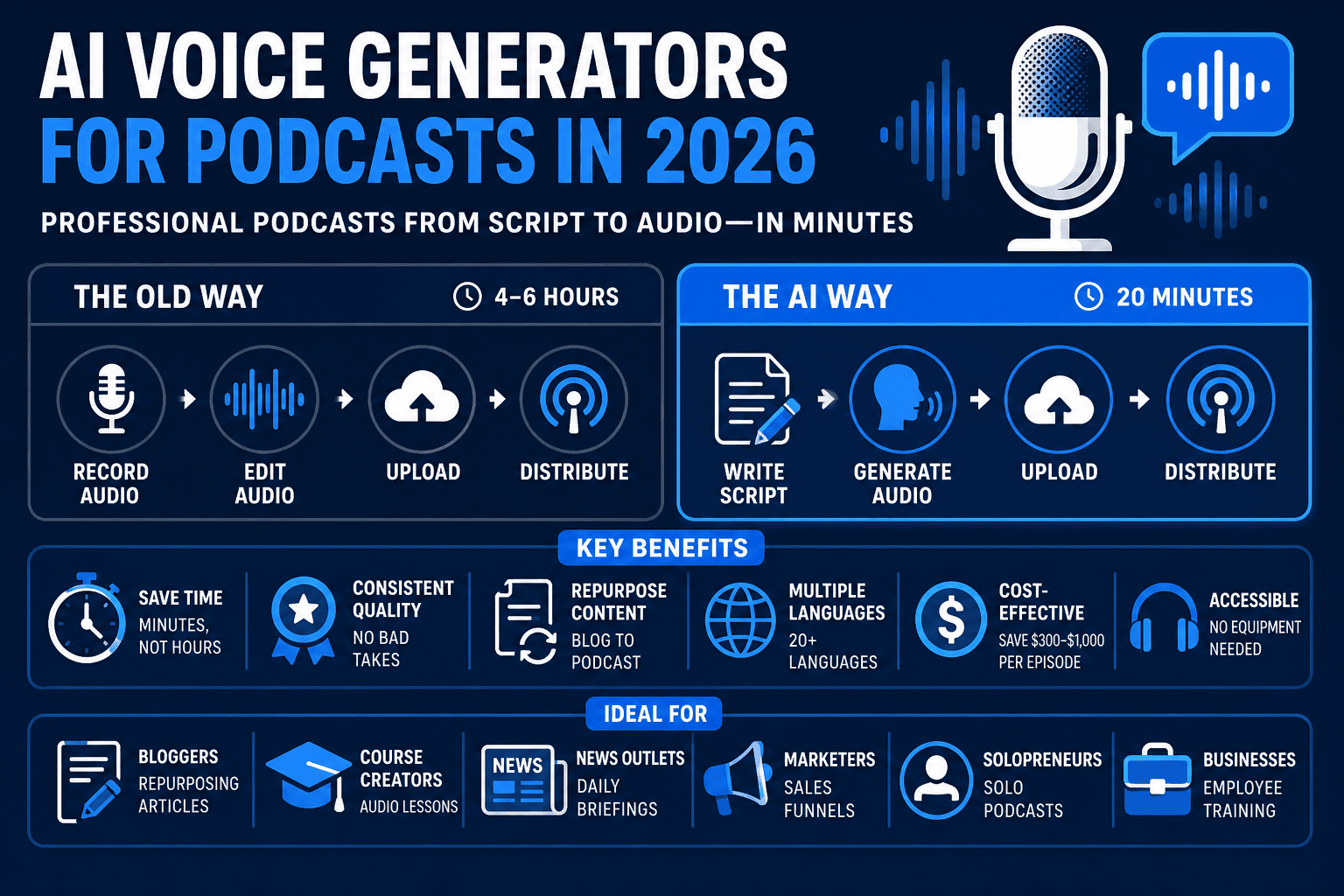
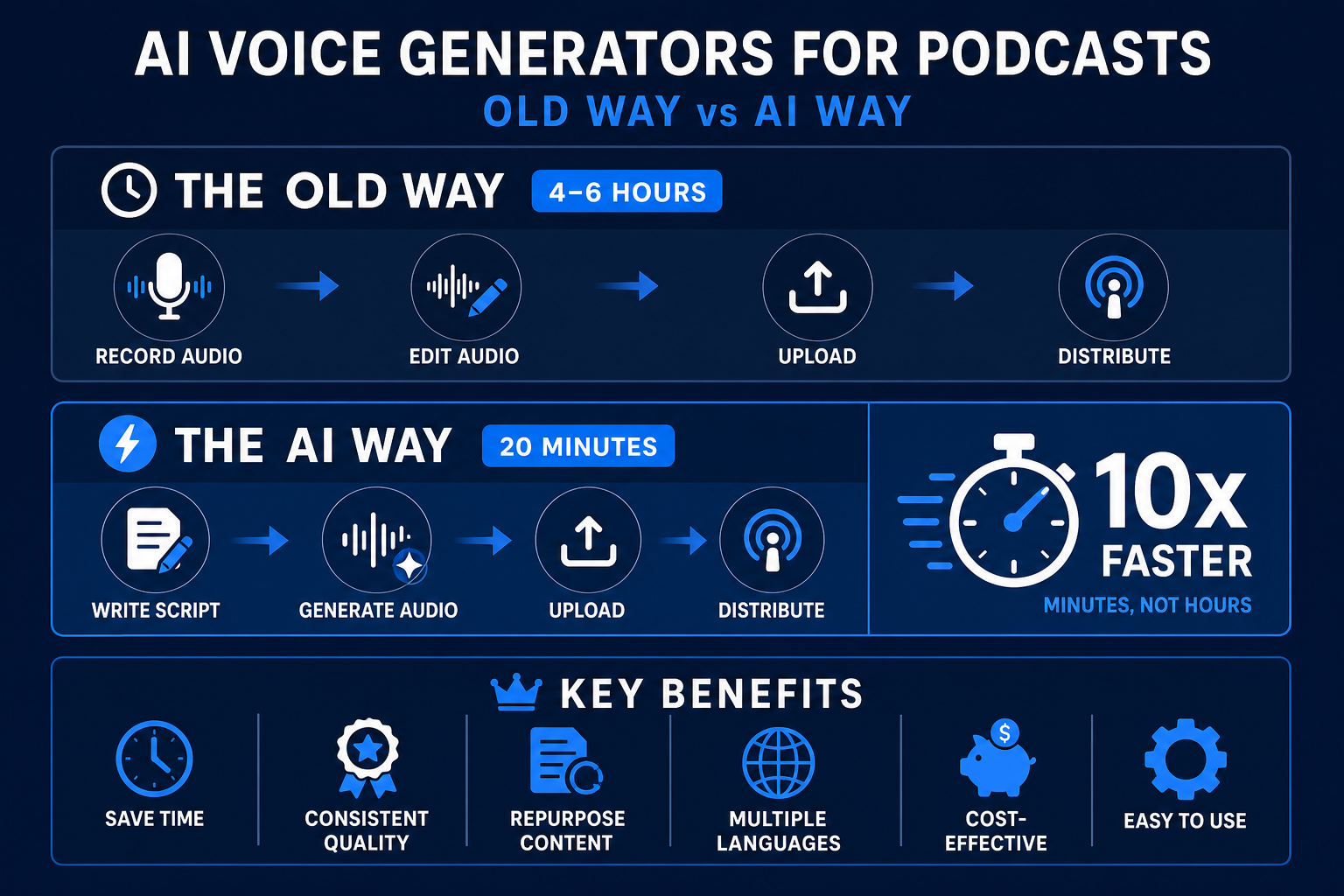
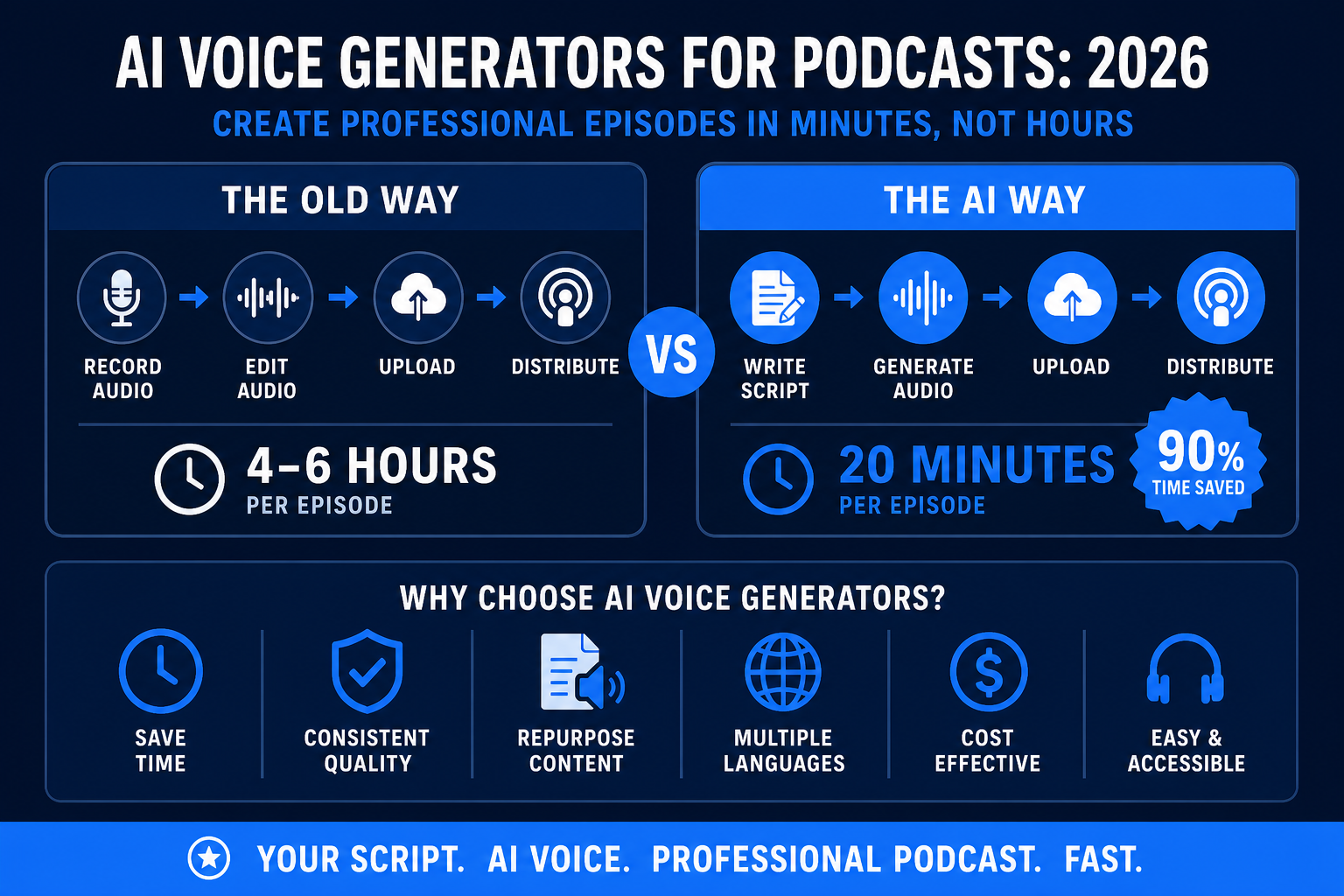
The old way: Record audio → Edit audio → Upload → Distribute (4-6 hours per episode)
The AI way: Write script → Generate audio → Upload → Distribute (20 minutes per episode)
Key Benefits
- Save Time — Create podcast episodes in minutes, not hours
- Consistent Quality — No bad takes, no re-recording needed
- Repurpose Content — Turn blog posts into audio without rewriting
- Multiple Languages — Generate episodes in Spanish, French, German, etc.
- Cost-Effective — Skip expensive voice actors ($300-$1,000 per episode)
- Accessible — No voice-over equipment needed; just a script
Who Should Use AI Voice for Podcasts?
- Bloggers who want to repurpose articles
- Course creators building audio lessons
- News outlets producing daily briefings
- Marketers creating sales funnels
- Solopreneurs running solo podcasts
- Businesses creating employee training
The Best AI Voice Tools for Podcasts (2026)
1. Murf AI — Best for Professional Quality
Price: Free tier | $10–$28/month
Best for: Professional voiceovers, multiple languages, realistic voices
What it does:
- 120+ realistic AI voices (male, female, accents)
- Emotion and tone control
- Background music library
- Export to MP3 or upload directly to podcast platforms
- Supports 20+ languages
How to use it:
- Visit Murf.ai
- Paste your script or upload a PDF
- Choose a voice (preview first)
- Adjust speed, tone, and pitch
- Generate and download
Pros:
- Best voice quality of any free tool
- Emotional range (excited, calm, angry)
- Multi-voice support (switch speakers mid-episode)
- Easy integration with podcast platforms
Cons:
- Limited free tier (5 videos/month)
- Some voices sound slightly robotic on fast speech
Best for: Professional podcasts, e-learning, YouTube videos
Rating: ⭐⭐⭐⭐⭐
2. Google NotebookLM — Best for Researchers & Writers
Price: Free (with Google account)
Best for: Turning research into audio, blog-to-podcast conversion
What it does:
- Upload documents, PDFs, or YouTube links
- NotebookLM automatically creates a podcast script
- Generate audio in "deep dive" (conversational) or "discussion" style
- Two AI hosts have a conversation about your content
- Export as MP3
How to use it:
- Go to NotebookLM
- Create a new notebook
- Upload a PDF, document, or paste text
- Click "Generate Audio"
- Choose podcast style (deep dive or discussion)
- Download MP3
Pros:
- Completely free
- No script writing needed (AI creates it)
- Conversational, natural-sounding
- Two-host format feels like real podcasting
- Fast generation (5-10 minutes)
Cons:
- Limited customization (can't control what's said)
- Sometimes misses key points
- Audio quality varies by upload quality
- Requires Google account
Best for: Repurposing blog posts, research papers, documentation
Rating: ⭐⭐⭐⭐
3. ElevenLabs — Best for Custom Voices
Price: Free tier | $5–$30/month
Best for: Custom voice cloning, high-quality output
What it does:
- 29 realistic AI voices
- Voice cloning (clone your own voice)
- Real-time text-to-speech
- Language support (29 languages)
- Adjustable voice settings (stability, clarity)
How to use it:
- Visit ElevenLabs
- Sign up (free account)
- Paste your script
- Choose a voice
- Click "Generate" and download
Pros:
- Best voice cloning on the market
- Natural-sounding voices
- Great for branding (use same voice across episodes)
- Good free tier
Cons:
- Free tier limited to 10,000 characters/month
- Voice cloning requires paid subscription ($99/month)
- Slightly more expensive than competitors
Best for: Branded podcast content, voice cloning, audiobooks
Rating: ⭐⭐⭐⭐⭐
4. Synthesia — Best for Video Podcasts
Price: Free tier | $25–$75/month
Best for: Video podcasts, talking avatars, video content
What it does:
- AI avatars that "speak" your script
- 100+ avatars to choose from
- Text-to-speech for video
- Perfect for YouTube or social media
- Full video editing included
How to use it:
- Go to Synthesia.io
- Create new video
- Choose an avatar
- Paste your script
- Generate video
Pros:
- Video + audio in one tool
- Professional-looking videos
- Great for YouTube channels
- Multiple languages
Cons:
- More expensive than pure audio tools
- Video rendering takes longer
- Avatars can feel artificial for long episodes
Best for: YouTube podcasts, video courses, social media content
Rating: ⭐⭐⭐⭐
5. Natural Reader — Best Budget Option
Price: Free tier | $60–$180/year
Best for: Budget-conscious creators, simple conversions
What it does:
- 70+ voices
- PDF to MP3 conversion
- Batch processing (convert multiple documents)
- Adjustable speed and pitch
- Commercial use allowed (even on free tier)
How to use it:
- Visit NaturalReader.com
- Upload a PDF or paste text
- Choose a voice
- Generate MP3
- Download
Pros:
- Cheapest option on this list
- Huge voice library
- Commercial use allowed
- No subscriptions needed for basic use
Cons:
- Voice quality not as good as Murf or ElevenLabs
- Less customization
- Slower generation
Best for: Budget podcasts, simple text-to-speech, training materials
Rating: ⭐⭐⭐
Quick Comparison Table
| Tool | Price | Best Voice | Setup Time | Commercial Use |
|---|---|---|---|---|
| Murf AI | Free–$28/mo | ⭐⭐⭐⭐⭐ | 5 min | Yes |
| NotebookLM | Free | ⭐⭐⭐⭐ | 5 min | Yes |
| ElevenLabs | Free–$30/mo | ⭐⭐⭐⭐⭐ | 3 min | Yes (paid) |
| Synthesia | Free–$75/mo | ⭐⭐⭐⭐ | 10 min | Yes (paid) |
| Natural Reader | Free–$180/yr | ⭐⭐⭐ | 3 min | Yes |
How to Choose the Right Tool
Ask yourself:
-
What's your budget?
- Free? → NotebookLM or Natural Reader
- $5–$30/month? → Murf or ElevenLabs
- $50+/month? → Synthesia (for video)
-
Do you need video or just audio?
- Audio only? → Murf, ElevenLabs, or NotebookLM
- Video + audio? → Synthesia
-
Do you want custom voices?
- Yes → ElevenLabs (voice cloning)
- No → Murf or NotebookLM
-
How much setup time do you have?
- 5 minutes? → NotebookLM or Natural Reader
- 15 minutes? → Murf, ElevenLabs, Synthesia
My recommendation: Start with Murf AI (free tier) or NotebookLM (free). Both are completely free and produce professional-quality audio.
Step-by-Step: Create Your First AI Podcast (Murf AI)
Step 1: Sign Up
- Go to Murf.ai
- Click "Sign Up Free"
- Create account with email
Step 2: Create New Project
- Click "Create Video"
- Choose "Voiceover" (or "Video" if you want background)
- Click "Start"
Step 3: Write or Paste Your Script
- Paste your podcast script into the editor
- Tip: Keep paragraphs short (easier to narrate)
- Example:
Welcome to the AI Money Tools podcast. Today we're talking about how to make money with AI in 2026.

First, let's talk about content creation. With tools like ChatGPT, you can write blog posts, YouTube scripts, and email newsletters faster than ever.
Step 4: Choose a Voice
- Click "Select Voice"
- Listen to samples (click speaker icon)
- Choose your favorite (e.g., "James" for professional male voice)
- Click "Select"
Step 5: Adjust Settings (Optional)
- Speed: 1.0 (normal) or 0.8 (slower, clearer)
- Tone: Neutral, Excited, Calm (play with options)
- Pitch: Leave at 0 for natural sound
Step 6: Generate Audio
- Click "Generate"
- Wait 1–3 minutes
- Preview the audio
Step 7: Download & Upload
- Click "Download" → "Audio File"
- Choose MP3 format
- Upload to podcast platform (Spotify, Apple Podcasts, etc.)
Total time: 15 minutes for your first episode
FAQ: AI Voice Generators for Podcasts
Q: Can I use AI voices for commercial podcasts? A: Yes, most tools allow it. Murf, ElevenLabs, and Synthesia all allow commercial use on free and paid tiers. Always check the terms.
Q: Do AI voices sound natural? A: Yes, in 2026. Modern AI voices (Murf, ElevenLabs) are nearly indistinguishable from human narration. Natural Reader and some free tools sound more robotic.
Q: Can I monetize AI-generated podcasts on Spotify? A: Yes. Spotify doesn't prohibit AI-generated content. You can monetize through ads or sponsorships just like regular podcasts.
Q: How long can a podcast episode be? A: Depends on your tool and plan. Most tools support 10,000–100,000 characters. A typical 30-minute podcast is 5,000–8,000 words.
Q: Can I edit the audio after generation? A: Yes. Download as MP3 and use free tools like Audacity to add music, adjust volume, or cut sections.
Q: What file format do I need for podcast platforms? A: MP3. All tools support MP3 export.
Q: Do I need a microphone or recording equipment? A: No. AI voice generators create audio without recording. Just paste text and click "Generate."
Q: Can I change the script after recording? A: Yes. If you're not happy, regenerate with a new script. Takes 1–2 minutes.
Q: What's the best quality option? A: Murf AI (paid) and ElevenLabs (paid) have the best voice quality. NotebookLM is best for conversational podcasts.
The Bottom Line
AI voice generators make podcasting accessible to everyone. You don't need recording equipment, editing skills, or voice acting experience. Just write, generate, and publish.
Best free option: NotebookLM (conversational podcasts)
Best paid option: Murf AI ($10–$28/month)
Best for video: Synthesia ($25–$75/month)
Pick one, try it free, and create your first episode today. You'll be surprised how professional it sounds.
Try It Now
Ready to create your first AI podcast? Start with the free tier of Murf AI or NotebookLM. Both are completely free to try.
Good luck! 🎙️

Alex the Engineer
•Founder & AI ArchitectSenior software engineer turned AI Agency owner. I build massive, scalable AI workflows and share the exact blueprints, financial models, and code I use to generate automated revenue in 2026.
Related Articles

How to Start an AI-Assisted Resume Writing Side Hustle in 2026 (Beginner's Guide)
A step-by-step guide to using AI resume tools to offer a paid resume and cover letter writing service — what to charge, which tools to use, and how to find your first clients.

How to Build and Sell AI Voice Receptionists to Local Businesses in 2026
A beginner's guide to building AI voice agents that answer business phone calls — the tools to use, what to charge, and how to find your first client.

How to Make Money on Fiverr with AI Tools in 2026: 7 Gigs You Can Start This Week
Discover 7 real Fiverr gigs you can launch using free and low-cost AI tools in 2026 — no experience required. Real pricing data, step-by-step setup, and tools that actually work.