
Best AI Voice Generators for Podcasts in 2026: Text to Speech Tools Reviewed
Top AI voice generators for podcasting: Murf, ElevenLabs, Descript, Google Notebook LM. Compare naturalness, voice options, pricing, and affiliate links.
Podcasting has never been easier—or cheaper. If you're nervous about your voice or don't have time to record, AI voice generators turn your written scripts into professional audio in minutes.
But not all AI voices are created equal. Some sound robotic. Others have limited language support. And pricing varies wildly—from free to hundreds per month.
This guide covers the best AI voice generators for podcasting in 2026, with real pricing, voice quality comparisons, and honest pros/cons.
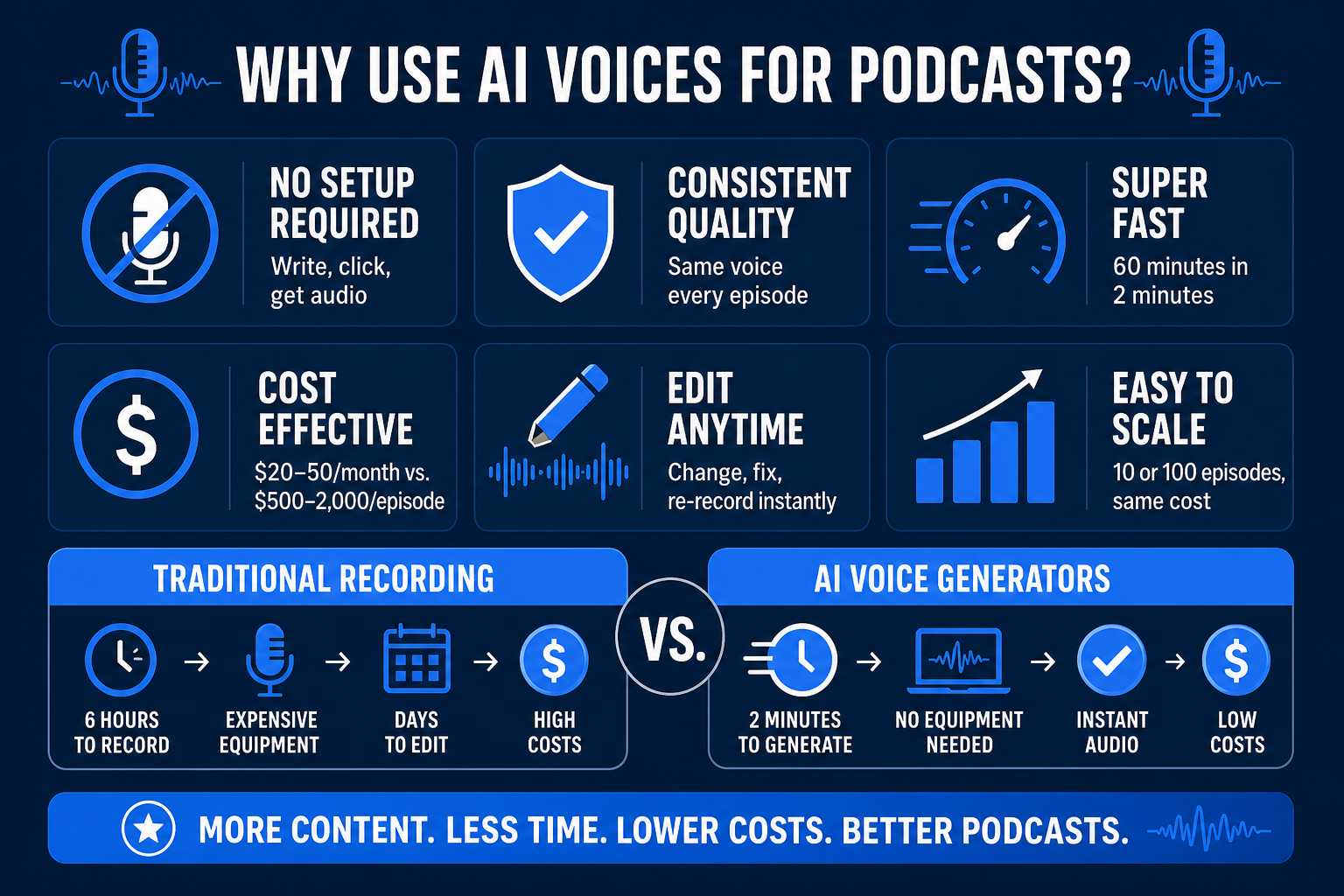
Why Use AI Voices for Podcasts?
- No recording setup required — Write a script, click generate, get audio
- Consistent quality — Same voice every episode (no hoarse days)
- Speed — Generate 60 minutes of audio in 2 minutes vs. 6 hours to record
- Cost — $20–50/month instead of hiring voice talent ($500–2,000/episode)
- Editing flexibility — Change wording, re-record instantly (no reshooting)
- Scalability — 10 podcasts? 100 episodes? Same cost as one
Top AI Voice Generators for Podcasts (2026)
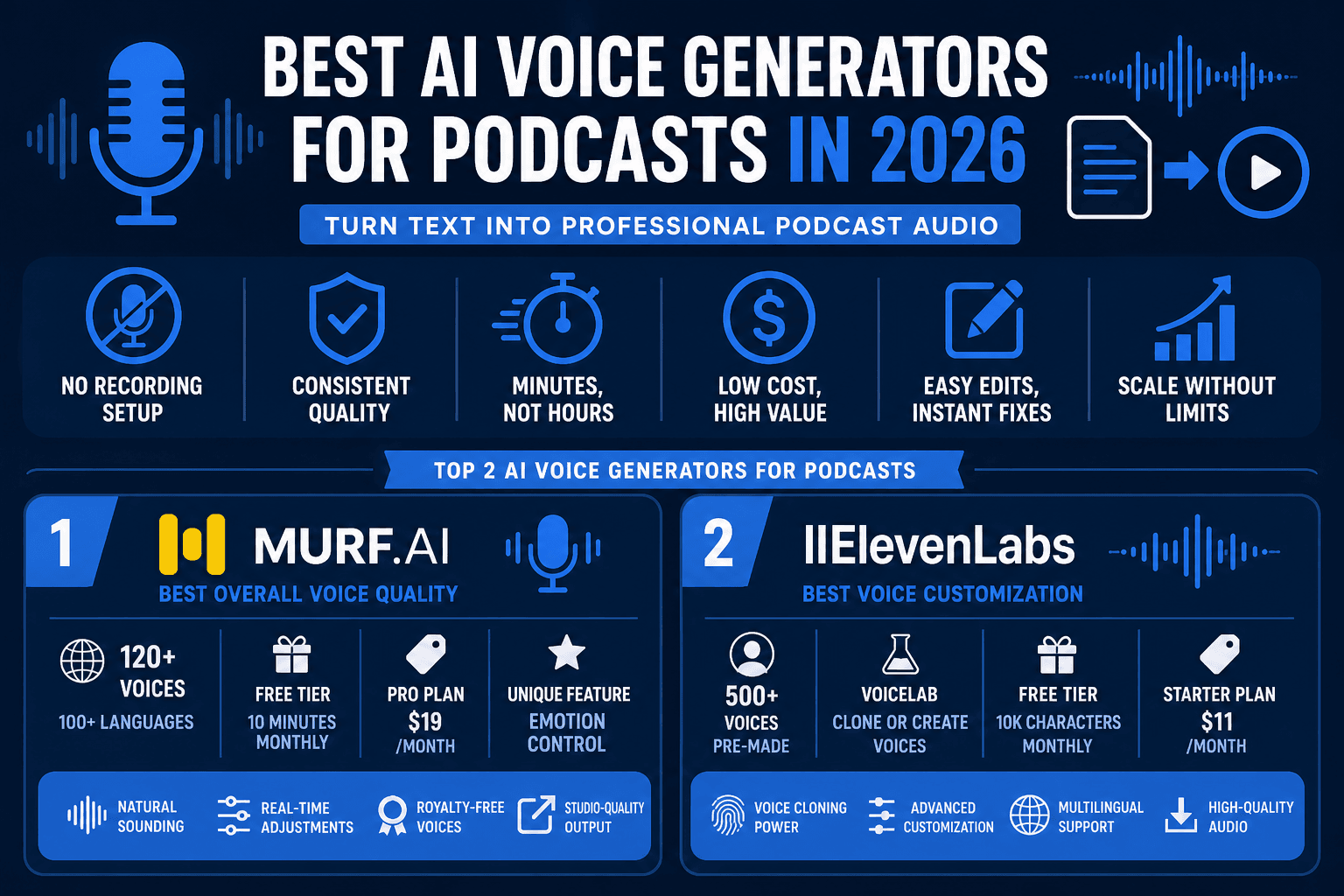
1. Murf.ai — Best Overall Voice Quality
Pricing: Free (10 min/month) | Pro ($19/month) | Business ($99+/month)
Voices: 120+ (100+ languages)
Free tier: 10 minutes monthly
Best for: Professional podcasts, audiobooks, YouTube videos
Highlights:
- Most natural-sounding voices (deep learning model)
- Real-time voice adjustments (speed, pause, emphasis)
- Royalty-free voice talent (no licensing fees)
- Studio-quality output
- Integrates with YouTube, LinkedIn directly
Challenges:
- Pro plan starts at $19 (more than some competitors)
- Voice selection can feel overwhelming (120+ options)
- Learning curve for real-time editing
Real earnings potential:
- One 30-minute podcast per week = 4 hours/month content
- Free tier = 10 min, insufficient (upgrade to Pro)
- Pro ($19) = unlimited hours/month
- ROI: $19/month to save 120 hours of recording/editing annually = $0.16/hour saved
Unique feature: Emotion control. Select "excited", "sad", "professional" and voice adapts tone automatically.
Affiliate link: Murf.ai
2. ElevenLabs — Best Voice Customization
Pricing: Free (10k characters/month) | Starter ($11/month) | Pro ($99/month)
Voices: 500+ custom voices (VoiceLab feature)
Best for: Podcast creators who want truly unique voices
Highlights:
- VoiceLab: clone your own voice or create synthetic voices
- 500+ pre-made voices (highest in the industry)
- Real-time voice modulation (pitch, speed, timbre)
- Multi-language support
- API for developers
Challenges:
- Free tier is severely limited (10k characters ≈ 2 minutes)
- Subscription model (no truly free plan for podcasters)
- Voice cloning requires some setup
Realistic earnings:
- Professional podcast = 3,000–5,000 characters per episode
- Free tier = 2 episodes max (10k chars)
- Starter ($11) = unlimited for most podcasters
Best use case: If you want your podcast in multiple languages or want to clone a specific voice for consistency.
3. Google Notebook LM Audio Overviews — Best for Turning Articles into Podcasts
Pricing: Free (with Google account)
Voices: 2 hosts (customizable tone)
Best for: Repurposing blog posts + research into podcast format
Format: Conversational (2 hosts discussing topic)
Highlights:
- Completely free
- Conversational format (feels like a podcast episode, not narration)
- Instant generation (30-minute audio in seconds)
- Perfect for skimming long articles while commuting
Challenges:
- Only 2 voice options
- Cannot control individual word emphasis
- Output is conversational (not traditional narration)
- Hosted in Google Notebook LM only (no download API)
Best use case: Turn your blog's "best of 2026" article into a 30-minute conversational podcast. Free, zero setup.
4. Descript — Best for Podcast Editing + AI Narration
Pricing: Free | Standard ($12/month) | Pro ($24/month)
Voices: 50+ (via OpenAI integration)
Best for: Podcast creators who need editing + narration
Highlights:
- Edit audio by editing text (unique feature)
- AI voice generation built-in
- Remove filler words ("um", "uh") automatically
- Video podcast support (video + transcription)
- Screen recording integration
Challenges:
- More of an editing tool than pure voice generator
- Learning curve (unique editing paradigm)
- Pricing includes editing (more than voice generation alone)
Best use case: You record yourself, Descript removes filler words, AI voice fills gaps. Hybrid approach.
5. Synthesia — Best for Video Podcasts (Avatar + Voice)
Pricing: Free trial | Starter ($22.50/month) | Premium ($67/month)
Avatars: 140+ AI avatars
Best for: Video podcasts, YouTube Shorts, social clips
Highlights:
- AI avatar speaks your script (looks like real person)
- Lip-sync is accurate
- 140+ avatars (different genders, ethnicities, ages)
- Highly shareable on social media
Challenges:
- More expensive than pure voice generators
- Avatar quality varies (some look robotic)
- Video rendering takes longer
Best use case: Create video podcast clips for YouTube/TikTok from written scripts. No camera, no actor required.
6. Natural Reader — Best for Budget Podcasters
Pricing: Free online | Desktop Pro ($19.99 one-time) | Cloud ($9.99/month)
Voices: 100+ (decent quality)
Best for: Quick, cheap podcast narration
Highlights:
- Cheapest Pro version ($9.99/month or $19.99 one-time)
- Simple interface
- Batch processing (generate multiple files at once)
Challenges:
- Older voice models (not as natural as Murf/ElevenLabs)
- No real-time editing
- Limited emotional expression
Best use case: Budget option if you're just starting and don't need premium voice quality.
Comparison Table
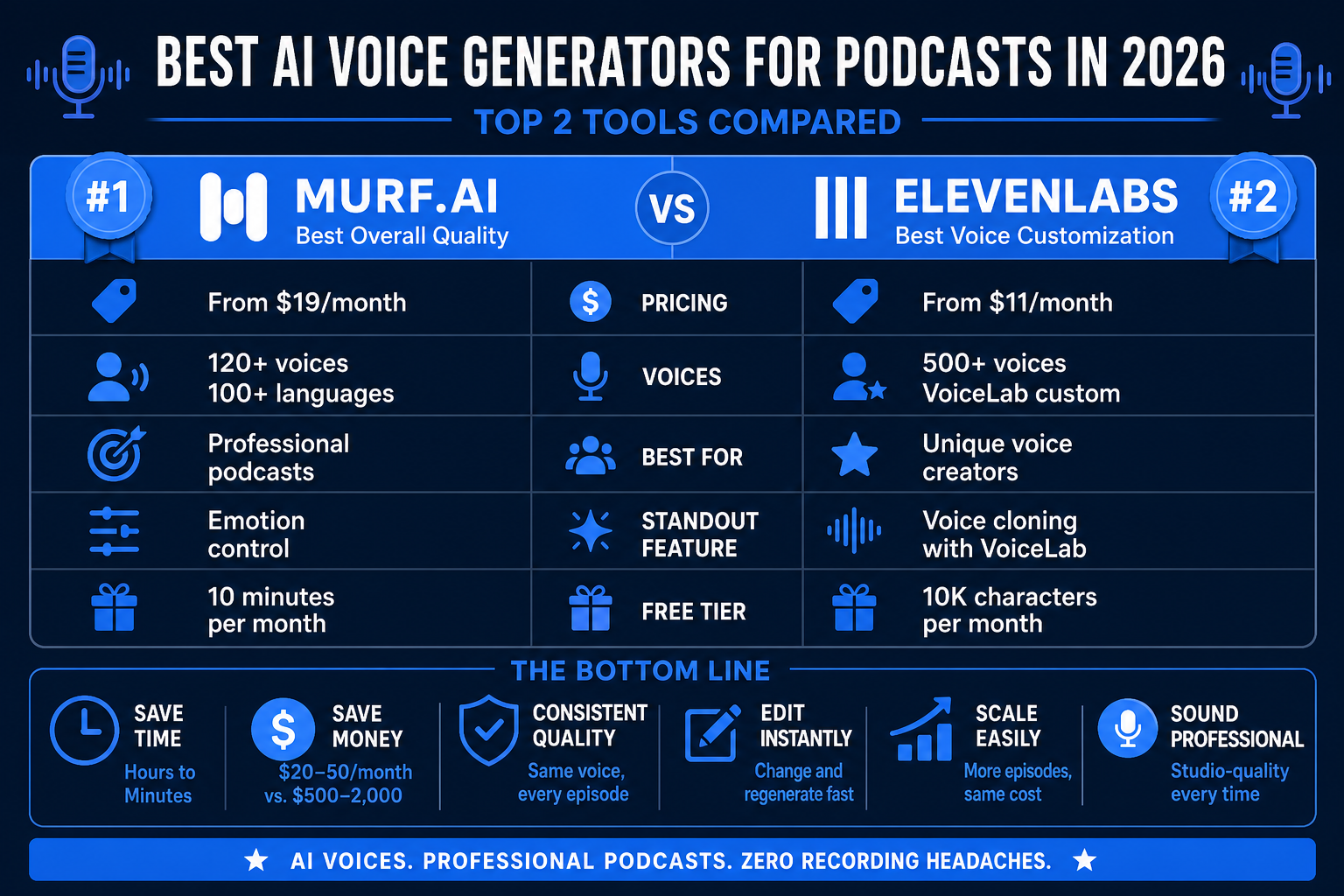
| Platform | Best For | Price | Voice Options | Quality | Free Tier |
|---|---|---|---|---|---|
| Murf | Overall best | $19–99/mo | 120+ | ★★★★★ | 10 min/mo |
| ElevenLabs | Customization | $11–99/mo | 500+ | ★★★★★ | 10k chars |
| Google Notebook LM | Article→Podcast | Free | 2 hosts | ★★★★ | Unlimited |
| Descript | Editing + voice | $12–24/mo | 50+ | ★★★★ | Limited |
| Synthesia | Video podcasts | $22.50–67/mo | 140 avatars | ★★★★ | Trial |
| Natural Reader | Budget | $9.99/mo | 100+ | ★★★ | Yes |
How to Choose the Right AI Voice Generator
Choose Murf if:
- You want the most natural-sounding voice
- You need unlimited episodes per month
- Emotion control is important
- Budget: $19+/month
Choose ElevenLabs if:
- You want 500+ voice options
- You need voice cloning capability
- Multi-language support is a must
- Budget: $11+/month
Choose Google Notebook LM if:
- You want to repurpose blog content into podcasts
- Budget is zero
- You like conversational format
Choose Descript if:
- You record yourself and want AI to fill gaps
- Audio editing is as important as generation
- Budget: $12+/month
Choose Synthesia if:
- You're making YouTube video podcasts
- You want an AI avatar on camera
- Budget: $22.50+/month
Choose Natural Reader if:
- Budget is extremely tight ($9.99/month)
- You're okay with older voice quality
Getting Started: Step by Step
Option A: Murf (Recommended for Most)
- Sign up at Murf.ai
- Create new project → Podcast
- Write or paste script
- Select voice (start with "Amber" or "Aiden" — most natural)
- Click Generate
- Download MP3 → Upload to podcast host (Spotify, Apple Podcasts, etc.)
Option B: Google Notebook LM (Free)
- Open Google Notebook LM
- Upload or paste your blog post
- Click "Audio Overview"
- Wait 60 seconds → Download MP3
FAQ
Q: Can I monetize a podcast with AI voices? A: Yes, but disclose that you use AI narration in show notes. Most podcast hosts allow AI voices in their terms of service. Spotify, Apple Podcasts, and YouTube don't prohibit AI-generated content.
Q: Which AI voice sounds most human? A: Murf and ElevenLabs are nearly indistinguishable from real humans. Natural Reader and older tools still sound robotic. Test the free tier first.
Q: Can I use these for YouTube? A: Yes. All tools generate MP3s that work on YouTube. Synthesia is best for video podcasts (avatar + voice).
Q: Do I need to pay royalties for AI voices? A: No. When you subscribe to Murf, ElevenLabs, or others, you own commercial rights to the generated audio. No additional royalties required.
Q: How long does it take to generate a podcast? A: 30 minutes of audio = 2–5 minutes to generate (depending on platform). Google Notebook LM is fastest (60 seconds).
Q: Can I edit the AI voice after generation? A: Murf and ElevenLabs allow real-time edits (change word emphasis, speed). Others require regenerating.
Q: What if the AI pronounces a name wrong? A: Most platforms let you write the word phonetically or mark it for emphasis. Example: "Yosemite" → "Yo-SEH-mih-tee".
Recommended Setup for Beginners
- Start with Google Notebook LM (free) to test the concept
- If you like it, upgrade to Murf Pro ($19/month)
- Write a 1,500-word article, generate 30-minute podcast
- Upload to Spotify, Apple Podcasts, YouTube
- Share across social media (1 article = 4–5 podcast clips)
Bottom Line
AI voice generation has become professional-grade in 2026. You can now create podcast episodes faster and cheaper than ever. The best platform depends on your needs, but for most podcasters, Murf.ai offers the best balance of voice quality, ease of use, and pricing.
No expensive recording setup. No voice actor fees. No post-production hassle.
Just write, generate, and publish.
Ready to start? Try Murf.ai free.

Alex the Engineer
•Founder & AI ArchitectSenior software engineer turned AI Agency owner. I build massive, scalable AI workflows and share the exact blueprints, financial models, and code I use to generate automated revenue in 2026.
Related Articles

How to Start an AI-Assisted Resume Writing Side Hustle in 2026 (Beginner's Guide)
A step-by-step guide to using AI resume tools to offer a paid resume and cover letter writing service — what to charge, which tools to use, and how to find your first clients.

How to Build and Sell AI Voice Receptionists to Local Businesses in 2026
A beginner's guide to building AI voice agents that answer business phone calls — the tools to use, what to charge, and how to find your first client.

How to Make Money on Fiverr with AI Tools in 2026: 7 Gigs You Can Start This Week
Discover 7 real Fiverr gigs you can launch using free and low-cost AI tools in 2026 — no experience required. Real pricing data, step-by-step setup, and tools that actually work.