
The 8 Best AI Tools for an Unfair Advantage: The 2026 Power User Stack
The AI productivity stack serious users are building in 2026: OpenClaw, Hermes, Gemma 4, GPT-5.4, Claude Code, Codex, and Paperclip — and how they work together as a continuous background workflow.
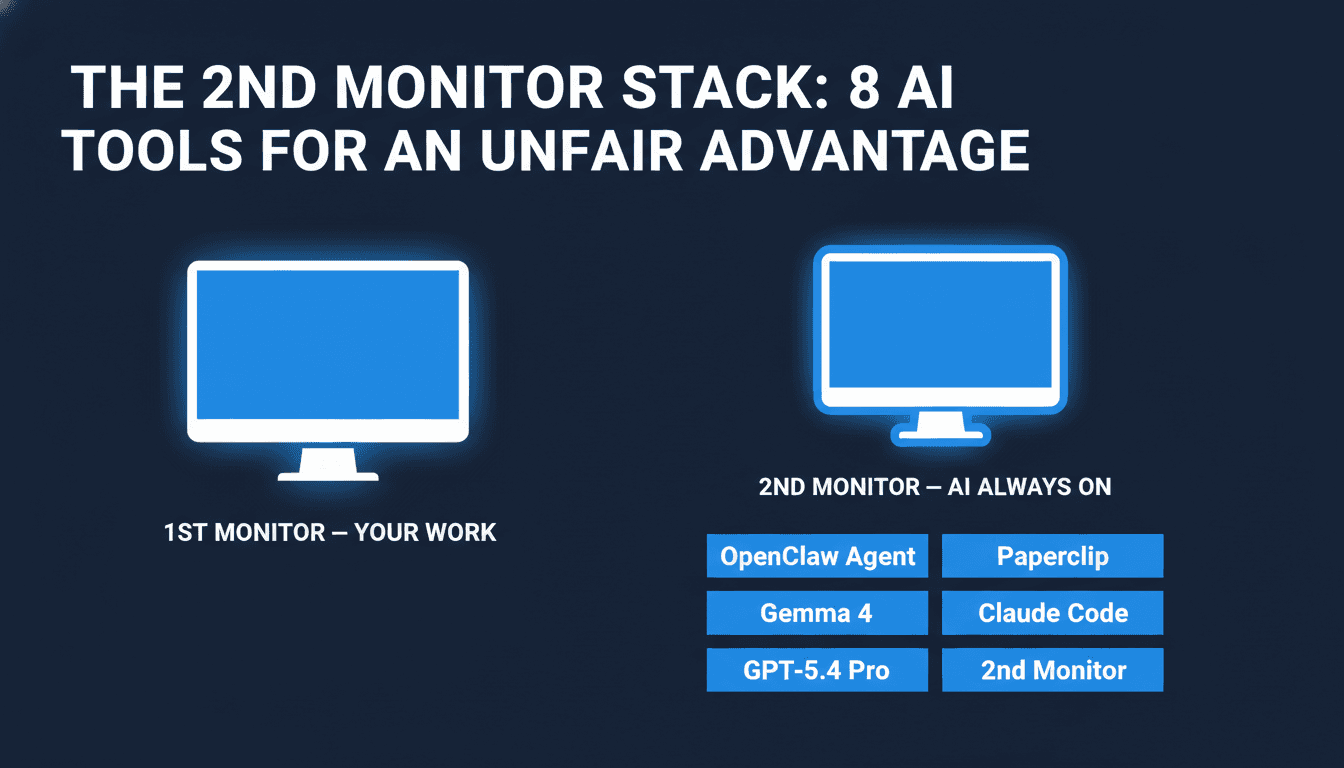
A real productivity gap is forming between people who open an AI chatbot when they're stuck and people who keep AI agents running continuously in the background while they work. The setup behind the second group isn't complicated: primary work on one screen, AI tools running in parallel on another — always on, always available, never waiting to be invoked.
Here's the full breakdown of every tool in that stack, what each one actually does, and why the combination matters more than any single tool.
The Setup: AI as a Parallel Layer
The idea: don't treat AI as something you open when you're stuck. Treat it like a co-worker sitting next to you — always available, always running, never waiting for you to explicitly invoke it. The second screen running AI tools isn't a distraction. It's a parallel processing layer.
The tools in the stack split into three categories: local AI agents (run privately on your own hardware), frontier cloud models (best available reasoning), and agentic coding tools (write and deploy code autonomously). Together, they cover almost every knowledge work task.
1. OpenClaw — Your Personal AI Agent
OpenClaw is a free, open-source AI agent built by Peter Steinberger that went viral in early 2026 after being renamed from its original codename "Moltbot." It runs locally on your machine, connects to models of your choice, and executes real tasks through a growing library of skills — not just chat.
What makes OpenClaw different from just using ChatGPT or Claude directly: it's persistent and extensible. You define what it can do through SKILL.md files — structured definitions that tell the agent what actions it's allowed to take, what tools it can call, and how to chain multi-step operations. Community-built skills are shared through ClawHub, similar to how you'd install npm packages for JavaScript.
Practical use cases:
- Automate repetitive research tasks (scrape, summarize, categorize — all in one skill)
- Run background jobs without touching a cloud API
- Connect to your local files, calendar, and apps through custom skills
- Build a private agent pipeline that doesn't send data to OpenAI or Anthropic
If you're interested in using OpenClaw for something beyond just chat — whether that's local business automation or integrating it into your existing tooling — we've covered the full setup in our OpenClaw User's Guide.
2. Hermes Agent — The AI That Remembers Everything
While most AI tools reset every session, Hermes Agent is built around persistent memory. Every conversation, every solved problem, every task it completes gets added to a growing knowledge base. The agent learns your projects over time and doesn't start from scratch every time you open a chat window.
Hermes connects to Telegram, Discord, Slack, and WhatsApp — so you can message it from your phone, get results back in your team channel, or trigger it via a webhook without ever opening a dedicated app. It comes with 40+ built-in tools: web search, terminal execution, code generation, vision, file management, and cron-style scheduled jobs. It also builds "skills" automatically — when it solves a new type of problem, it packages that solution for future use.
Backend options are flexible: run it locally, in Docker, via SSH on a remote server, or on Modal for cloud execution. The install is a single curl command.
Best for on the 2nd monitor: Long-running background tasks, cross-session context, anything where you want the AI to remember what you worked on yesterday and build on it today.
We covered the full setup in our Hermes Agent guide.
3. Gemma 4 on Mac Mini — Local AI That Never Sleeps
Gemma 4, released by Google on April 2, 2026, is the first truly capable open-weight model that runs comfortably on consumer hardware. A Mac Mini with 16GB unified memory handles the E4B variant (4B active parameters, MoE architecture) at 15–25 tokens/second — fast enough for real-time use.
The key advantage of running Gemma 4 locally on a Mac Mini: it's always on, always private, and costs nothing per query. Once the model is loaded, you can make unlimited requests without API costs, data-sharing concerns, or rate limits.
What this looks like in this stack: keep a local chat interface open (LM Studio works well for this), point it at Gemma 4, and use it for any task where you don't need frontier-level reasoning. Drafting, brainstorming, summarizing, coding assistance, quick Q&A — the Mac Mini handles all of it without touching a paid API.
Gemma 4 also supports 128K context and multimodal input (images) in its full desktop form, which means you can hand it documents, screenshots, or reference images as part of your prompt.
For people who don't have a Mac Mini: the same setup works on any modern laptop with 16GB+ RAM — the inference is just slightly slower.
Full setup walkthrough: Gemma 4 PC/Mac Setup Guide.
4. Paperclip — Run Multiple AI Agents Like a Company
Paperclip (14,000 GitHub stars in week one) solves a problem that anyone who's tried to run multiple AI agents has hit: the agents don't talk to each other, there's no accountability, and you end up with runaway token spend and half-finished tasks.
Paperclip gives your AI agents an org chart. You define a company mission, hire agents with specific roles, set reporting lines, and assign per-agent token budgets. Every task carries the company's goal as ancestry — the agent always knows why it's doing what it's doing, not just what it's supposed to do. Budget caps fire automatically when an agent hits its limit. Heartbeat scheduling means recurring tasks run without you kicking them off manually each time.
The audit trail is immutable — every decision and tool call gets logged, so you can trace exactly what happened when something goes wrong.
In this stack: Paperclip is the orchestration layer. You define the mission once, spin up agents for research, writing, coding, and QA, and let the system run while you focus on your primary work.
Setup details: Paperclip Agent Orchestration Guide.
5. ChatGPT 5.4 Pro — The Best Frontier Model Available
GPT-5.4, released March 5, 2026, is currently the most capable general AI model available. The headline benchmark is its 75% score on OSWorld — a test of AI's ability to control desktop applications, fill forms, navigate browsers, and complete real computer tasks. That's above the human expert baseline of 72.4%.
The other numbers: 57.7% on SWE-bench Pro (coding), 83% on GDPval (knowledge work). It also carries a 1M token context window, meaning you can feed it an entire codebase, a full legal document, or a year of meeting transcripts in a single request.
For this stack, GPT-5.4 Pro (the $200/month ChatGPT Pro subscription, or $30 per million tokens via API) is the heavy lifter you reach for when the task actually requires frontier-level reasoning. Code architecture decisions, complex analysis, multi-step research, anything that benefits from the model that literally beats human experts at desktop automation.
A note on cost: GPT-5.4 Pro via API costs $30 input / $180 output per million tokens. For interactive chat use, the $200/month ChatGPT Pro subscription is usually more cost-effective. Keep it for tasks where the quality premium is worth it — don't route everything through it.
6. Claude Code — The Coding Agent That Lives in Your Terminal
Claude Code is Anthropic's agentic coding tool. Unlike Cursor or Copilot (which work inside your editor), Claude Code runs in your terminal. No GUI, no sidebar, no autocomplete suggestions — you describe what you want in plain language, Claude reads your entire codebase, makes changes, and reports back.
This matters because it means Claude Code can handle multi-file refactors, greenfield feature development, and codebase-wide changes that would take an editor-based tool many steps to coordinate. A lawyer with no coding background used it to build self-service legal triage tools according to Anthropic's own 2026 agentic coding report. That's not a marketing claim — it's a reflection of how far the bar has moved.
Q1 2026 updates added Remote Control (run Claude Code on a remote machine), Dispatch (queue up multiple jobs), Channels (route different tasks to different Claude instances), and Computer Use (let Claude control your desktop directly to complete tasks that require a GUI).
In this stack: Keep a Claude Code session open on your secondary screen. When you need something built or fixed, describe it in natural language. Switch back to your primary monitor while Claude Code works through it.
7. Codex App — Parallel Agentic Coding on Desktop
Where Claude Code is one terminal session with one agent, the Codex app (from OpenAI, available for Mac and Windows as of March 2026) is built around running multiple coding agents in parallel. Each agent gets its own Git worktree — an isolated copy of your repository — so they can work on different features or bug fixes simultaneously without stepping on each other.
You queue up tasks, the agents work through them, and you review the output when they're done. It integrates with cloud environments so the agents can run tests, execute code, and verify their own work before handing it back to you.
For this stack: Codex is most useful when you have a backlog of coding tasks. Throw 3–5 tasks at it, let the parallel agents work, and review the results in batches rather than supervising each one individually.
8. The Always-On Habit — The Workflow Is the Tool
The 8th item in this stack isn't a piece of software. It's a habit: keeping these AI tools visible and running at all times. This is worth taking seriously as its own tool because the habit design matters.
When AI lives in a separate tab you open occasionally, you use it occasionally. When it's always visible, you interact with it continuously. The cognitive overhead of switching apps or opening a new tab is small, but it's enough friction to kill the habit of constant prompting.
Practical implementation:
- Primary screen: Your actual work — editor, documents, browser, communication
- Secondary screen: AI interfaces running continuously — a local Gemma 4 chat (for private/free tasks), Claude Code terminal (for coding), Paperclip dashboard (for agent overview), ChatGPT 5.4 for heavy reasoning tasks
You don't need to constantly type on the secondary screen. You glance at it. You check what agents are doing. You drop in a quick prompt and return to your primary work while the AI handles it in the background.
How the Tools Work Together
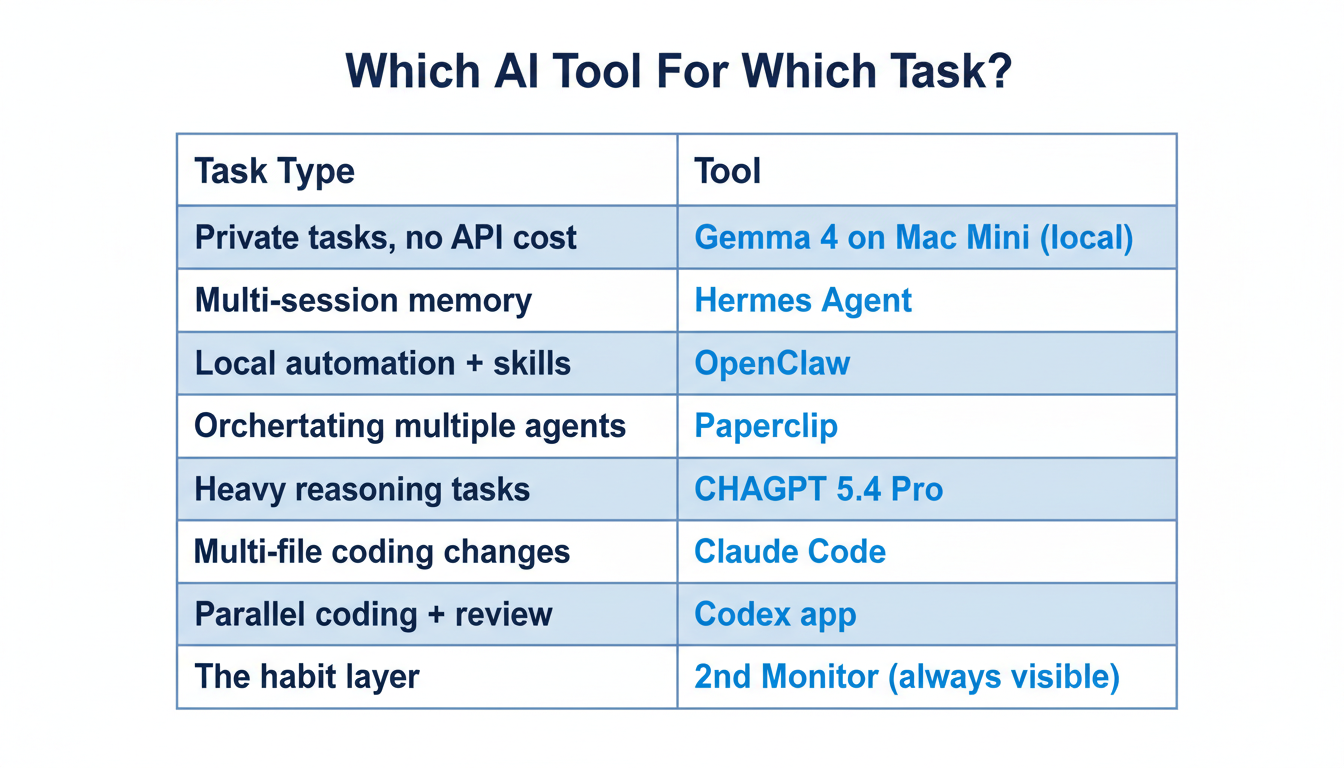
The stack isn't random — each tool has a lane:
| Task Type | Tool to Reach For |
|---|---|
| Private tasks, no API cost | Gemma 4 on Mac Mini (local) |
| Multi-session projects with context | Hermes Agent (persistent memory) |
| Local automation and custom skills | OpenClaw (local agent) |
| Orchestrating multiple agents | Paperclip (org chart + budgets) |
| Complex reasoning, frontier tasks | ChatGPT 5.4 Pro |
| Coding tasks, multi-file changes | Claude Code |
| Parallel coding with review | Codex app |
The point is specialization. You don't route everything through the most expensive model. You use Gemma 4 for 80% of tasks because it's free and fast. You use Claude Code because it's purpose-built for coding. You use ChatGPT 5.4 Pro when the task genuinely requires the best model available.
Where to Start
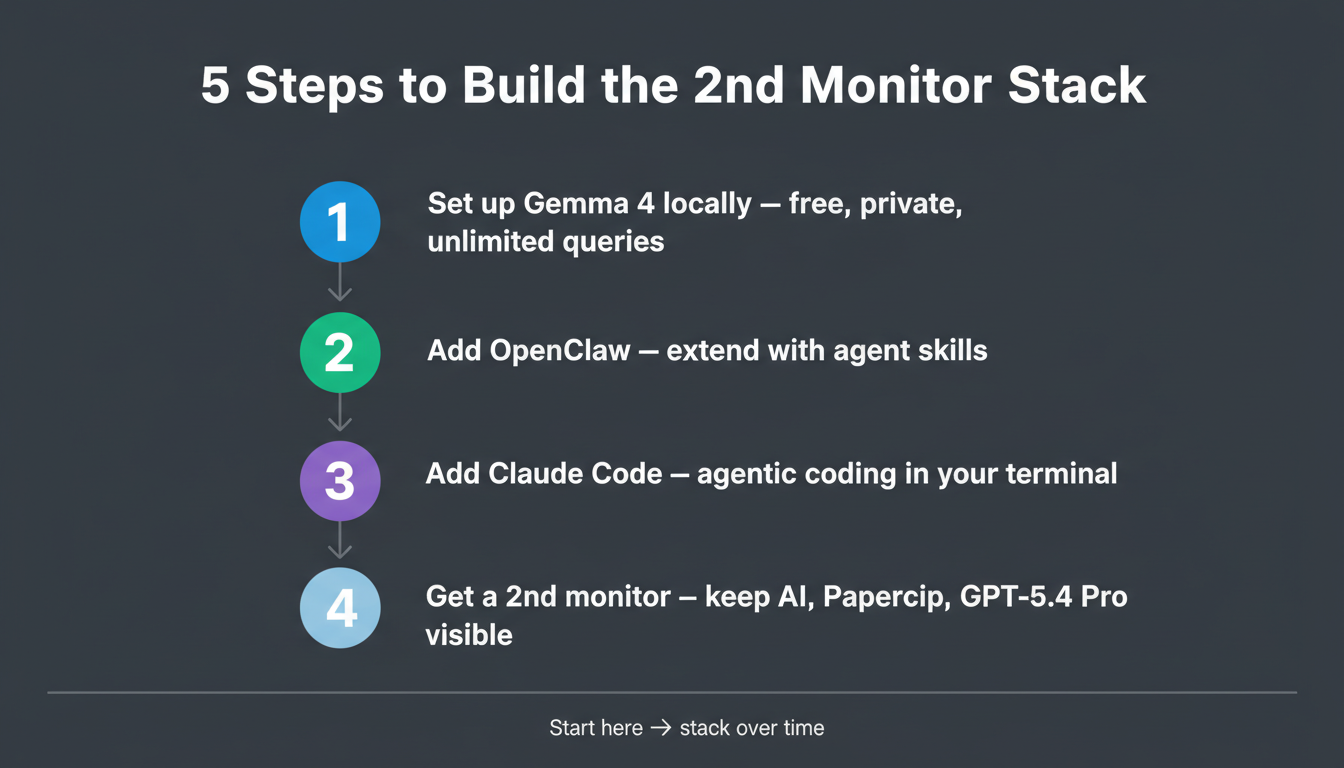
If you're new to this stack, don't try to install all 8 things this weekend. Here's a practical sequence:
-
Start with Gemma 4 locally — get a local model running on your machine. It's free, private, and changes how you interact with AI. Full setup guide.
-
Add OpenClaw — once you're comfortable with local AI, extend it with agent capabilities. OpenClaw guide.
-
Set up Claude Code — if you write code, this is the single highest-leverage addition to your workflow.
-
Add a second monitor — or repurpose an existing one for the always-on setup.
-
Graduate to Hermes or Paperclip — once you know what kinds of tasks you want to automate, Hermes handles memory and multi-platform access; Paperclip handles multi-agent coordination with accountability.
GPT-5.4 Pro and the Codex app are the final pieces — worth it once the rest of the stack is working.
Key Takeaways
- Local agents (free, private): OpenClaw, Hermes Agent, Gemma 4 on Mac Mini — cover 80% of tasks at zero API cost
- Orchestration: Paperclip — run multiple agents with org charts, budgets, heartbeats, and audit logs
- Frontier model: ChatGPT 5.4 Pro — 1M context, 75% OSWorld (above human expert), best for heavy reasoning tasks
- Agentic coding: Claude Code (terminal, multi-file) + Codex app (parallel agents, worktrees)
- The always-on habit — not software, but arguably the most important piece: keeps AI visible and in constant use
- Sequence: Start with Gemma 4 → add OpenClaw → add Claude Code → then scale up

Alex the Engineer
•Founder & AI ArchitectSenior software engineer turned AI Agency owner. I build massive, scalable AI workflows and share the exact blueprints, financial models, and code I use to generate automated revenue in 2026.
Related Articles

How to Start an AI-Assisted Resume Writing Side Hustle in 2026 (Beginner's Guide)
A step-by-step guide to using AI resume tools to offer a paid resume and cover letter writing service — what to charge, which tools to use, and how to find your first clients.

How to Build and Sell AI Voice Receptionists to Local Businesses in 2026
A beginner's guide to building AI voice agents that answer business phone calls — the tools to use, what to charge, and how to find your first client.

How to Make Money on Fiverr with AI Tools in 2026: 7 Gigs You Can Start This Week
Discover 7 real Fiverr gigs you can launch using free and low-cost AI tools in 2026 — no experience required. Real pricing data, step-by-step setup, and tools that actually work.