
AI Customer Service: How to Automate Support in 2026
Learn how to use AI customer service tools to automate your small business support, save hours daily, and increase sales with custom trained chatbots.
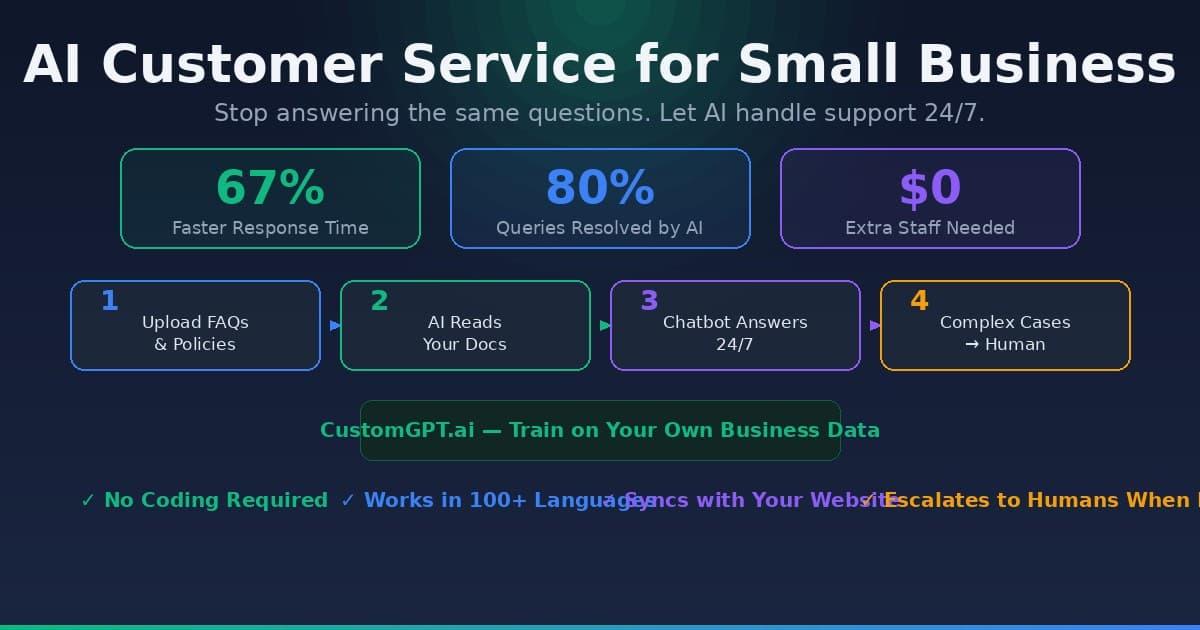
The era of hiring a three-person support team just to handle basic "where is my order" queries is over. For a small business owner, the goal isn't just to answer questions; it’s to do so without burning through your monthly profit on human overhead or spending five hours a day glued to a live chat dashboard.
The technology has shifted from simple "if-this-then-that" bots to systems that actually understand your product manuals, refund policies, and brand tone. You no longer need a developer to build these. You just need your existing data and the right platform to host it.
Why Generic Chatbots Fail (and What Works Now)
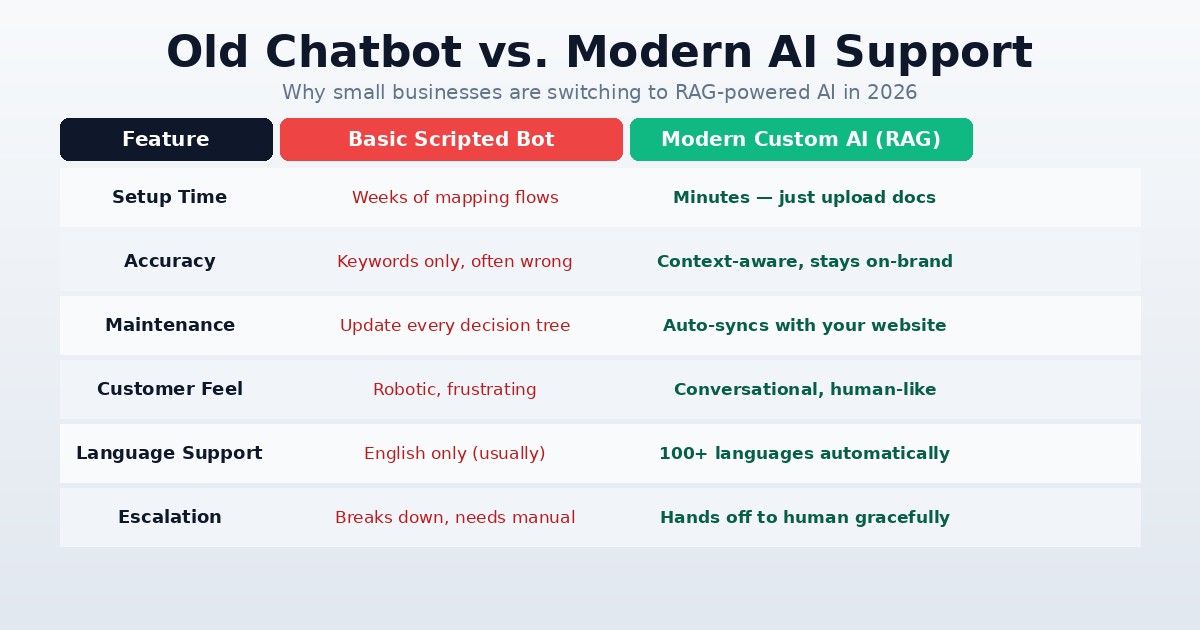
Most small businesses have tried basic chatbots and hated them. They were rigid, frustrated customers, and eventually required a human to step in anyway. The difference now is RAG (Retrieval-Augmented Generation). Instead of following a script, the AI looks at your specific documents—PDFs, website URLs, and help desk articles—to generate an answer.
According to a 2025 Intercom report, businesses using specialized AI support tools saw a 67% reduction in median first-response times. This isn't because the AI is "smart" in a human sense, but because it has instant access to your entire business knowledge base.
To make this work, you need to move away from generic models. Using a tool like CustomGPT.ai allows you to upload your specific business data so the bot doesn't hallucinate or give generic advice that doesn't apply to your shop. It ensures the AI stays within the guardrails of your actual policies.
Setting Up Your "Digital Twin" Support Agent
Automating your support starts with a data audit. If you want the AI to handle 80% of your tickets, you have to give it the answers to those 80%.
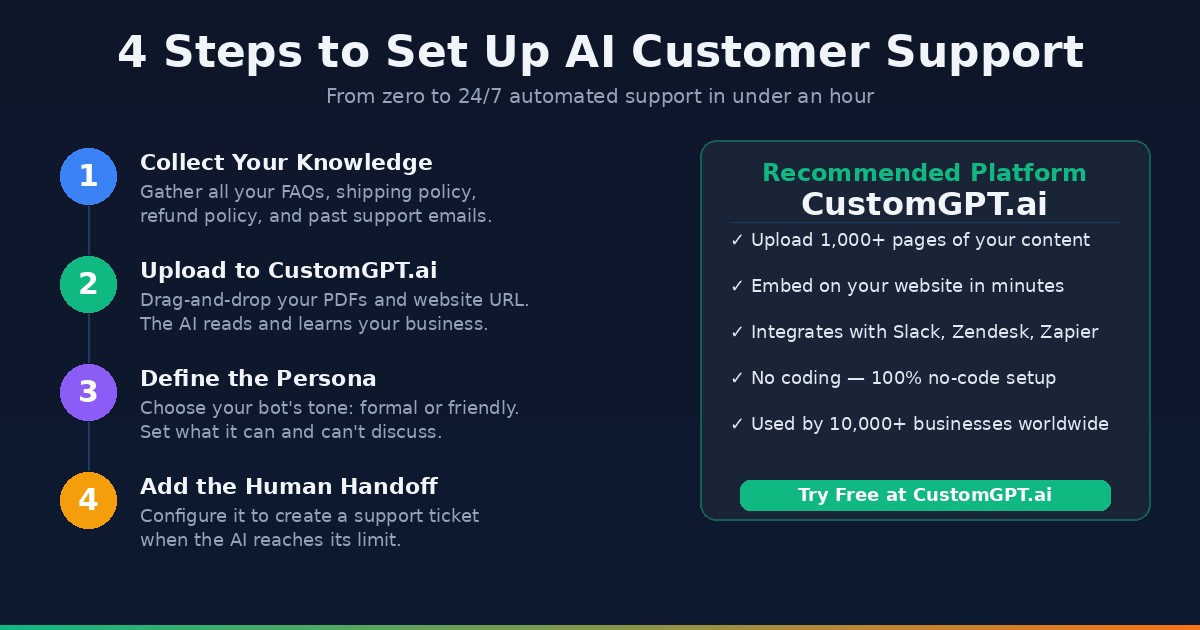
- Gather Your Knowledge: Collect your FAQ page, your shipping policy, your Terms of Service, and even past successful support emails.
- Choose Your Platform: Look for a "no-code" builder. You want a system where you can drag and drop a folder of PDFs and get a chat bubble in return.
- Define the Persona: Tell the AI how to speak. Should it be "Professional and concise" or "Friendly and casual"?
- The Human Handoff: Ensure there is a clear path to a human for complex issues. Most modern tools allow the AI to "tag in" a human or create a ticket in your email help desk when it reaches its limit.
According to Gartner, by 2025, 80% of customer service organizations will be using generative AI to improve agent productivity and customer experience. For a small business, this means you can compete with enterprise-level response times without the enterprise-level budget.
Comparing Automation Strategies
Not all AI implementations are equal. Depending on your volume, you might need a simple website widget or a full-scale integration with your CRM.
| Feature | Basic Scripted Bot | Modern Custom AI (RAG) |
|---|---|---|
| Setup Time | Weeks (Mapping flows) | Minutes (Uploading docs) |
| Accuracy | Low (Limited to keywords) | High (Context-aware) |
| Maintenance | High (Update every flow) | Low (Syncs with website) |
| Customer Feel | Frustrating/Mechanical | Conversational/Human-like |
| Language Support | Limited | 100+ languages automatically |
For most, the middle ground is the sweet spot. Using CustomGPT.ai to ingest your website content creates a bot that actually sounds like it works for your company, rather than a generic plugin.
Training Your Bot on Your Brand Voice
The biggest fear for small business owners is the AI saying something wrong or "off-brand." This is solved through "System Prompts." A system prompt is a set of instructions that stays in the background of every conversation.
Instead of just letting the AI talk, you give it a framework: "You are the lead support agent for [Your Brand]. You are helpful and never guess. If you don't know an answer based on the provided documents, politely ask the user to leave their email so a human can follow up. Never mention competitors."
This level of control ensures that your ai customer service for small business doesn't become a liability. You are essentially creating a digital employee that has memorized your entire handbook and never gets tired or grumpy.
Turning Support into a Sales Channel
One of the most overlooked aspects of AI customer service for small business is its ability to upsell. When a customer asks, "Do you have this in blue?" the AI shouldn't just say "Yes." It should provide the link to the blue version and perhaps mention a matching accessory.
Because the AI understands context, it can recognize buying intent. If someone is asking deep questions about a product's specifications, they are likely close to a purchase. You can program your bot to offer a limited-time discount code if the conversation lasts more than three minutes, or if the user asks about pricing.
This transforms your support department from a "cost center" (money going out) into a "profit center" (money coming in). You aren't just saving on labor; you are capturing leads while you sleep.
Handling the Technical Transition
You don't need to delete your "Contact Us" page. Start by embedding the AI as a floating bubble on your high-traffic pages (Pricing, FAQ, Checkout). Monitor the logs for the first week.
Most platforms provide a "Query Log" where you can see exactly what people asked and how the AI responded. If you see the AI struggling with a specific question, you don't need to rewrite code—you just add a one-sentence clarification to your knowledge base document, and the AI is instantly "trained" for the next time.
This iterative process is how you reach "zero-touch" support. Within a month, you'll likely find that the only tickets reaching your inbox are the ones that actually require a human's nuance or emotional intelligence.
Key Takeaways
- Content is the Fuel: Your AI is only as good as the documentation you provide. Clean up your FAQs before you sync them.
- Focus on RAG: Avoid old-school chatbot builders that require you to draw "decision trees." Use modern tools that learn from your documents.
- Human Handoff is Vital: Never trap your customers in an AI loop. Always provide an easy exit to email or a human agent.
- Monitor and Refine: Spend 30 minutes a week reviewing chat logs to identify gaps in your documentation.
- Think Beyond Support: Use your ai customer service for small business to suggest products and capture leads, not just resolve complaints.
Automating your support in 2026 isn't about removing the human element; it's about removing the repetitive, robotic tasks from your day so you can focus on growing the business. With the right setup, your custom chatbot becomes your most reliable, informed, and cost-effective team member.

Alex the Engineer
•Founder & AI ArchitectSenior software engineer turned AI Agency owner. I build massive, scalable AI workflows and share the exact blueprints, financial models, and code I use to generate automated revenue in 2026.
Related Articles

How to Start an AI-Assisted Resume Writing Side Hustle in 2026 (Beginner's Guide)
A step-by-step guide to using AI resume tools to offer a paid resume and cover letter writing service — what to charge, which tools to use, and how to find your first clients.

How to Build and Sell AI Voice Receptionists to Local Businesses in 2026
A beginner's guide to building AI voice agents that answer business phone calls — the tools to use, what to charge, and how to find your first client.

How to Make Money on Fiverr with AI Tools in 2026: 7 Gigs You Can Start This Week
Discover 7 real Fiverr gigs you can launch using free and low-cost AI tools in 2026 — no experience required. Real pricing data, step-by-step setup, and tools that actually work.